- Loading…
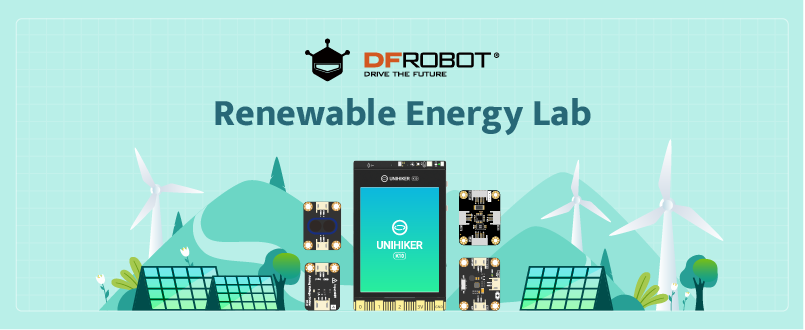
This kit is a scientific exploration kit based on the UNIHIKER K10. It is equipped with components such as a wind power generator, a solar panel, and an energy storage module. Using this kit combined with materials like Kraft paper, you will construct a simple wind turbine and a solar panel device.
Students will gain a preliminary understanding of power supply systems, energy consumption systems, and power detection systems in a power station.
PART LIST

Note that this kit does not include the UNIHIKER K10 main control board. Please configure it separately.
PREPARATION
Before you start working on your Renewable Energy Power Station, please make the following preparations first:
Step 1: Download software
Here are the instructions for downloading the software in preparation for the next lessons.
Go to this link to download the Mind+ software.
https://www.unihiker.com/wiki/K10/GettingStarted/gettingstarted_mindplus/
Unzip the compressed file, making sure to disable your antivirus software during the unzipping process. Ensure that the unzipped folder’s path should not be excessively long.
Open the unzipped folder and locate the “Mind+.exe” file. Double-click to open it.
Step 2: Follow the instructions provided in the link to create your first code.
Let’s begin our learning journey by following the tutorial.


Lesson 1: introduction and construction
During this lesson, students will understand the basics of renewable energy and its importance. Using the provided materials, they will construct a simple wind turbine and solar panel setup. Students will have a preliminary understanding of the power supply system, energy consumption system and the power detection system of a power station.
PART LIST
Note that this kit does not include the UNIHIKER K10 main control board. Please configure it separately.
PREPARATION
Before you start working on your Renewable Energy Power Station, please make the following preparations first:
Step 1: Download software
Here are the instructions for downloading the software in preparation for the next lessons.
Go to this link to download the Mind+ software.
https://www.unihiker.com/wiki/K10/GettingStarted/gettingstarted_mindplus/
Unzip the compressed file, making sure to disable your antivirus software during the unzipping process. Ensure that the unzipped folder’s path should not be excessively long.
Open the unzipped folder and locate the “Mind+.exe” file. Double-click to open it.
Step 2: Follow the instructions provided in the link to create your first code.
Let’s begin our learning journey by following the tutorial.
Solar, wind, hydroelectric, biomass, and geothermal power can provide energy without the planet-warming effects of fossil fuels.

Harnessing the wind as a source of energy started more than 7,000 years ago. Now, electricity-generating wind turbines are proliferating around the globe; China, the U.S., and Germany are the leading wind energy producers. From 2001 to 2017, cumulative wind capacity around the world increased to more than 539,000 megawatts from 23,900 mw—more than 22 fold.

From home rooftops to utility-scale farms, solar power is reshaping energy markets around the world. In the decade from 2007 and 2017 the world’s total installed energy capacity from photovoltaic panels increased a whopping 4,300 percent.

Show a complete power station system, asking students to narrate each part of this system, recognize the power supply system including the solar panel and wind turbine.


Separate students into several groups for a modified jigsaw activity using the following resources.


Student-lead summarization:
Within their jigsaw groups, students should provide an explanation for the following question: “What is the most important takeaway, or main idea from these charts?” Student groups should answer that question in 2-3 sentences that they will share with the whole class.
After hearing from each jigsaw group, encourage students to consider” How can we create a renewable energy power station that is efficient, safe, and remotely controllable?” Students should finish the table as below.

Let’s follow the instructions to build the power station!
Step 1: Gather all components
Gather all the components from the Materials list.
Step 2: Installing windmill X and Y
Begin by preparing the windmills by folding and assembling them according to the instructions provided.

Take out windmills X1, X2, and X3, fold and assemble them together to form windmill X. Then, repeat the same process to create windmill Y.

(Notice: Don’t forget to insert the relevant modules before installing the back cover.)

Step 3: Install two windmills on the base plate

Take out the pieces W1 and position the bottom of windmill Y through the middle square of W1. Then take out two leg pins and use them to attach the windmill Y to the base plate.

Similarly, let the windmill X go through W3, and assemble W2 and W4 together in sequence.

Step 4: Assemble the factory

Take out two pieces of F2, fold and assemble them to form the wall of the factory. Secure the wall to the base plate using double-legged pins.

Take out the roof F1 and install it on the wall.

Take out Solar E1 and E2, and assemble them with the solar panel by following the steps below.

(Notice: The frame may not fit the panel. What you can do is either cut the Kraft Paper to make them fit together or do nothing, but that would sacrifice some area of the panel, which might reduce production.)
Step 5: Install electricity pylon

Notice: Don’t forget to take the support out. It will be used in the following lessons.


finished renewable power station

Congratulations! You have finished the first lesson, introduction and construction. Let’s begin our exploration trip!
Lesson 2: Power-Brightness Relationship of LEDs

Digital Wattmeter Module

This is an I2C digital power meter with a Gravity interface. It can measure the operating current, voltage, and power of various sensors and actuators.
In this lesson, students will gain insight into the power of various electrical appliances. They will develop the skills to measure and analyze the power of these appliances. Students will learn how to implement simple energy-saving control mechanisms for small lights.
What is power?
Power in electricity is the rate of energy transfer or consumption, measured in watts (W). It shows how much work an electrical device can do per unit of time.
Simply put, the higher the power, the more energy the device uses per unit of time.

Here is a diagram that can illustrate how many watts each type of appliance typically uses.
Guiding students to understand the basic relationship between current, voltage, and power.
Current and voltage lead to power.

To predict the brightness of bulbs you need to think about the power in the electrical pathway. The brightness is the result of two electrical factors:
The flow – that is the current
The push – that is the voltage
Assuming an ammeter connected to the circuit indicates a current of 2 amperes, we can deduce that the current flowing through the bulb is also 2 amperes. This means that 2 coulombs of charge pass through the bulb each second. Given that 12 joules of energy are transferred to the surroundings for every coulomb of charge passing through the bulb, we can calculate that the bulb transfers 24 joules of energy each second (since 2 coulombs/second * 12 joules/coulomb = 24 joules/second). Therefore, the power of the bulb is 24 watts
Separate students into several groups for a modified jigsaw activity using the following resources.
Student-lead summarization:
Within their jigsaw groups, students should construct an explanation for the following question: “Which bulb consumes the most energy and which is the most energy-saving?” Each group should answer this question by rating the power consumption of these four types of bulbs and then share their findings with the whole class.

From the data in the table, LED lighting provides the maximum benefits across all areas – energy efficiency and lifespan. Although LED lights have a higher upfront cost compared to incandescent and halogen bulbs, considering the overall cost, they save money in the long run.
LEDs and CFLs result in lower greenhouse gas emissions from power plants. If everyone switched to efficient lighting, the pollution reduction would be significant.
Therefore, the colorful LED might be a reasonable lighting device for a power station.
After sharing and drawing conclusions, encourage students to consider “what the relationship is between the brightness of LEDs and their power”.
Follow the instructions to explore the relationship between the brightness of LEDs and their power.
Step 1: Import user library
Open Mind+ and Click Extensions

Select User-Ext->Type “power meter”>Press “Enter”

Choose Power(EDU)->Click “Yes”


Back to coding page

Step 3: Calibrate power meter
Connect the power meter to the I2C pins of Unihiker K10 (SDA/SCL).


Complete the code and upload it to Unihiker K10. Then, in the terminal, select ‘Open Serial’.


Now that we have the no-load calibration value, we need to enter it in the correct position to ensure more accurate measurements.

Provide students with two challenges to develop their knowledge of power consumption. These challenges are themed around exploring the power consumption of LED. It should be noted that these challenges need to be carried out in sequence.
Determine the power consumption of the LED strip.
Firstly, connect the hardware according to the diagrams provided below.


Secondly, turn on the LED strip. The power meter module is equipped with control functionality, allowing us to control the actuator’s switch by manipulating the corresponding pins.

Thirdly, guide students to complete the following program.

Finally, downloading and the power of LED strip is showing on the screen.

After measuring the LED power, proceed to explore how brightness affects power consumption.
Explore the relationship between the brightness of LED and its power consumption.
First of all, creating a brightness-controlled LED strip using buttons A and B. How to accomplish this function? What you need to do is to make a variable named “brightness” and program it to increase or decrease in response to pressing buttons A or B.
Here are the steps you can follow:
Make a new variable named brightness.


Increase brightness by 100 when button A has been pressed.

Combine variable “brightness” and analog output together.


Finish the complete program as below.

After downloading this program, you can adjust the brightness of the LED strip by using buttons A and B.
Next, integrate the power measurement function into the program and show the brightness and power on the screen.


Below is the code example.


From the effects shown above, it can be observed that the light strip in the left image has a lower brightness and correspondingly lower power. In contrast, the light strip in the right image is brighter and has a higher power.
Within their jigsaw groups, students are tasked with filling out the table provided below and subsequently creating a line chart to vividly illustrate the correlation between brightness and power.


The teacher will now summarize the lesson and guide the students to disconnect and neatly pack away all equipment before returning it.
Lesson 3: Investigate the Factors Affecting Wind Power Generation Efficiency


Show the following table to guide students to think:
Pose the following questions to spark students’ curiosity:
What other factors might affect how much electricity a wind turbine can produce? How do you think the speed impacts the amount of electricity generated?” Encourage students to ask additional questions, and make initial prediction about the relationship between wind force and power generation.
Provide students with small-scale wind turbine models. Instruct them to set up the models in a controlled environment and use fans to simulate different wind speeds. Students should adjust the distance between fan and wind turbine to create varying wind forces, record the power output readings from the Voltage detection module(Analog Voltage Divider) for each wind speed. As they conduct the investigation, encourage students to think freely about the possible connections between distance and power generation, test their predictions and hypotheses, and meticulously record all observations and ideas in their science notebooks.
Core Teaching Steps:
Hypothesis Formation:
Ask students to predict how increasing distance (between fan and turbine) will affect the turbine’s output voltage.
Connection:

Coding:
the power output could be read from the Voltage detection module(Analog Voltage Divider), here is the sample code:


Data Collection: Run the program at different distance and record the corresponding voltage values. To obtain more accurate results, take multiple measurements at each distance and calculate the average value for recording.


Gather students for a group discussion. Have each group present their recorded data and share their interpretations of the relationship between distance and power generation. Guide students to use the data they collected to construct a reasonable explanation. Prompt them to consider questions like: “Based on our data, how does an increase in distance, combined with a change in wind speed, affect the amount of electricity generated? Can we identify any patterns or trends in our results? How do our findings compare with our initial hypotheses?” Encourage students to listen critically to others’ explanations, refer back to the exploration activity, and use evidence from their experiments to support their arguments.
Core Teaching Steps:
Data Presentation:
The presenter should display the organized data (table or graph) and clearly point out the values for different distance and the associated power outputs.
Here is a sample line graph:

Constructing Explanations:
Guide students to use the data as evidence to construct a reasonable explanation for the relationship between wind force and power generation. Provide some frameworks if needed, such as: “First, state your claim about how wind speed affects power generation. Then, use specific data points from your experiment or other groups’ experiments to support your claim. Finally, explain the scientific reasoning behind why this relationship exists.” Walk around the classroom to assist groups that may be struggling with formulating their explanations.
This segment focuses on how wind direction affects wind power generation. Through simplified theories, simulation experiments, and data collection, students will understand the relationship between wind direction and power generation efficiency, learn to design experiments using variable control, and attempt to solve practical layout problems.

Core Teaching Steps:
Theory Introduction:
Wind turbines are designed to have maximum efficiency when the wind blows directly into the face of the rotor. This direction of wind is known as the headwind. It should be noted that wind turbines can still operate in other directions, but they will not be as efficient.

Headwind(0°)
When the wind is blowing directly into the rotor blades, the turbine operates most efficiently. This situation creates the highest wind speed over the blades and, therefore, generates the most power.
Control Variables:
Keep the fan distance the same. Adjust the fan’s angle to simulate different wind directions (0° = headwind, 30°/60°/90° = off-angle winds).
Measure and Record:
Test the voltage 3 times at each angle and calculate the average. Use a simple table like this:

Data Analysis:
Graph Drawing: Use a bar chart to show the average voltage at different angles (x-axis: angle, y-axis: voltage).
Here is a sample line graph:

Ask: “Which wind angle gives the most power? How does power change when the angle increases?”
Summarize: Headwind (0°) is most efficient. The larger the angle, the less power generated.
Lesson 4: Investigate the Impact of Different Light Intensities and Spectra on Solar Energy generation Efficiency


Spark curiosity about how light properties affect solar energy storage.
Core Teaching Steps:
Show images of solar panels in different environments:


Ask: “Why might a solar panel charge a battery faster in direct sunlight than on a cloudy day? Could the color of light matter?”
Initial Predictions:
Present a table comparing light intensity (lux) and battery charging time:

Prompt discussion: “How do you think light color (spectrum) and brightness (intensity) affect the power a solar panel produces?”
Use controlled experiments to explore the quantitative relationship between light intensity and solar panel voltage. Students will adjust light distance to change intensity, collect data via light sensors and voltage modules, and undergo a full inquiry process (“hypothesis testing → data recording → preliminary analysis”) to develop experimental design and measurement skills.
Core Teaching Steps:
connection:

Code:


Data Collection and Recording:
Use a phone flashlight as the light source for testing.
Start at 10cm, record light level and voltage (V) with 3 repetitions.
Wait 20 seconds for stable readings after each distance adjustment.

Guided Observation:
“When distance doubles, do intensity and voltage decrease proportionally? Why or why not?”
Facilitate group discussions and data presentations to guide students in constructing scientific explanations based on evidence. Using a “Claim-Evidence-Reasoning” framework, they will analyze the intensity-voltage relationship, link it to photon theory, and refine conclusions through critical thinking.
Core Teaching Steps:
Data Visualization and Trend Analysis:
Groups present light level(read from light sensor)-voltage line graphs with trend lines.
Use the formula to predict voltage at 2000(analog read). How would you verify it?
Scientific Principle Connection:
Structure explanations:
“We found a ____ relationship (e.g., positive correlation) between intensity and voltage, as shown by ____ (evidence: data trend). This occurs because ____ (principle: intensity determines photon quantity and electron excitation).”
Critical discussion:
“How might using different solar panel types (monocrystalline vs. polycrystalline) affect this relationship?”
Build on the intensity experiment to explore spectral effects. Using LEDs in different color, compare voltage data across spectra, and understand solar panels’ wavelength-specific absorption. This fosters multi-variable experimental design and interdisciplinary thinking.
Core Teaching Steps:
Code:

Experimental Design and Variable Control:
Independent Variable: Color of light (red/blue).
Dependent Variable: Voltage output (V) of the solar panel.
Controlled Variables:
1. Distance between LED and solar panel fixed at 3 cm (measured with a ruler).
2. Ambient light shielding (close curtains, turn off classroom lights).
3. Experimental duration (5 seconds per measurement, read after voltage stabilizes).

Operation Procedure:
1.Press button A, illuminate the solar panel with red light, and record the voltage value displayed on Unihiker’s screen.
2.Remove the LEDs away, wait 2 seconds for ambient light to dissipate.
3.Press button B, illuminate the solar panel with blue light, and record the voltage value.
4.Repeat the above steps 3 times to obtain three sets of data for red light and blue light.
Recording Table:

Core Conclusion:
Solar panels have higher energy conversion efficiency for blue light, generating greater voltage under the same intensity.
Real-World Connection:
“In solar cell design, how can this characteristic be used to improve power generation efficiency?”
(Answer hint: Adopt multi-layer material structures to absorb light of different spectra respectively)
The teacher will now summarize the lesson and guide the students to disconnect and neatly pack away all equipment before returning it.
Lesson 5: Investigate the Impact of Solar Panel Angle on Energy Storage Efficiency


Spark curiosity about how panel angle affect solar energy storage.
Core Teaching Steps:
Show Images:
Display photos of solar panels at different angles, asking: “Why do solar panels have different angles? Could angle affect how much energy they store?”


Initial Predictions:
Present a hypothetical scenario:
“A solar panel tilted at 0° (flat) vs. 40° (steep). Which do you think will generate more voltage? Why?”

Record student guesses on the board (e.g., “steeper angles capture more sunlight” or “flat angles are better for direct sunlight”).
Investigate the relationship between panel angle and charge efficiency.
Core Teaching Steps:
Connection:

Angle Control:
Use an adjustable stand and protractor to set panel angles: 0° (flat), 40°, 90° (perpendicular to light source).

Code:


The basic formula for capacitors is: Q = C × V

In this experiment, the Capacitance Value used is 2.5 farads (F).

Therefore, the conversion formula from analog values to charge quantity (which can be understood as the stored energy of the storage module) is as follows:

Procedure:
1.Position the solar panel to a light source (e.g., sunlight) directly above the panel.
2.Set panel angle to 0°, wait 3 minutes for stable readings, record Charge Quantity both at the beginning(minimal value in 5 seconds) and the end(maximal value in 5 seconds).
3.Repeat for 40°, and 90°, repeat the step 2 at each angle.
Data Collection:

Charge Input = End Charge(mC) – Beginning Charge(mC)
Analyze data to explain the angle-charge efficiency relationship.
Core Teaching Steps:
Data Visualization:
Plot a line graph with panel angle (°) on the x-axis and charge quantity (mC) on the y-axis. Highlight the peak at 40° in the sample data below.

Ask: “Why did voltage peak at 40° instead of 0° or 90°?”
Scientific Explanation:
Key Principle:
The optimal angle maximizes the incidence of light being perpendicular to the panel surface. At 0°, light hits at a shallow angle (low efficiency); at 40°, the panel faces straight from the light source.
Analogy:
Compare to holding a paper plate to catch rain: tilting it at the right angle (not flat or upright) captures the most water.
Monitor the storage module status and display whether it capacity is sufficient on the screen..
Core Teaching Steps:
Connection:

Threshold Detection Setup:
In this experiment, the storage module has a rated voltage of 5.5 V. When fully charged, the voltage detection module outputs 5500 mV (5.5 V is the upper limit for safe use; exceeding this during charging may cause explosion or leakage). Therefore, a threshold is needed to remind users when the storage module has sufficient charge to turn on the LED strip. When the charge is below a certain threshold, users should be prompted to turn off the strip for recharging.

Program Logic:
When the charge is greater than or equal to 11000 mC, display “CHARGE READY” on the screen, else display “CHARGING”.
When the screen shows “CHARGE READY”, you can turn on the LED strip by switching the toggle below to ON. When the screen displays “CHARGING”, switch the toggle to OFF to turn off the strip and wait for recharging. (If the LED strip cannot be lit even when the charge is sufficient, press the Boot key to activate the strip.)

Code:


Extended Activity:
Test the power consumption rate of the LED strip.
1.Key Takeaway: Reinforce the logic: “Optimal angle → higher light absorption → more energy stored → longer lighting.”
2.Extension: “How could you design a circuit to auto-switch between daytime charging and nighttime lighting? (Hint: Use the light sensor loaded on Unihiker.)”
3.Cleanup: Guide students to disconnect devices, return materials, and tidy workstations.
Lesson 6: Remote Monitoring & Early Warning for Wind Power


Show the picture to guide students to think:
Do Wind Turbines Freeze?

What happens if a wind turbine blade freezes in winter? How can we detect these issues early?
Brainstorming:
Discuss real-world anomalies:
Wind turbines: Abnormal rotation speed, voltage drop.
Link to IoT applications: “How can sensors and the SIoT help monitor these in real time?”
(SIoT is an open-source, free MQTT server software designed specifically for educational scenarios. It enables one-click creation of a local IoT server, freeing you from network – connection worries.
Combined with Mind+, it allows students from primary school to senior high school to easily get started with the Internet of Things.)
Building an SIoT Monitoring System for Wind Energy
Core Teaching Steps:
Connection:

SIoT Setup Guide
1.Connect to WiFi
Connect your computer to a WiFi network (no internet required).
Use a router or mobile hotspot to create a local network.
2.Download SIoT:
https://github.com/liliang9693/siot_en/releases/tag/siotV1.2-en
3.Run SIoT_windows.exe

Double-click SIoT_windows.exe. A black CMD window will appear.

4.Get Your IP Address
Type “ipconfig”in your terminal to get your IP (e.g., 192.168.9.148).


5.Access SIoT Web Interface
Open your browser and enter:[Your IP Address]:8080
(e.g., 192.168.9.148:8080).

6.Log In
Username: siot
Password: dfrobot
Click “login”.

Note: All SIoT instances use the same default credentials.
Coding:
Read voltage to calculate power output, here is the sample code:

Fill in the WiFi’s account and password.

Initialize MQTT Settings:
a.Select Platform: Choose SIoT Platform

b.Server Address: Enter your IP (e.g., 192.168.9.148)

c.Account and password:
Account: siot
Password: dfrobot


d.Topic Format: Project ID/Device ID (e.g., K10/001)

(If “successful” does not appear on the screen, press the reset button until it displays “successful”.)

View Messages on SIoT Web Interface:
Navigate to Device list, you can see your device(e.g., K10/001).
Click “View Messages”.

Enable “Automatically refresh messages” to view real-time data updates:

Click “Hide/show charts” to see data in chart:

Sensors convert physical quantities (voltage) to electrical signals.
SIoT protocol transmits data securely over the internet.
Core Teaching Steps:
Explanation:
Guide students to understand the SIoT principles: After setting up an SIoT server on a computer, other devices (e.g., laptops, phones, Unihiker K10) can access the server via WiFi by using the IP address assigned to the computer by the router.
Construct Explanations:
Instruct students to complete the following diagram by filling in the blank spaces.


Design a remote early warning system that uses SIoT to send alerts to monitoring staff, prompting them to troubleshoot when the wind turbine remains inactive for an extended period (e.g., >5 seconds).
Core Teaching Steps:
Coding(Local Light Alert):

Coding(remote notification):


Simulating Anomalies:
Experiment Setup:
Manually reduce wind turbine speed (e.g., block the blades slightly or reduce fan speed) to simulate a fault, ensuring the voltage output drops below the normal threshold (e.g., <50mV).
Data Observation:
Record how IoT dashboard detects the anomaly and triggers alarms (local light + remote notification).

SIoT Role: Enables real-time monitoring of wind power systems from anywhere.
Anomaly Detection: Combining sensor data, threshold logic enables timely alerts.
Lesson 7: Solar Panel Obstruction Impact Exploration and Automatic Cleaning System


Through brainstorming and guided Q&A, review previous knowledge and arouse students’ curiosity.
Core Teaching Steps:
Brainstorming: Real-world Issues:
Discuss scenarios causing voltage drop and power reduction in solar panels:
1. Dust/sand accumulation on the panel surface
2. Partial obstruction (e.g., leaves, bird droppings)
3. Cloudy weather or reduced sunlight intensity
4. Physical damage to the panel (cracks, scratches)
5. Aging of solar cells over time
Guided Thinking:
Pose questions:
1.In desert environments, how does sand/gravel coverage affect the power generation efficiency of solar panels?
(E.g., Reduces light absorption, may cause hotspots or uneven heating.)
2.Based on previous knowledge, what methods can be used to monitor solar power generation efficiency in real time?
(E.g., Voltage/current sensors, IoT platforms like SIoT.)
3.How to detect the coverage level in real time and trigger automatic cleaning?
(E.g., Set voltage thresholds, use SIoT to monitor data and activate fans when anomalies are detected.)
Explore the relationship between solar panel obstruction and power generation efficiency.
Core Teaching Steps:
connection:

SIoT Setup Guide:
Please finish this step by referring the instructions from lesson 6.
Coding:


If “successful” does not appear on the screen, press the reset button until it displays “successful”.

Real-time Data Monitoring and Export:
1.View Data
Go to “Device List” on SIoT web interface, click “View Messages” for K10/001, and enable “Auto-refresh messages”.

2.Export to Excel
Click “Export Excel” (at the top-right of the message list) and save as Excel.

3.Data Record
The exported file includes timestamp and voltage data, e.g.:

Experiment Design: Cardboard Obstruction Simulation:
Group Experiments:
Group 1: No obstruction
Group 2: 1/2 cardboard obstruction
Group 3: Full obstruction
Data Export Rules:
After each experiment, export Excel files named ObstructionLevel_GroupNumber.xlsx, e.g.:

Process Data and Calculate Averages in Excel.
Core Teaching Steps:
Import Data to Excel::
Open Excel, go to “File” → “Open”, and select the exported .xlsx file.
Data Cleaning (Optional):
Remove invalid rows (e.g., null values, abnormal voltages), keeping time and voltage columns.

Calculate Averages:
Step 1: Select a cell
Enter the formula =AVERAGE(C:C) in a blank cell next to the voltage column (assuming voltage is in column B).

Step 2: View results
The formula calculates the average of all voltage values, e.g.:

Step 3: Group comparison
Calculate averages for different obstruction levels, e.g:

Principle Summary:
The voltage data exported from SIoT shows an inverse relationship between solar panel power generation efficiency and obstruction level. The more a solar panel is obstructed, the lower its power generation efficiency.
Threshold Setting:
Prepare for the next challenge: Instruct students to consider how to set the alarm threshold. For example, use the average voltage without obstruction (e.g., 748.75mV) as the baseline and set the alarm threshold at 375mV (approximately 50% efficiency).
Design an SIoT-Based Automatic & Remote Cleaning System.
Core Teaching Steps:
Connection:

Coding(Automatic Cleaning System):


Coding(Remote Cleaning System):

Experimental Validation Steps:
Automatic Mode Test:
Cover solar panel with cardboard → Voltage drops < 375mV → Fan auto-starts.
Remove cardboard → Voltage rises ≥ 600mV → Fan auto-stops.
Remote Control Test:
Send ->on via SIoT → Verify fan activation.
Send ->off via SIoT → Verify fan deactivation.

Critical Thinking Questions:
1.Why use both automatic and remote control modes?
2.How to optimize fan operation to save energy (e.g., pulse cleaning instead of continuous operation)?
The teacher will now summarize the lesson and guide the students to disconnect and neatly pack away all equipment before returning it.
Lesson 8: Solar Power Station Voice Query & Control System


Through guided thinking, review previous knowledge and arouse students’ curiosity.
Core Teaching Steps:
Guided Thinking:
Let students try voice-controlled home devices (e.g., smart lights) and discuss how this technology could apply to energy stations.
Build Fundamental Voice Control Systems.
Core Teaching Steps:
Connection:

Coding:

Testing:
Have students test commands in different noise levels (e.g., with a fan running to simulate wind noise). Complete the table below.


*Accuracy: conduct ten tests and record the success rate.
Troubleshooting:
Discuss: “Why does background noise affect recognition accuracy?”
Discuss in groups and write down their ideas.
Principles of Voice Recognition.
Core Teaching Steps:
How Voice Recognition Systems Work:

1.Acquisition: Microphone captures sound waves.
2.Feature Extraction: Converts sound to digital signals, extracts MFCC (Mel-frequency cepstral coefficients)—key features like pitch and formants.
3.Pattern Matching: Compares features to a database of known commands.
Noise’s Impact on Each Stage:
Stage 1: Acquisition
Noise adds irrelevant energy to the signal, e.g., a fan’s hum might be mistaken for part of the voice.
Stage 2: Feature Extraction
Noise distorts spectral features. For example, a “sh” sound (high-frequency) might be masked by a siren (similar frequency).
Stage 3: Pattern Matching
The system may match noisy features to the wrong command. E.g., “turn on” could be misheard as “turn off” if noise mimics certain phonemes.
Integrate Voice Query for Energy Data.
Core Teaching Steps:
Connection:

Coding:
Test the analog reading when the Energy Storage Module is full.

Energy Storage Module:
Charge the Energy Storage Module by turning on the switch of the battery holder. Read a rough number until it stabilizes within a range.
Then this value (1051) can be regarded as the analog reading when the Energy Storage Module is fully charged (as shown in the figure below).

Coding:


Recap:
“Voice control improves energy station efficiency by enabling hands-free operation and real-time data query”
Guide students to disconnect components in order (starting with the power supply), emphasizing safety for sensors and microcontrollers.
Lesson 9: Wildlife Protection System for Power Stations
Design a smart system to detect wildlife near power stations and safely deter them using motion detection, light/sound alarms.

Why Protect Wildlife Near Power Stations?
Guided Thinking
Let’s start with a question:
“Have you ever seen birds, squirrels, or rabbits near power lines or transformers? What might happen if they get too close?”
Show a short video clip (or simple illustration) of a squirrel approaching a power line:

“Oops! The squirrel gets too close—sparks fly! The power station equipment breaks, and the squirrel gets hurt.”
“Why is this a problem for both the animals and the power station?” (Animals get injured; equipment breaks, causing power outages.)
“In some places, birds or snakes accidentally touch power lines, leading to expensive repairs. Our job today: design a system to keep animals safe and protect the power station!”
Build a Motion Detection & Deterrence System.
Core Teaching Steps
Connection:

Coding:

Test Your System:
Hand: Use your hand to “act like a wild animal” in front of the camera.
Free-fall leaf:
1.Select a single leaf.
2.Position the leaf-holding hand 30 cm away from the camera lens, ensuring the leaf is within the camera’s field of view at the starting point.

3.Release the leaf to allow it to fall freely under gravity (no external force applied).

4.Record if the action detection was activated during its free fall.

Record:

“Why did the alarm trigger when there was only leaf fall? How can we make the system more accurate, so that it only alarms when an animal passes by?” (Adjust the threshold!)
Coding:
Guide students to adjust the motion detection sensitivity (When setting the motion detection sensitivity, a larger value indicates higher sensitivity to detecting movements, with the range being 0-100. If the sensitivity is not set when using motion detection, it will default to 50.).
Repeat free-fall leaf test with the new settings.
Compare results:
Did leaf fall trigger fewer alerts?
Did wildlife still trigger alerts reliably?
Continue adjusting threshold and retesting until:
No alerts for falling leaves (or ≤1 false positive in 10 trials).
Consistent alerts for wildlife (≥9 true positives in 10 trials).

Research:
What Deters Local Wildlife?
Group Task:
“Find out: What animals live near our local power stations? (e.g., birds, squirrels, rabbits)”
“What do these animals hate? (e.g., bright lights, high-pitched sounds, flashing patterns)”
Example:
Birds: Hate flashing red lights (like car alarms).
Squirrels: Hate high-pitched beeps (similar to predator calls).
How Does Motion Detection Work?
Understand the principle of “frame difference.”
Simple Explanation
Imagine taking two photos of the same scene 1 second apart.
If an animal moves, parts of the two photos will look different (e.g., a squirrel’s arm position changed).

The computer compares these two photos (frames) and checks for big differences. If there’s a big difference, it means something moved!
Analogy
“Think of your eyes: When you blink, you compare what you saw before and after. If something moved, your brain notices it—just like the UNIHIKER K10!”
Design a Wildlife Deterrent System
Core Teaching Steps
Goal:
Use local wildlife data to choose the best deterrent (light/sound).
Research:
What Deters Local Wildlife?
Group Task:
“Find out: What animals live near our local area? (e.g., birds, squirrels, rabbits)”
“What do these animals hate? (e.g., bright lights, high-pitched sounds, flashing patterns)”
Example:
Birds: Hate flashing red lights (like car alarms).
Squirrels: Hate high-pitched beeps (similar to predator calls).
Modify the motion detection code to:
Trigger lights if the animal is a squirrel.
Play sounds if the animal is a bird.
Use toy animals to simulate “intruders.”


Recap:
●What we learned:
●Motion detection compares camera frames to spot movement.
●Deterrents (lights/sounds) depend on local wildlife.
Lesson 10: Power Station Security System
In this lesson, we’ll explore how face recognition technology keeps power stations safe! Using the Unihiker K10 board, we’ll build a system to control access to equipment areas—only registered faces get in!


Let’s look at an image of a real face recognition entry system.
Notice how workers use special tools to enter secure zones. Today, we’ll use face recognition—a smart technology that checks if you’re allowed in!
Discussion Questions:
“Have you used face unlock on a phone? How does it work?”
“Why is it safer than a password for a power station?”
Imagine a power station: It has big machines and sensitive equipment. Workers need to enter, but strangers shouldn’t!
Real-World Link:
Many modern power stations (like wind or solar farms) are far from cities. They use face recognition to let workers in automatically—no need for guards! If an unregistered person tries to enter, the system sends a warning.
Let’s Test Face Detection!
Core Teaching Steps
Goal:
Build a simple program to detect faces and find out when it fails.
Connection:

Coding:

Run the code—you’ll see a live video feed. When a face is detected, the screen will show “Face Found!”.
Experiment & Record:

Group Activity:
Work in pairs—one person acts as the “face provider,” the other changes the test case.
Core Teaching Steps
Goal:
Understand the steps of face recognition.
Group Discussion:
Why Can’t the Camera “See” Covered Faces or Faces in Dark?
Facial Features: The camera looks for key parts like eyes. If these are covered (e.g., by a scarf), there’s nothing to “read”!
Lighting: Like how you can’t read a book in the dark, the camera needs light to “see” facial details clearly.
Steps of Face Recognition:
Step 1: Face Detection
What it does: The camera “looks” for a face (like finding a human face shape in a picture).
Step 2: Feature Extraction
What it does: The system picks out unique parts (like the distance between eyes, or the shape of a nose).
Step 3: Face Matching
What it does: Compares the new face’s features to a “library” of registered faces.

Guide thinking:
Why It Matters for Power Stations?
If a stranger’s face doesn’t match the library, the system shouts (or sends a message): “Warning! Unregistered person near equipment!”
Build Your Own Power Station Security System!
Core Teaching Steps
Goal:
Program the K10 to “learn” faces (Button A) and “recognize” faces (Button B).
Coding:

Explanation:
1.  : collect and learn recognized faces. After successful learning, an ID (starting from 1) will be automatically assigned to each face. Up to 48 faces can be learned. No need to re-learn after power off.
2.  : This is a check to see if the face is known. When “face id = -1”, it means the face is NOT recognized (like a stranger). When “not(face id =-1)”, which means “face id ≠-1”, it means the face IS recognized. So when this check is true, the program shows “welcome” because it sees a known face!
Test:
One student acts as the “engineer” (presses A to register their face).
Others test with their faces—observe if the system alerts for unregistered users.
Coding:

1.  tells the Unihiker K10 to forget all the face IDs it has learned before. .
2.  shows a welcome message on the screen. It combines “welcome, staff No.” with the face ID number, so you can see which staff member has been recognized.
Test:
One student acts as the “engineer” and one acts as the “visitor”(presses A to register their face).
Then test with their faces—observe whether the system shows the number of registered users.

Recap:
Face recognition keeps power stations safe by checking who enters equipment areas.
It works in 3 steps: detect the face, extract features, match to a library.
You built a real system with the K10—now you’re mini power station security experts!
Having trouble? Let us know by completing the form below. We'll do our best to get your issues resolved quickly.
"*" indicates required fields