
- Loading…

A 4-session online workshop focused on mobile app development and financial literacy using Thunkable. The experience will be hands on and project based, guiding participants to design, build, and present a fully functional personal finance app covering real-world concepts in budgeting, savings tracking, and economic decision-making through block-based coding.
ورشة عمل عبر الإنترنت مكوّنة من 4 جلسات تركز على تطوير تطبيقات الهاتف المحمول والثقافة المالية باستخدام منصة Thunkable. ستكون التجربة عملية وقائمة على المشاريع، حيث يتم توجيه المشاركين لتصميم وبناء وعرض تطبيق مالي شخصي متكامل الوظائف يغطي مفاهيم واقعية في وضع الميزانية، وتتبع المدخرات، واتخاذ القرارات الاقتصادية من خلال البرمجة القائمة على الكتل (block coding).
By the end of the Module, participants will:
• App Development: Build and present a fully functional mobile app using Thunkable’s block-based programming environment.
• Computational Thinking: Apply programming logic including variables, conditionals, and data storage to solve real problems.
• Financial Literacy: Understand core personal finance concepts by building a live budgeting and savings tracking tool.
أهداف التعلّم:
بنهاية هذا البرنامج سيتمكن المشاركون من:
• تطوير التطبيقات: بناء وعرض تطبيق هاتف محمول متكامل الوظائف باستخدام بيئة البرمجة القائمة على الكتل في Thunkable.
• التفكير الحاسوبي: تطبيق منطق البرمجة، بما في ذلك المتغيرات والشروط وتخزين البيانات، لحل مشكلات واقعية.
• الثقافة المالية: فهم المفاهيم الأساسية للتمويل الشخصي من خلال بناء أداة فعلية لوضع الميزانية وتتبع المدخرات.
This session works well if some of the UI Design is given to the participants as a homework in order to see lots of customization and participant’s creativity.
• Introduction to Studio 5 • Today’s Agenda
• Learning Objectives
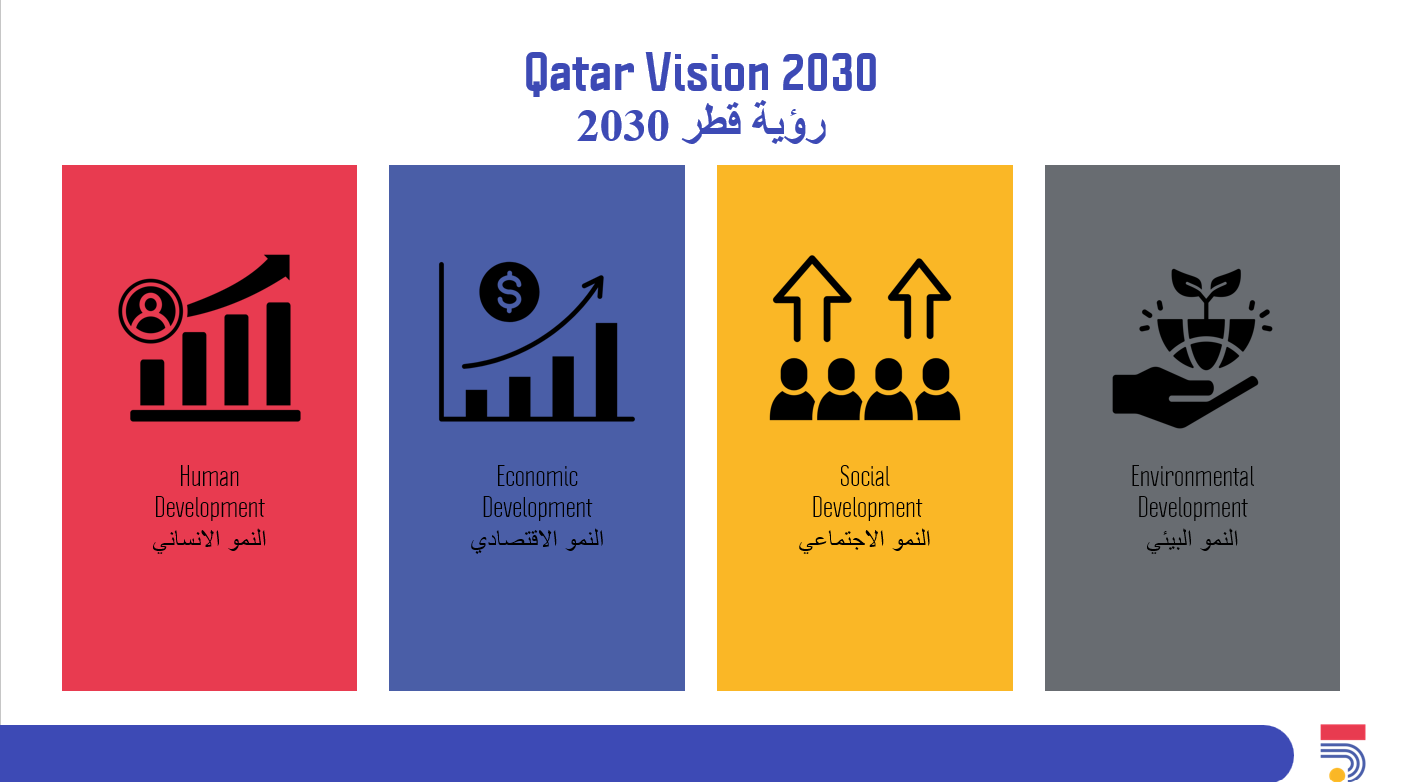
• Qatar Vision 2030
• Introduction to Programming.
• Show an inspirational video about coding.
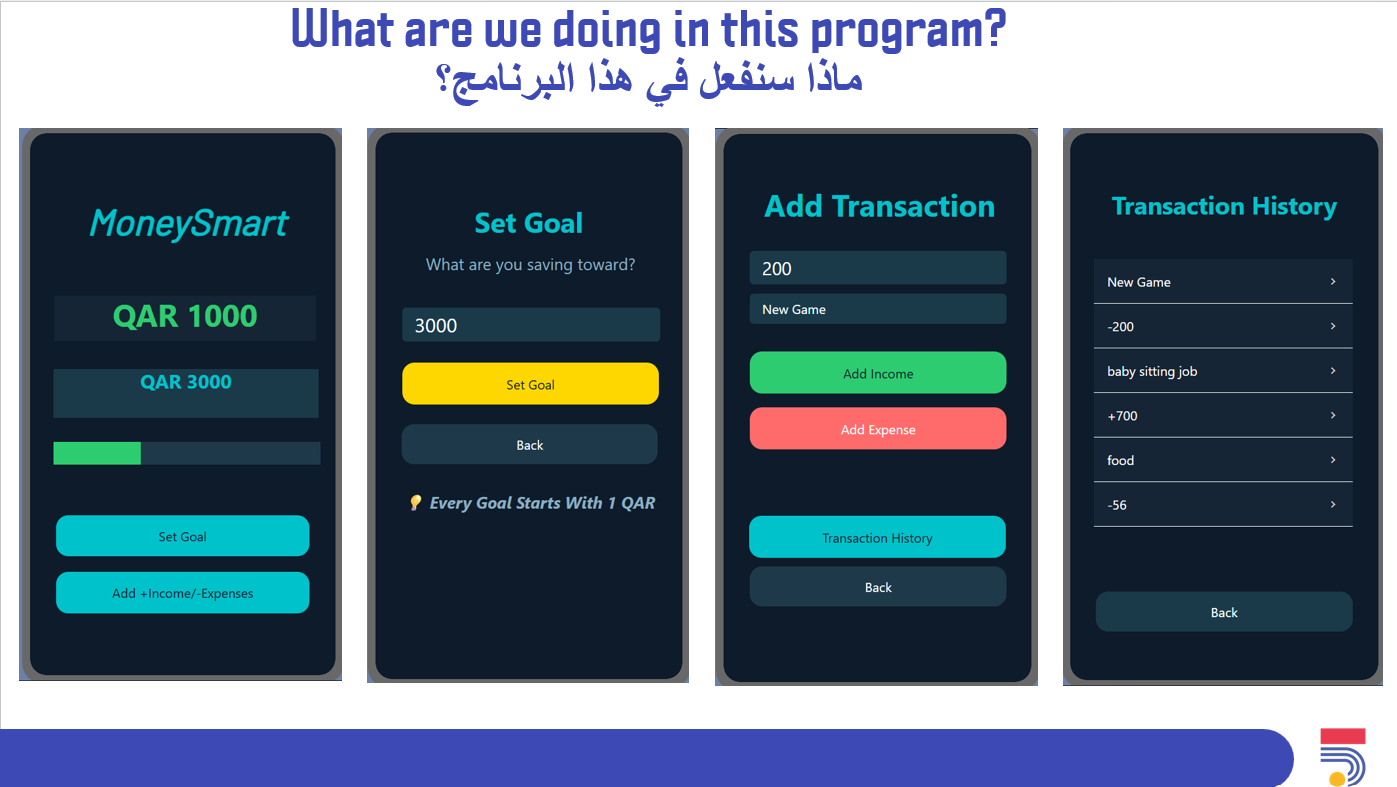
• What are we doing in this program
• Introduction to Thunkable platform
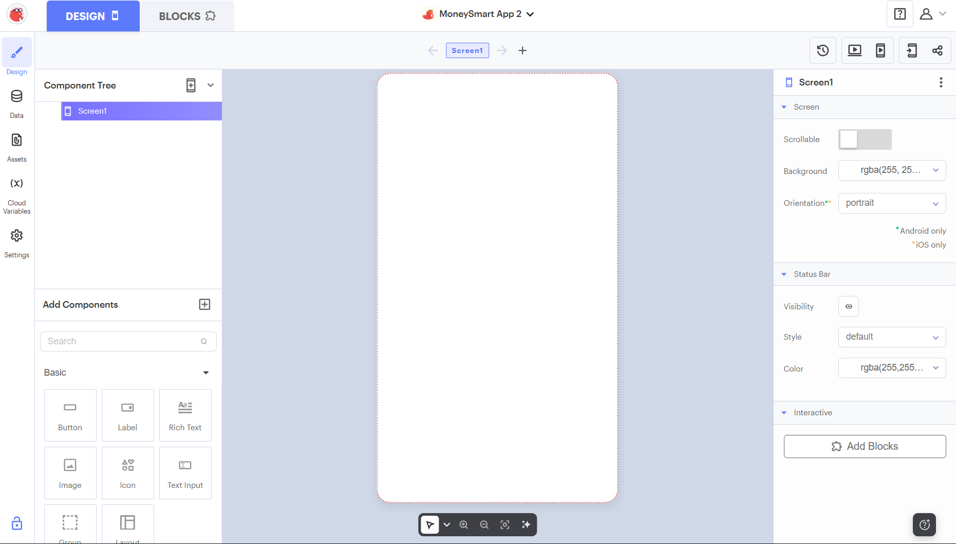
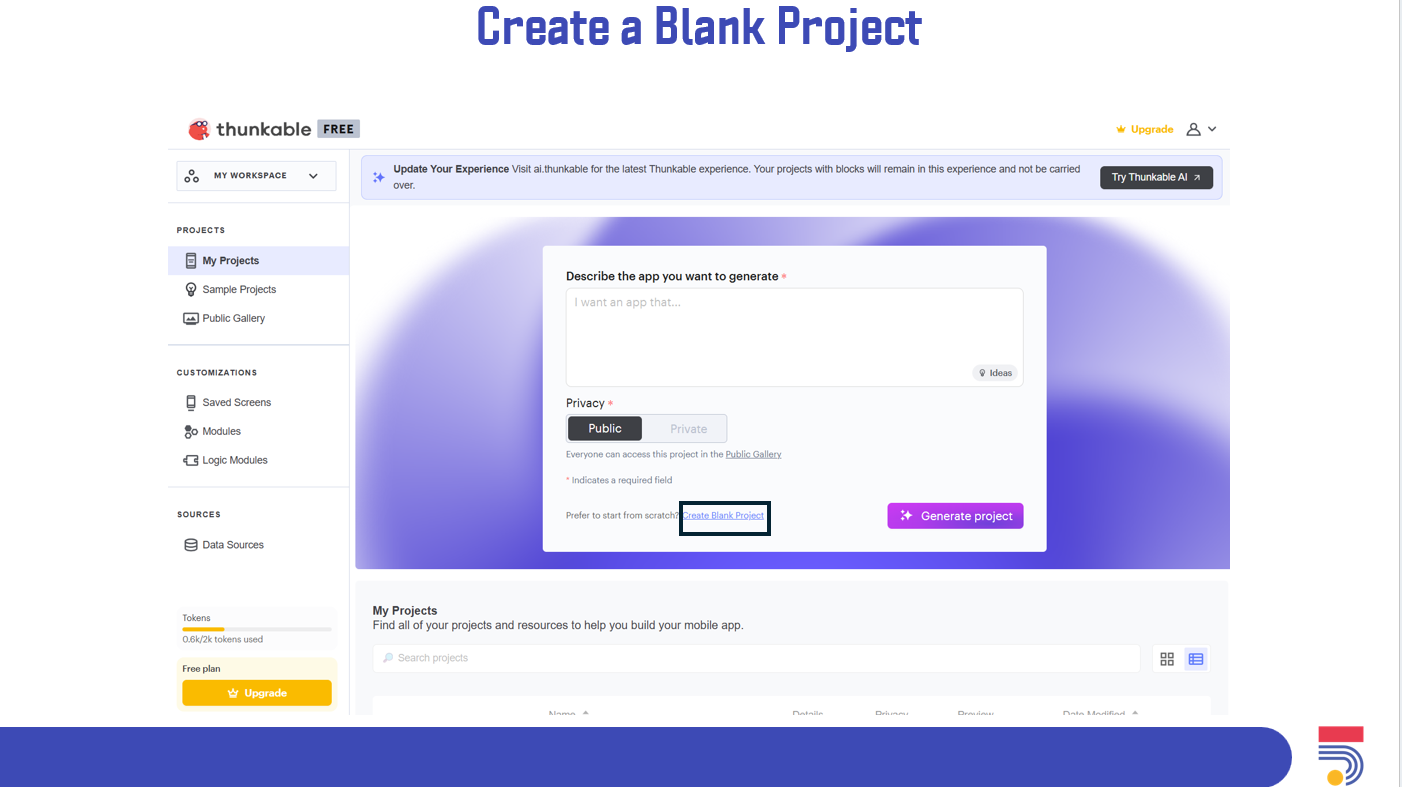
• Show participants how to create a project.
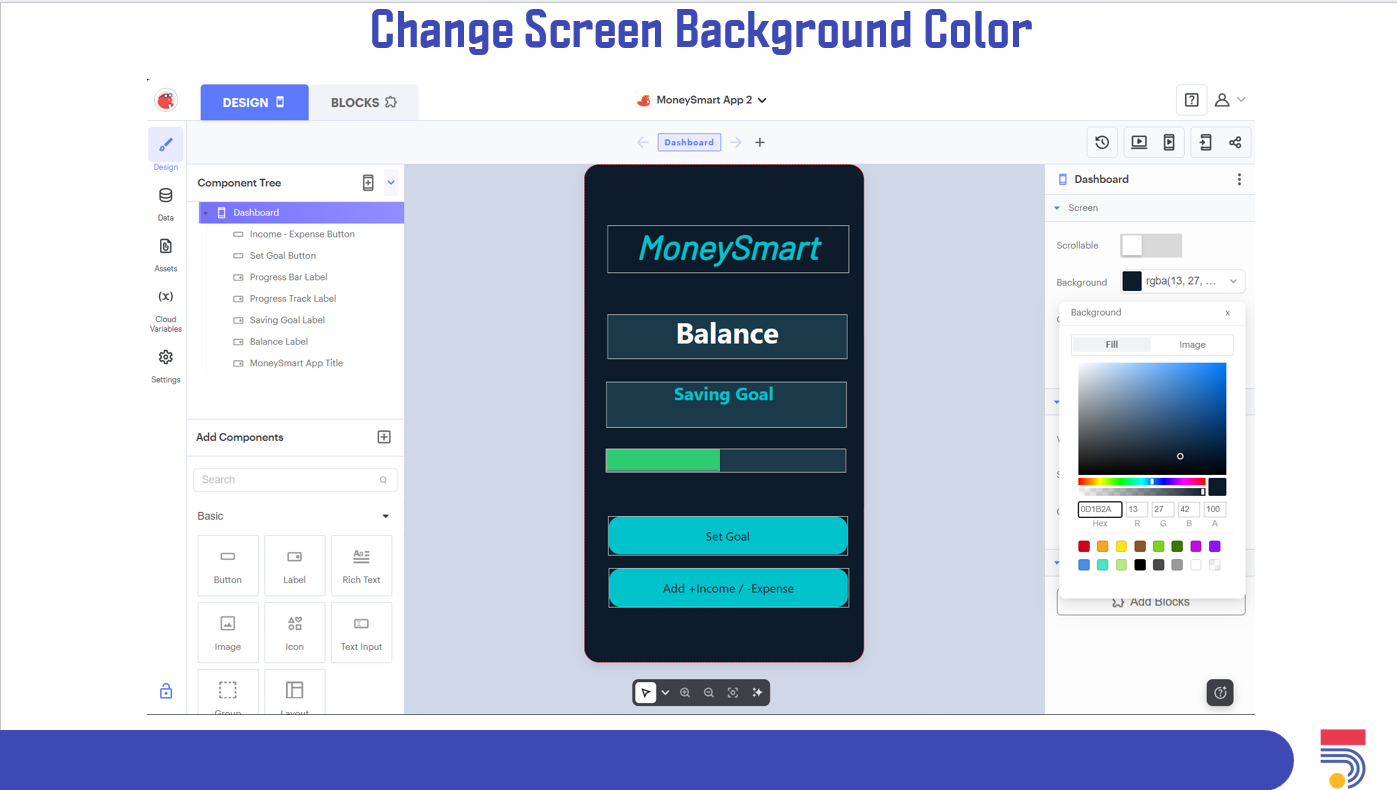
• Introduce participants to the design interface of Thunkable.
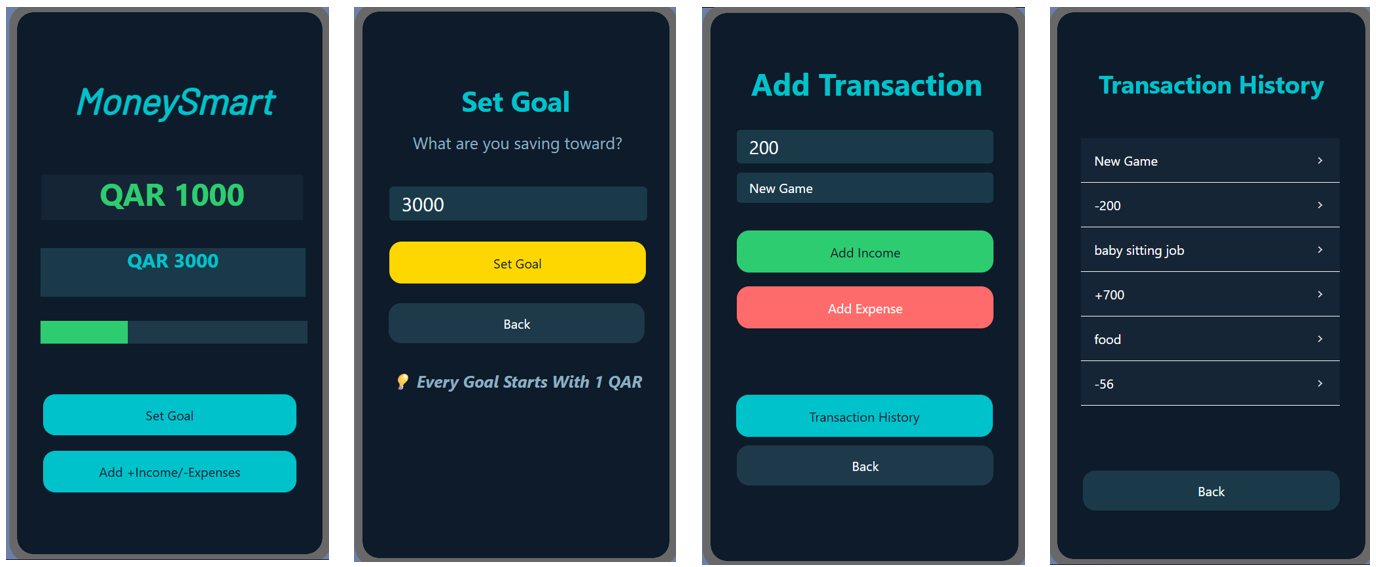
• Start creating the fist screen UI
• Sharing results, ask participants to share screenshots in the chat
• Today’s Agenda
• Explain the programming concept that we will use today
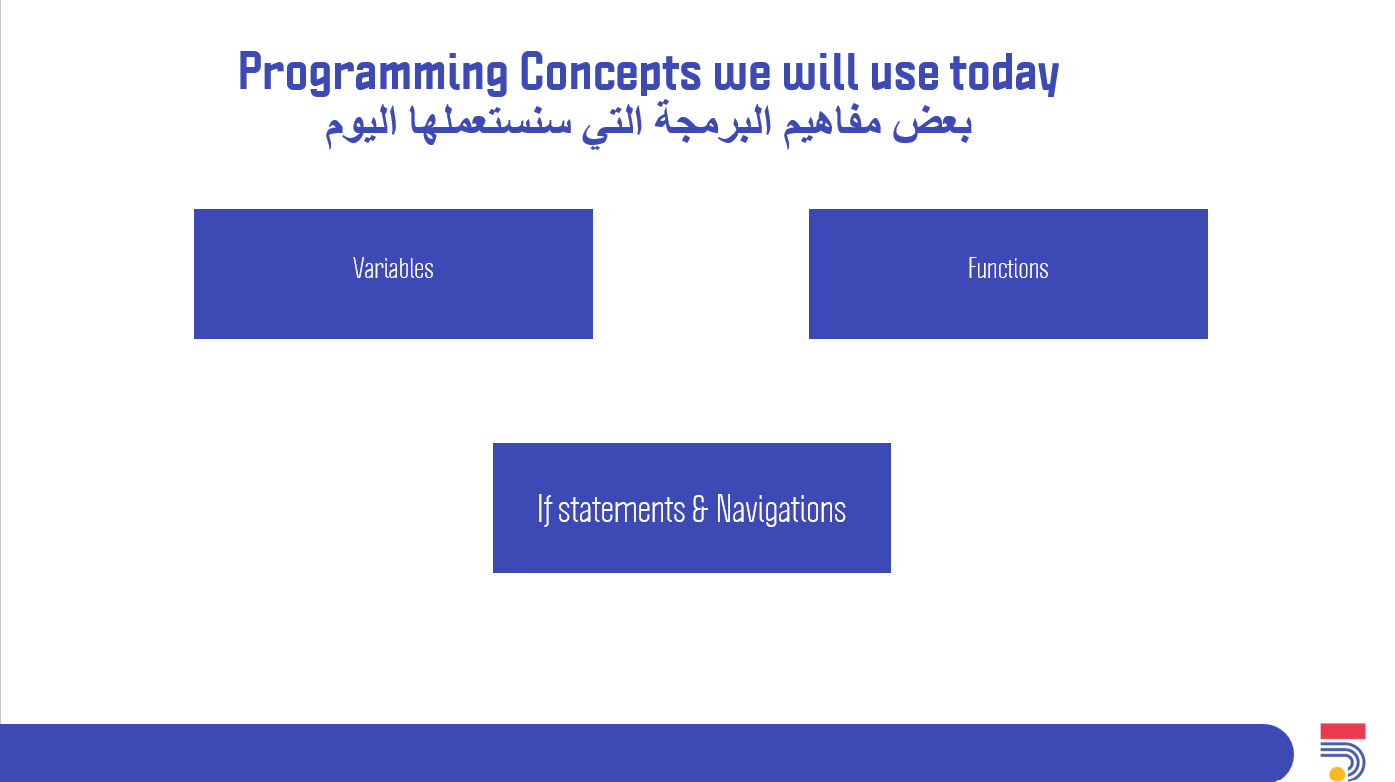
• Start creating the rest of the UI screens.
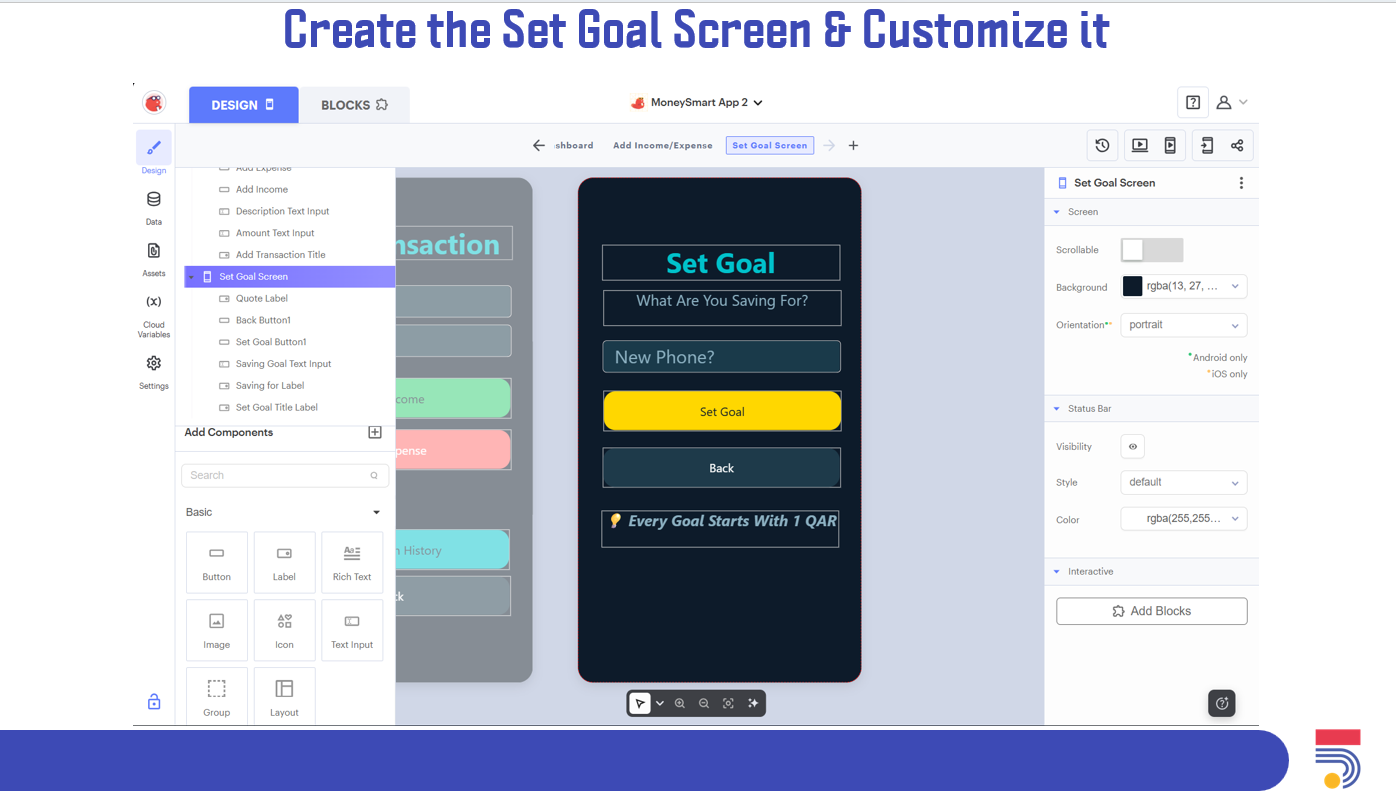
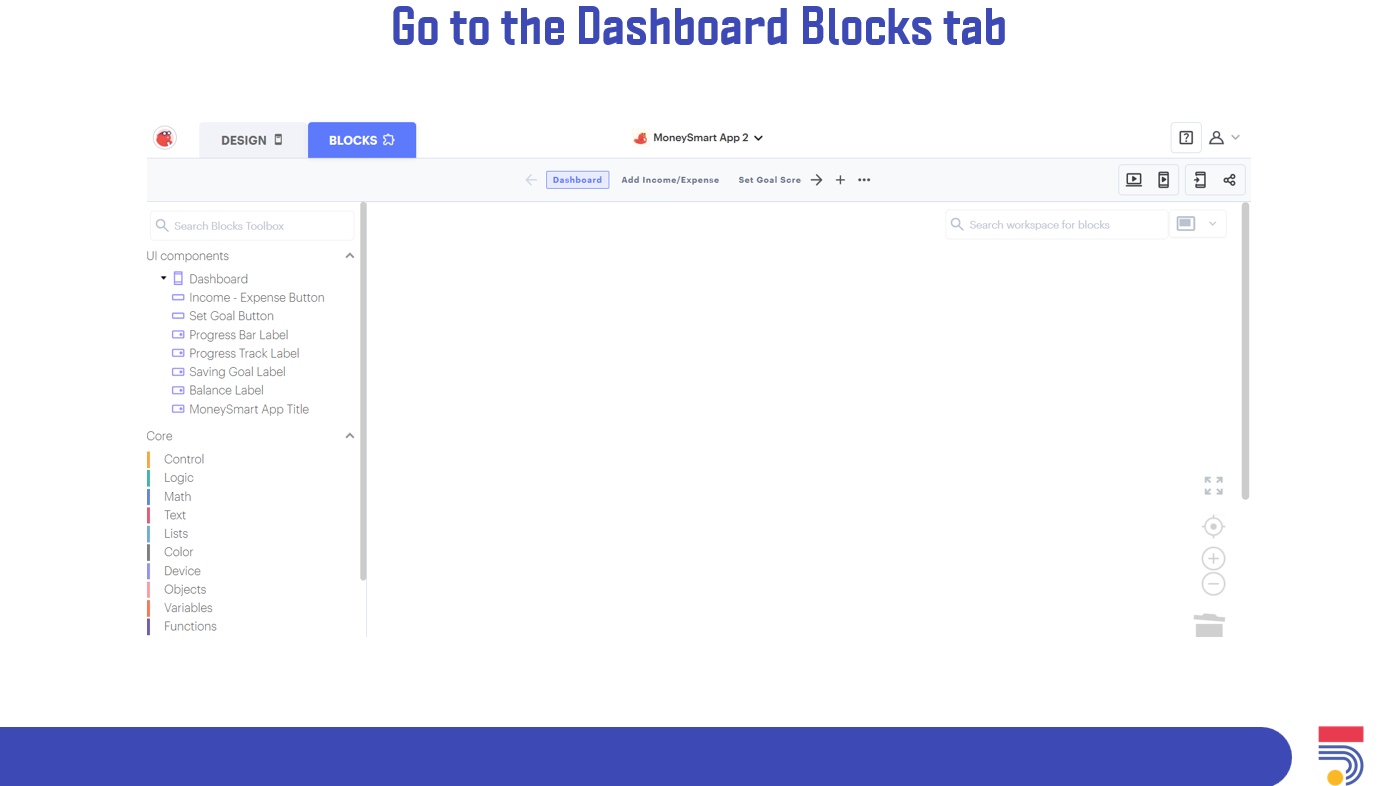
• Show participants on where to reach to the coding tab.
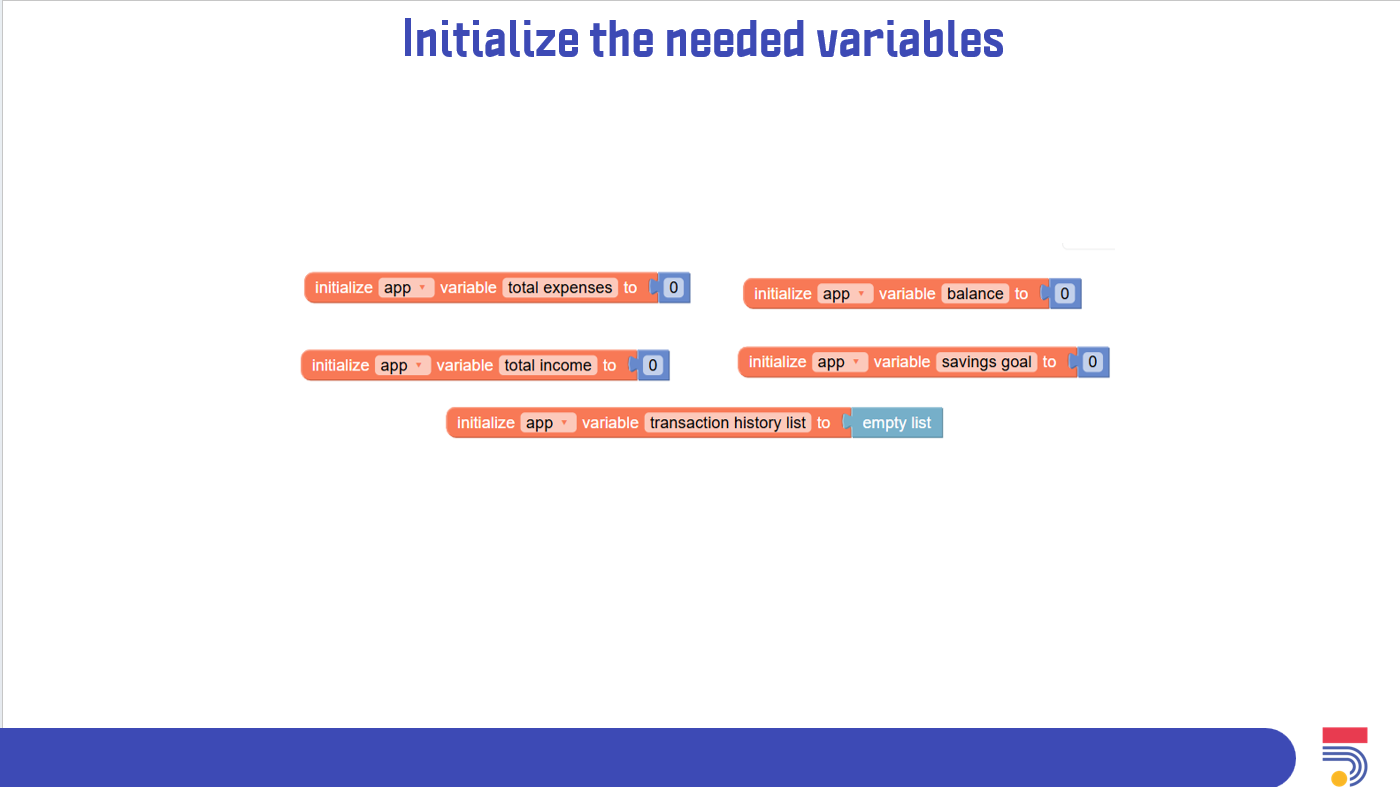
• Start by initializing the needed variables for the app.
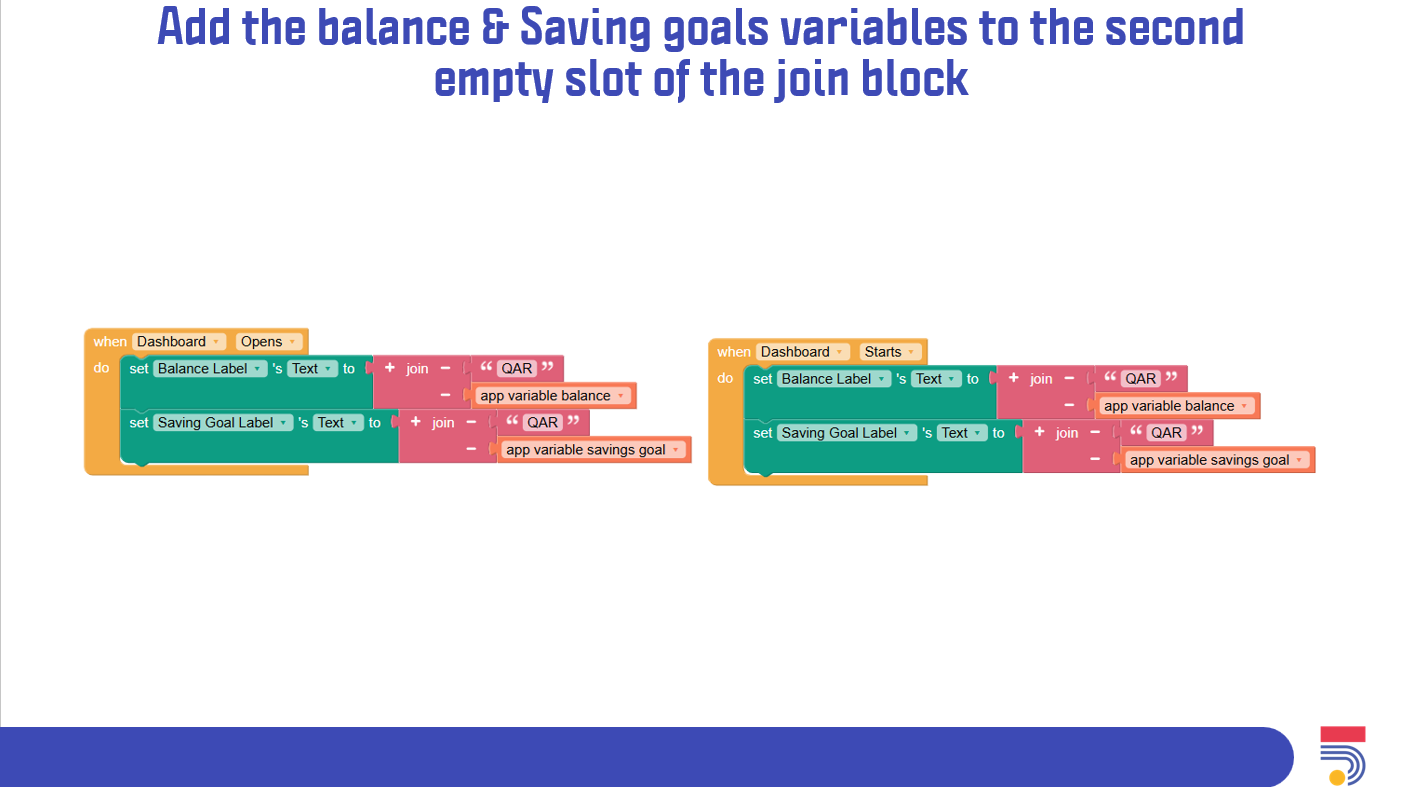
• Code the when screen starts and when screen opens.
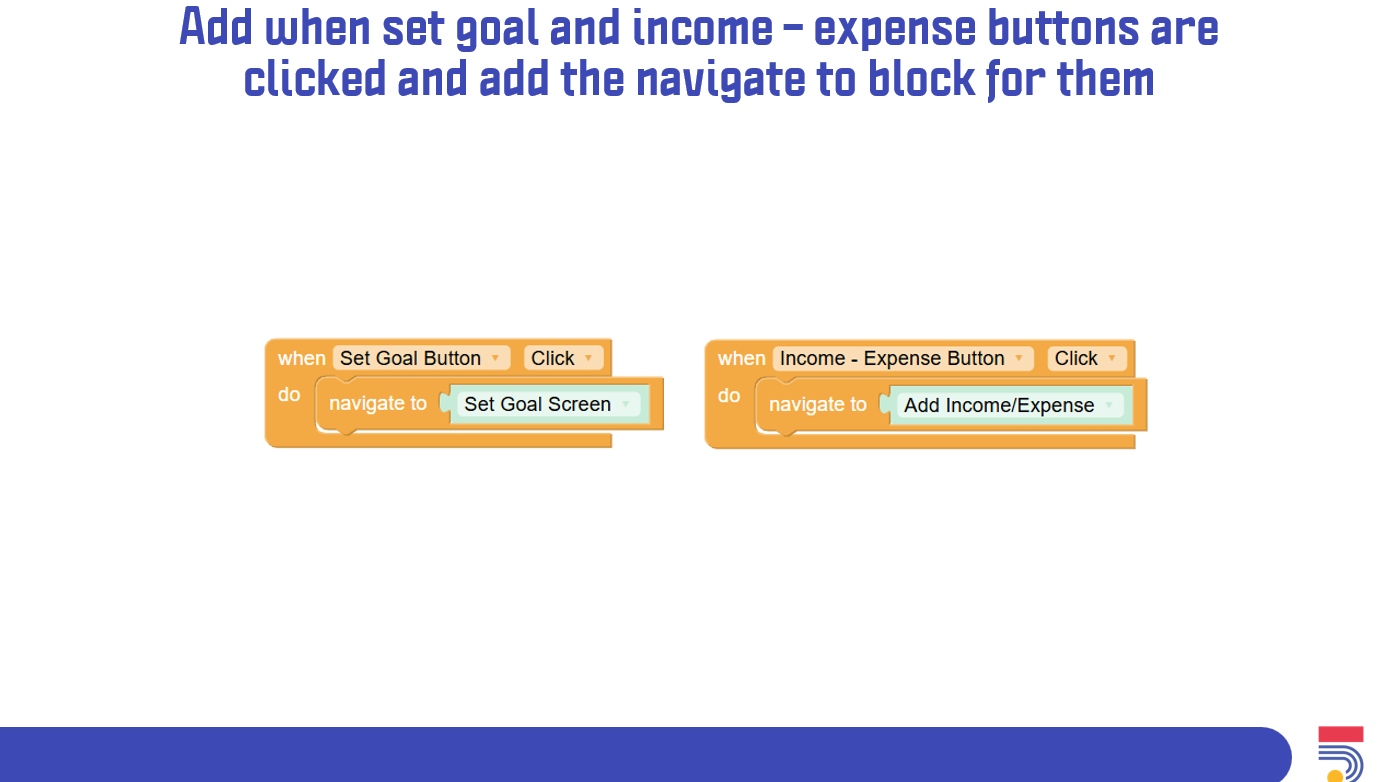
• Code the set goal button & when income – expenses button are clicked to navigate to their respective screens.
• Sharing results, ask participants to share screenshots in the chat
• Today’s Agenda • Explain the programming concept that we will use today. • Recap on what was done in the past two days in Thunkable. • Finish whatever coding that was not finalized in the last session.
• Go to the Add income/expense screen.
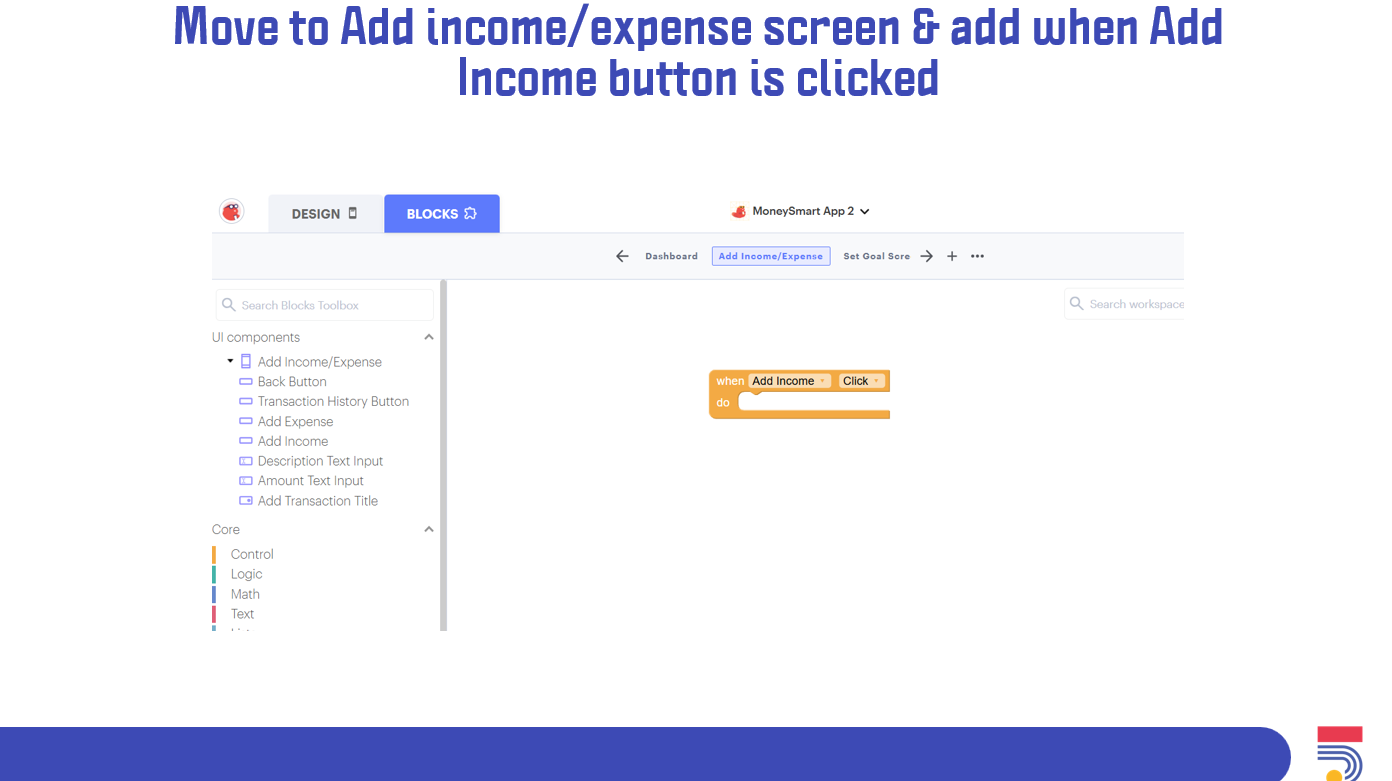
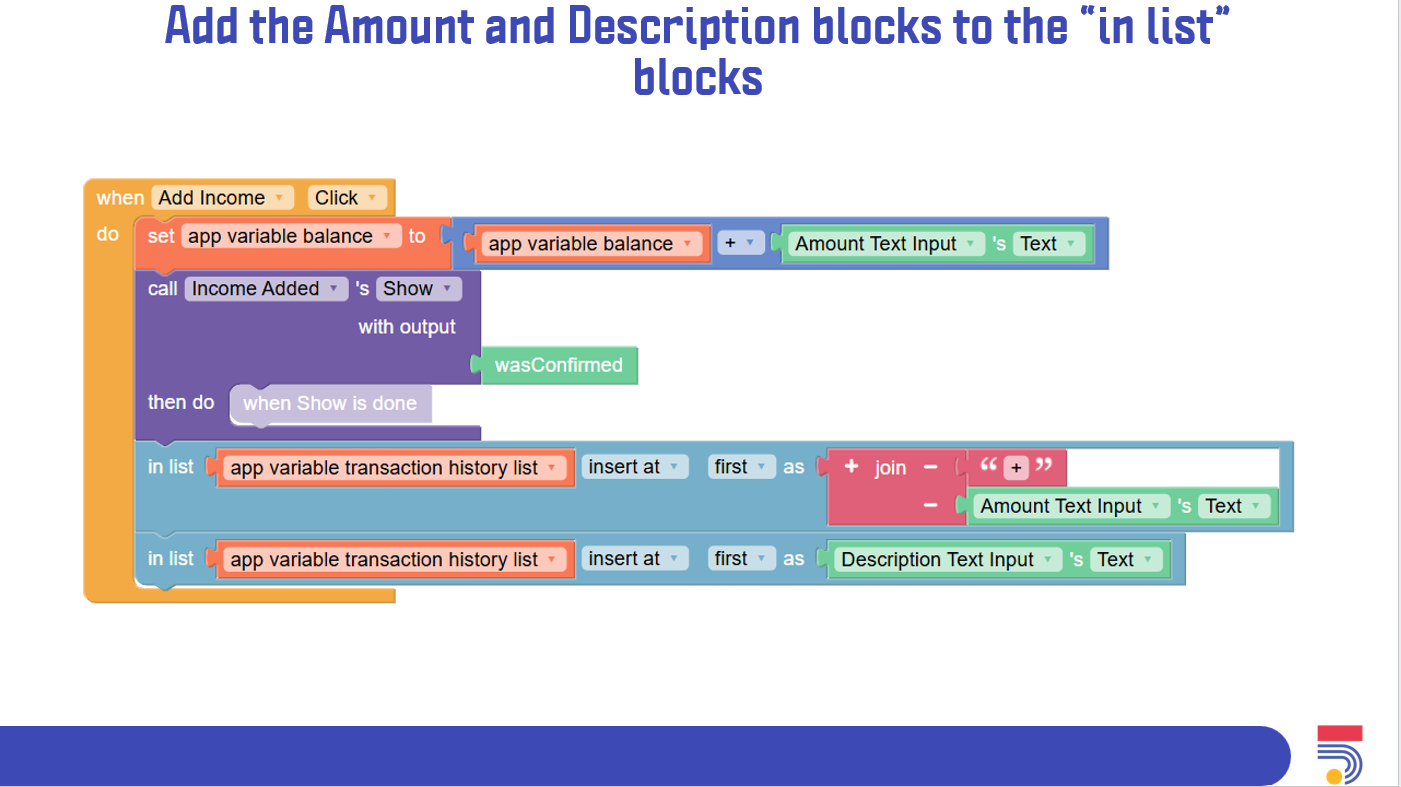
• Code the when add income button is clicked.
• Code the when add expense button is clicked.
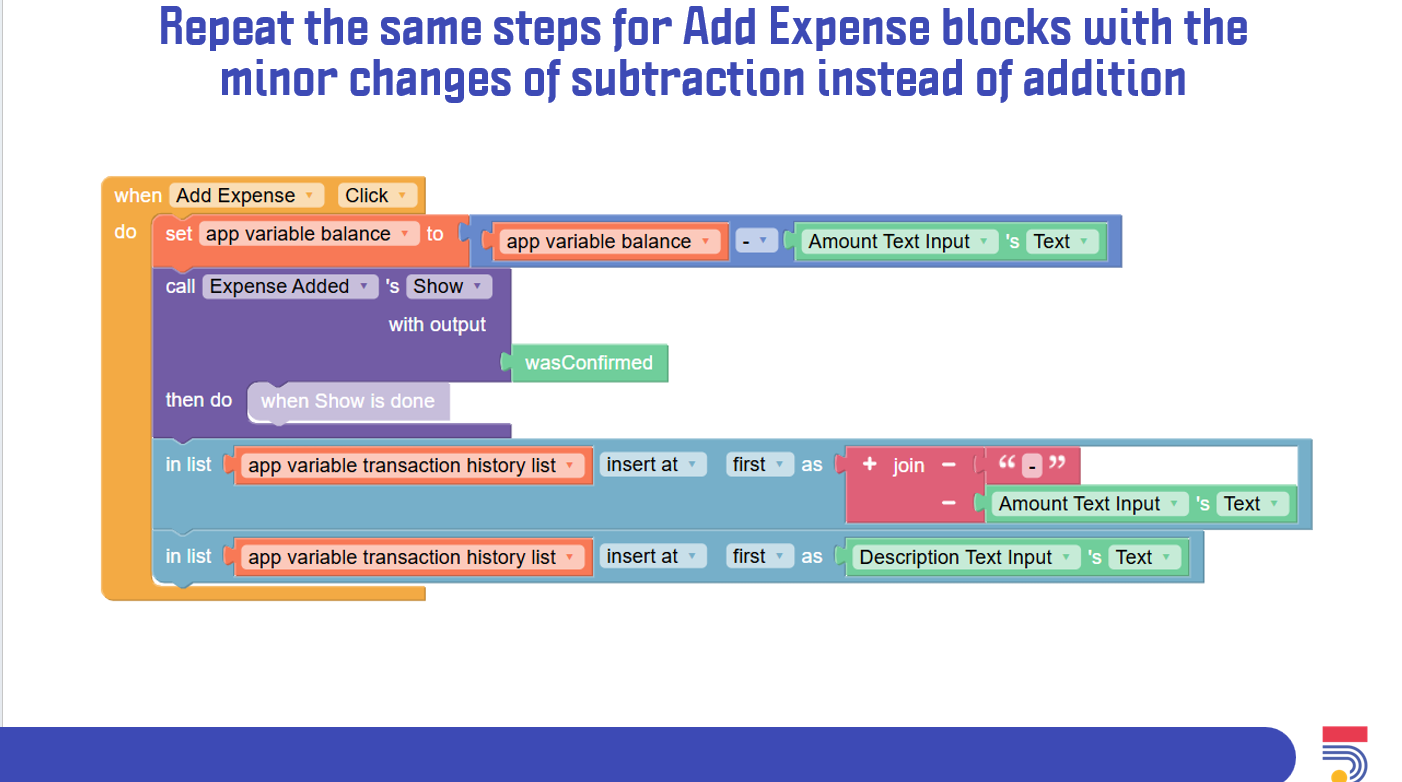
• Code the when back button & the transaction history button are clicked to navigate to the right screens.
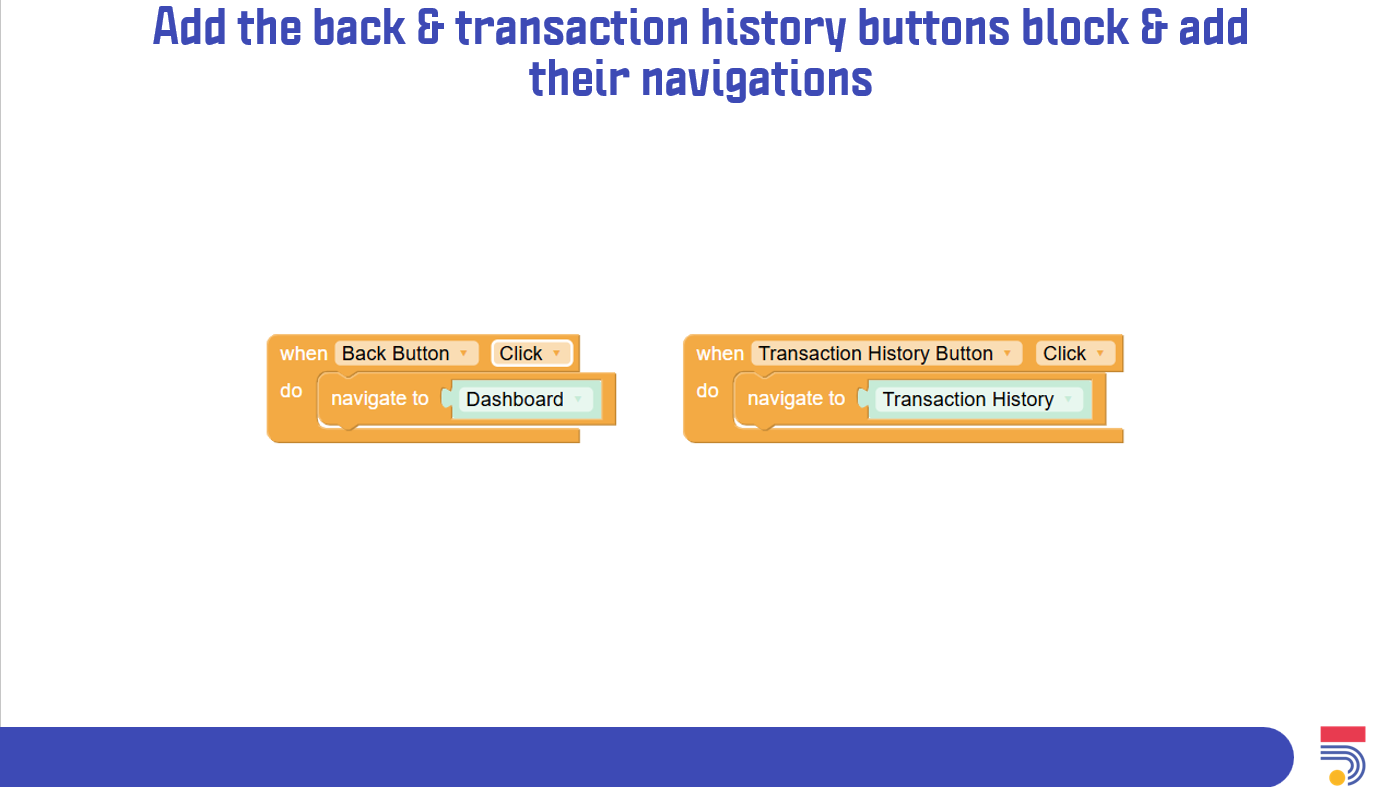
• Go to the set goal screen.
• Code the when set goal button is clicked.
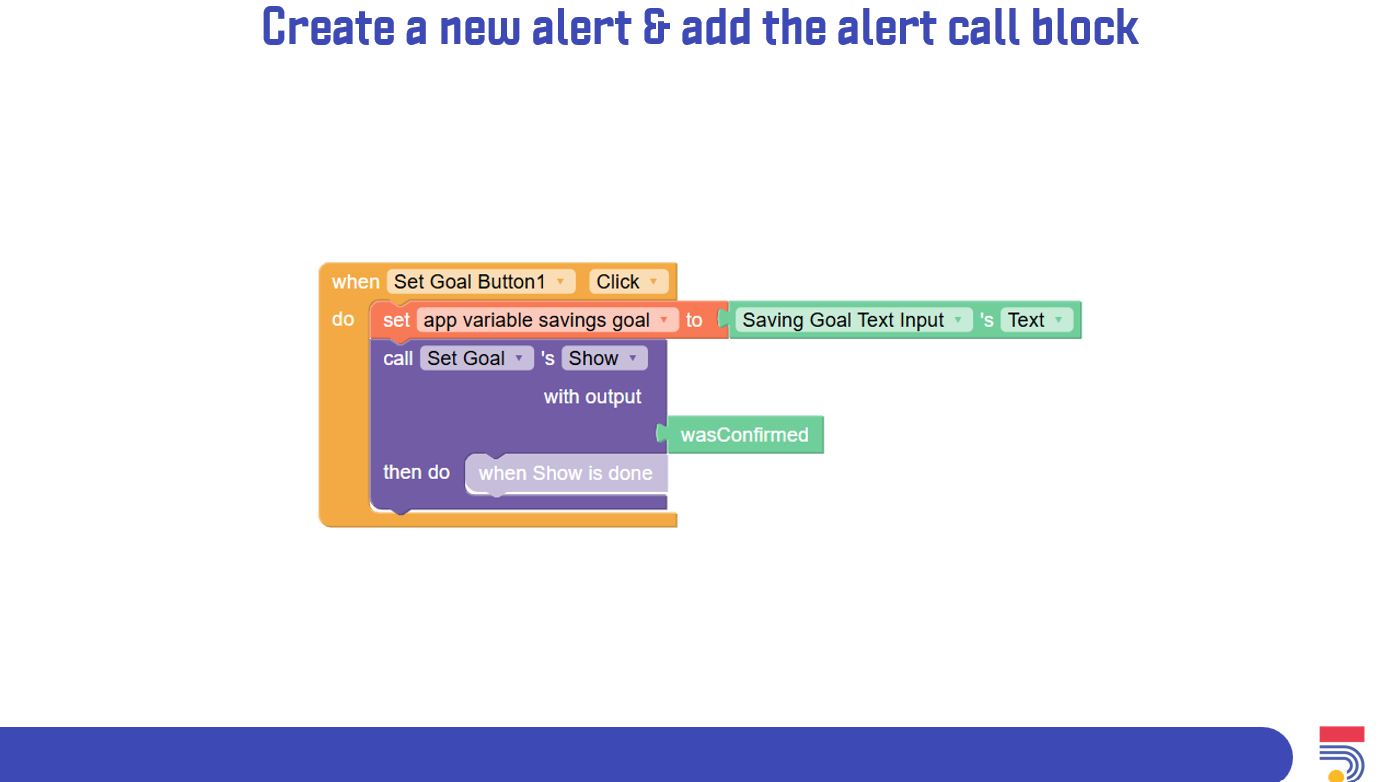
• Code the when back button is clicked to navigate to the right screen.
• Go to the transaction history screen.
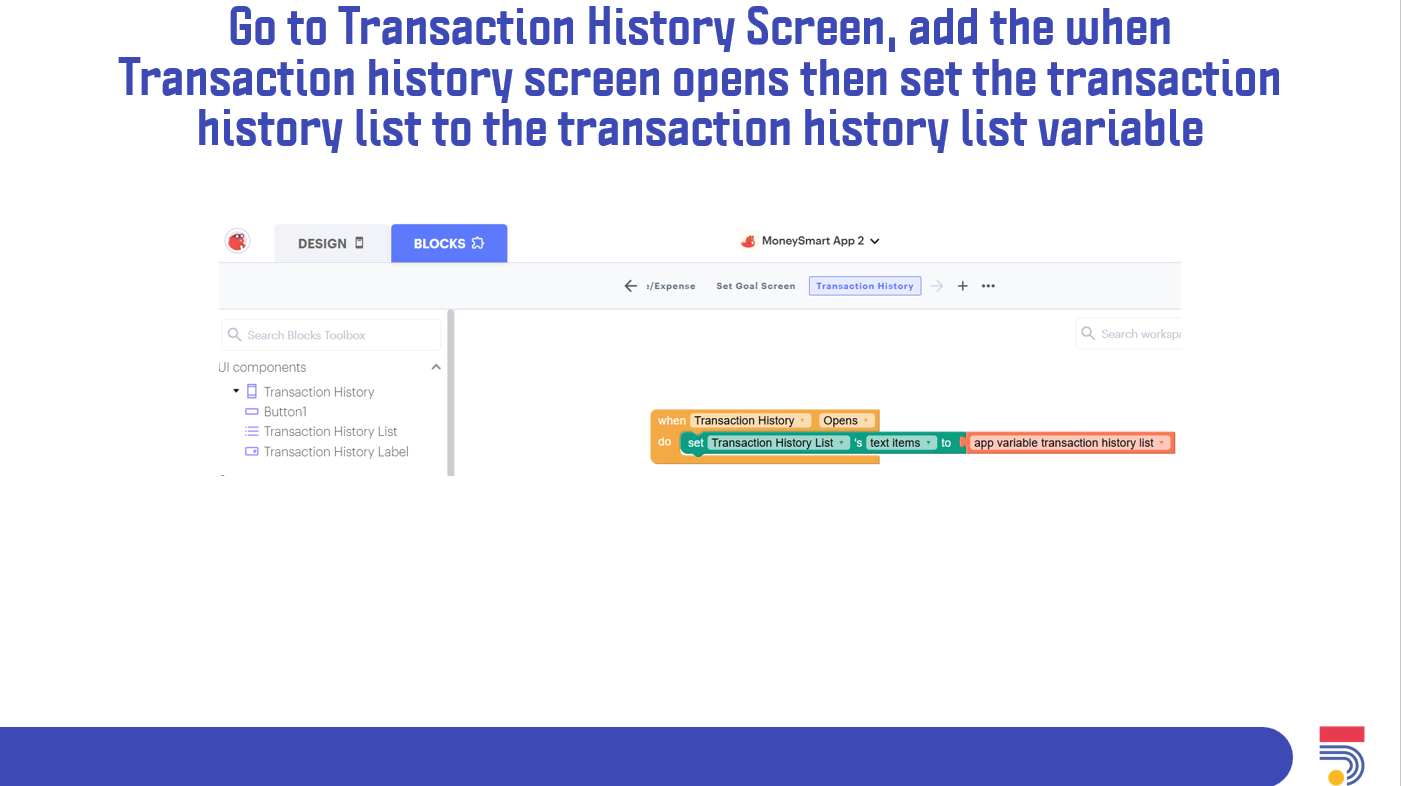
• Code the when the transaction history screen opens.
• Code the back button to navigate to the correct screen.
• Sharing results, ask participants to share screenshots in the chat
• Today’s Agenda • Recap on what was done in the past three days in Thunkable. • Finish whatever coding that was not finalized in the last session.
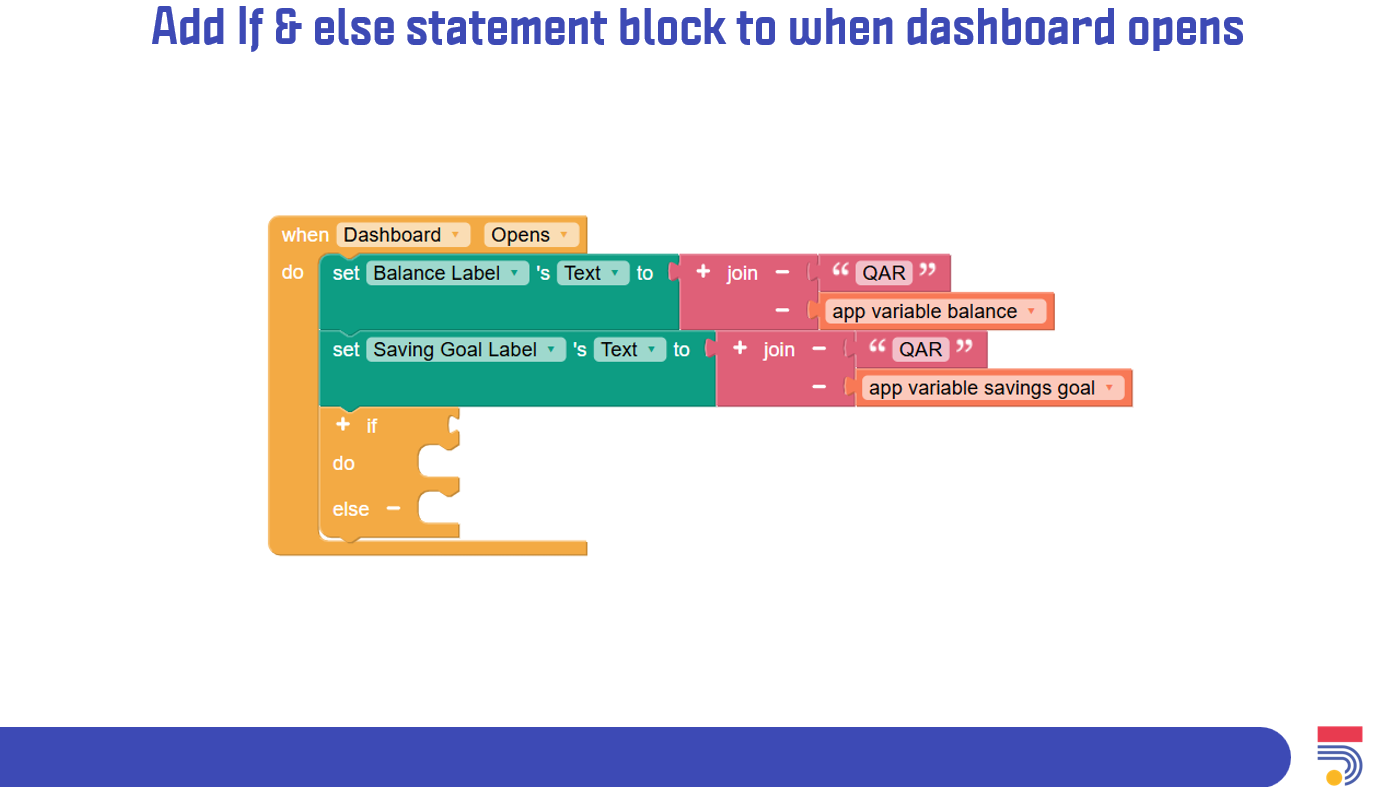
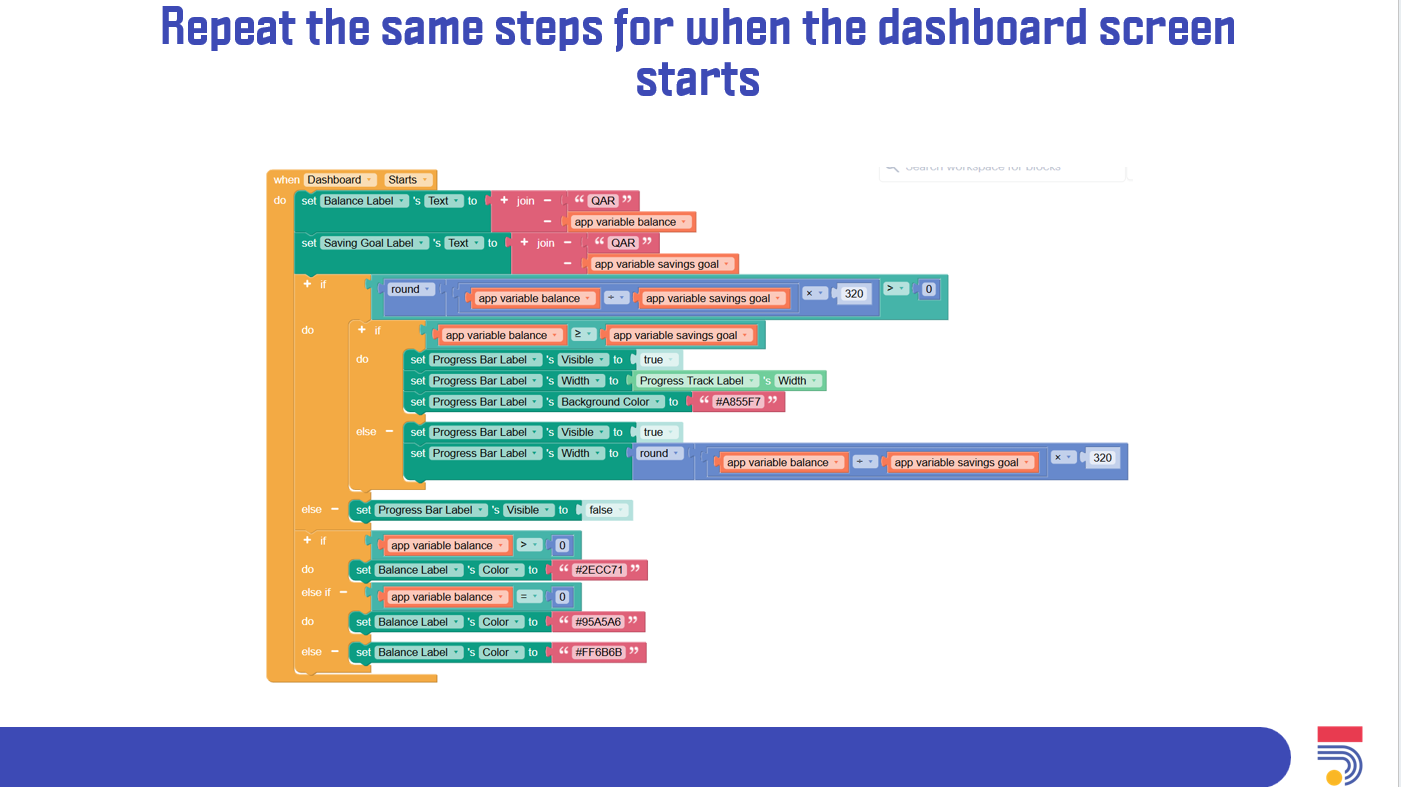
• Go to the dashboard screen.
• Add an if & else block to the when dashboard opens.
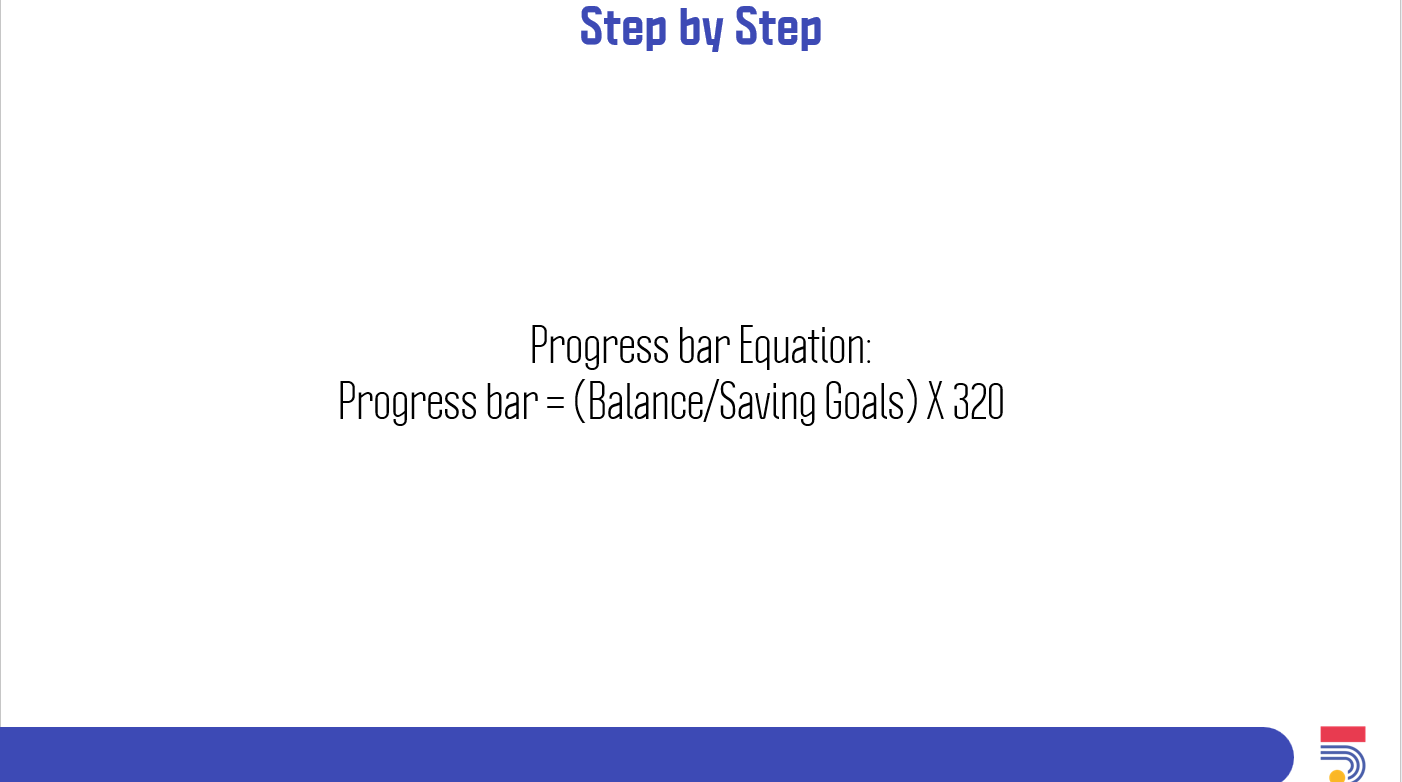
• Explain the equation and concept of the progress bar label.
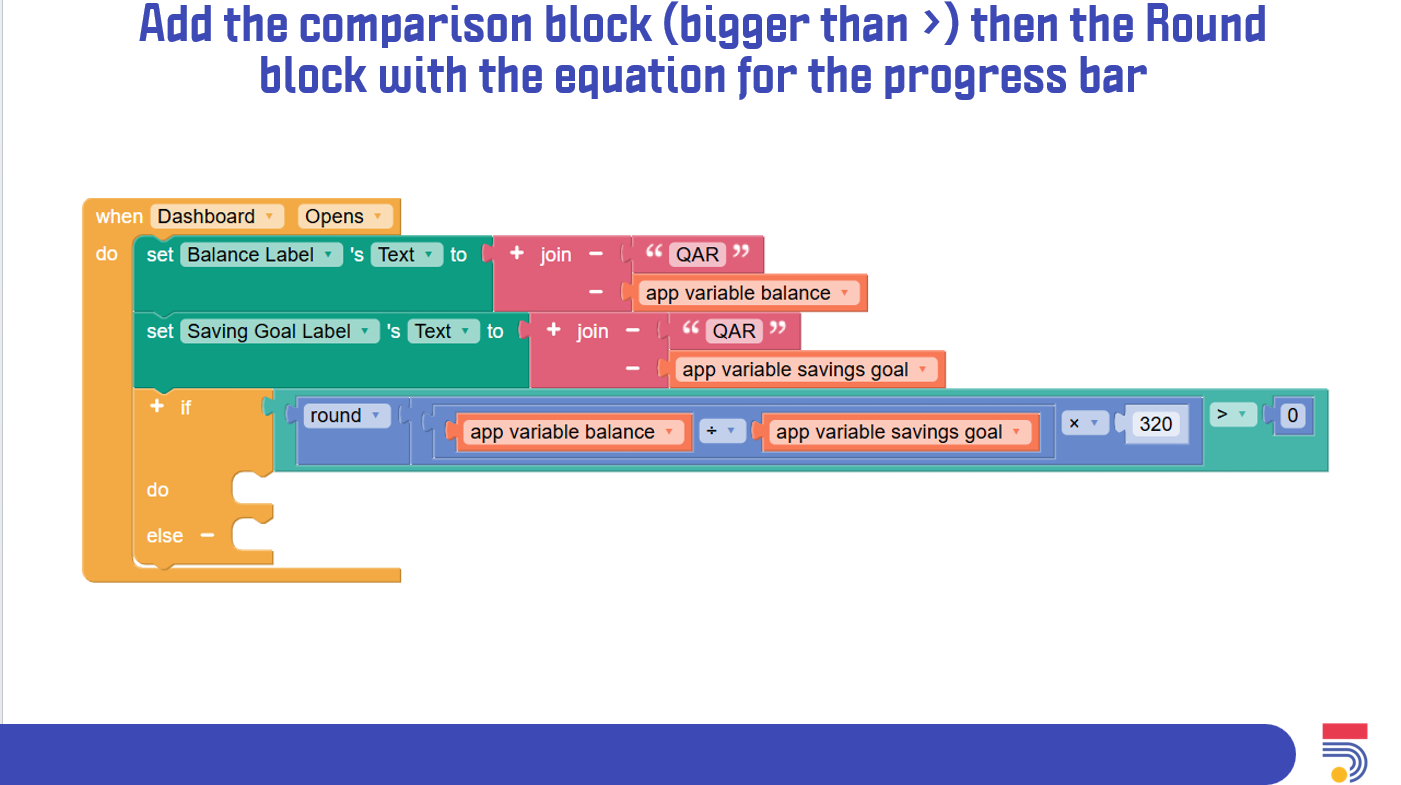
• Add the progress bar logic.
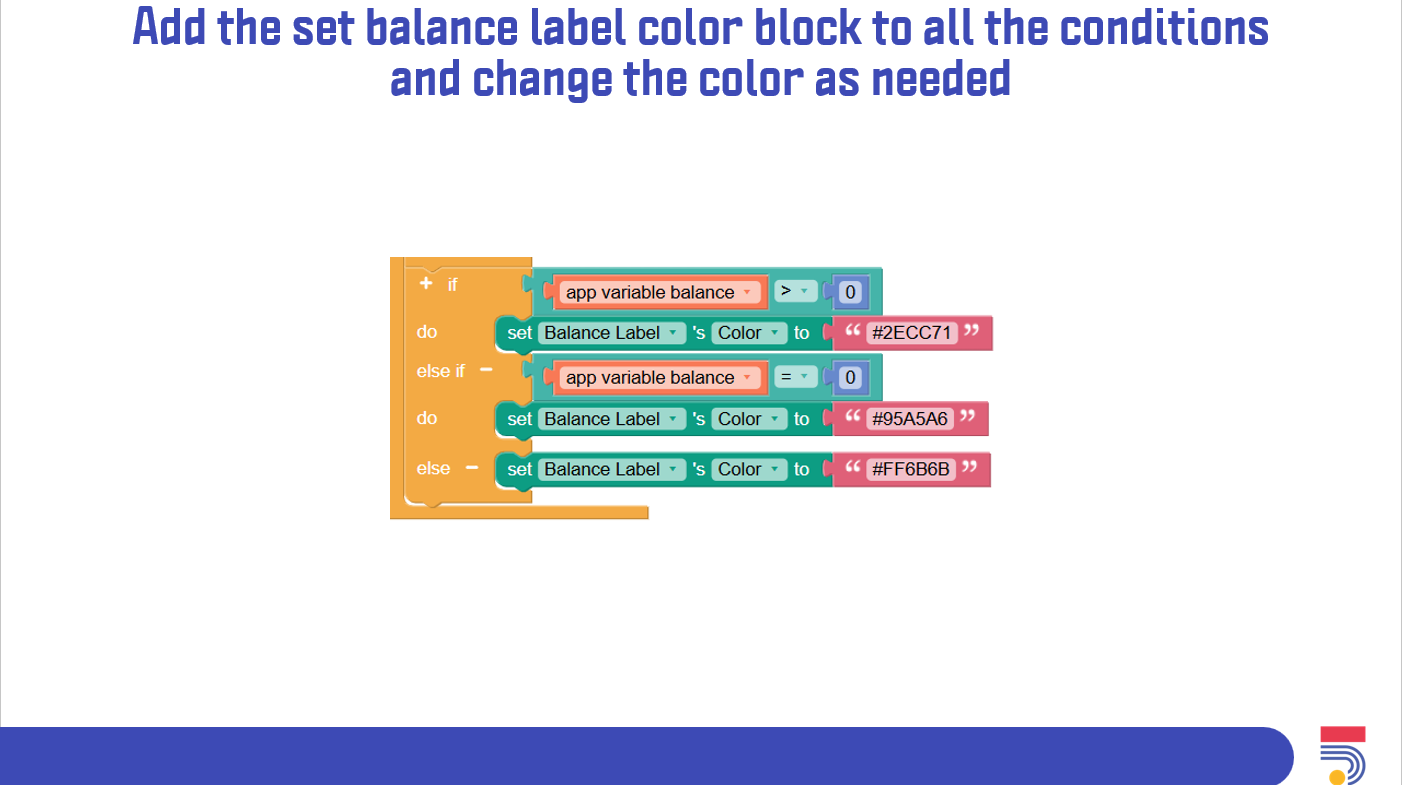
• Explain the concept of balance feedback in terms of changing font colors.
• Add the logic of balance feedback to the when dashboard opens.
• Repeat the same steps for when the dashboard starts.
• Test the app.
• Sharing results, ask participants to share screenshots in the chat.
• Discuss what can be enhanced in the app.
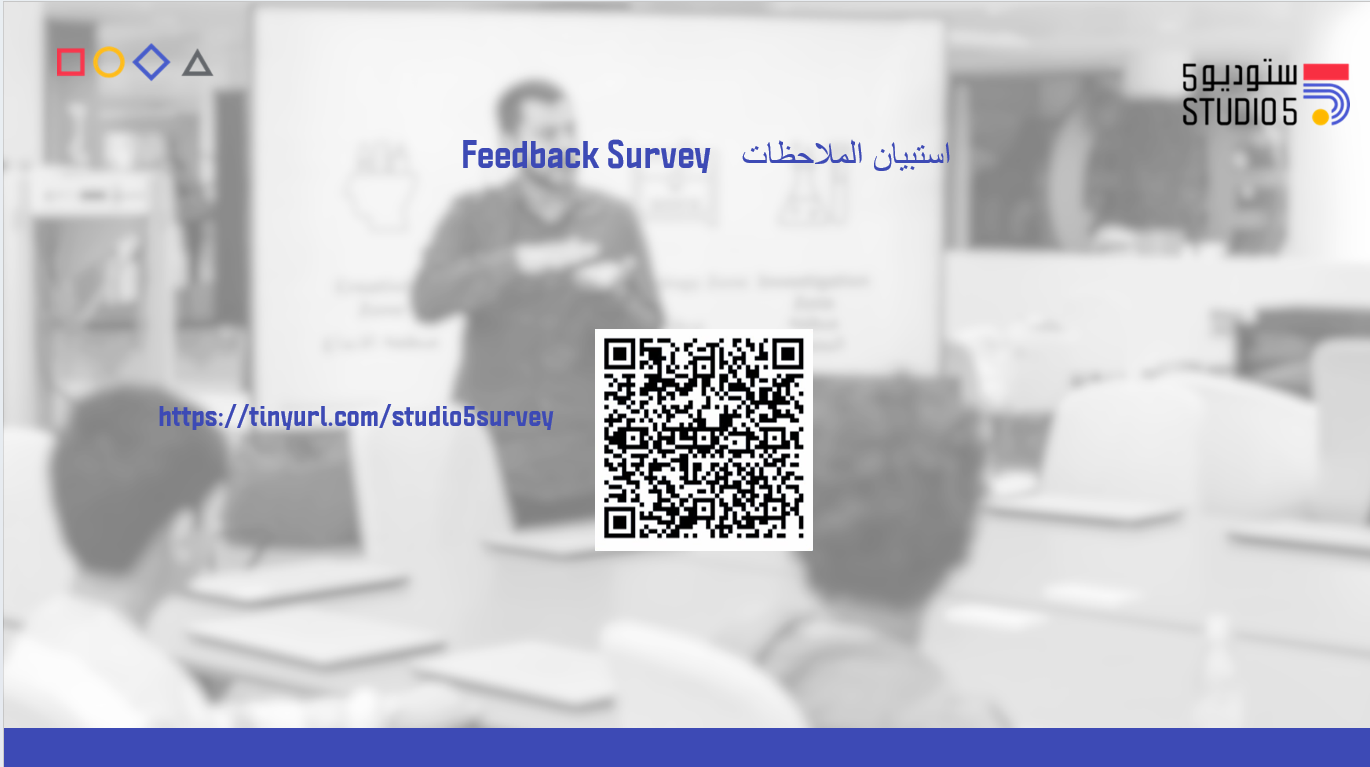
• Ask participants to solve the workshop survey.
Having trouble? Let us know by completing the form below. We'll do our best to get your issues resolved quickly.
"*" indicates required fields