
- Loading…

This workshop aims to teach participants basic coding and its fundamentals, using Python and Arduino, going from knowing the board, do the full setup and configuration, write the basic Python/Arduino code to test the board. In addition, participants will have an overview on many different new technology that implements multiple hybrid systems.
تهدف هذه الورشة إلى تعليم المشاركين أساسيات البرمجة ومبادئها، باستخدام لغة بايثون ومنصة أردوينو، بدءًا من التعرف على اللوحة، مرورًا بإعدادها وتكوينها بالكامل، وصولًا إلى كتابة كود بايثون/أردوينو الأساسي لاختبار اللوحة. بالإضافة إلى ذلك، سيحصل المشاركون على لمحة عامة عن العديد من التقنيات الحديثة المختلفة التي تُنفذ أنظمة هجينة متعددة.
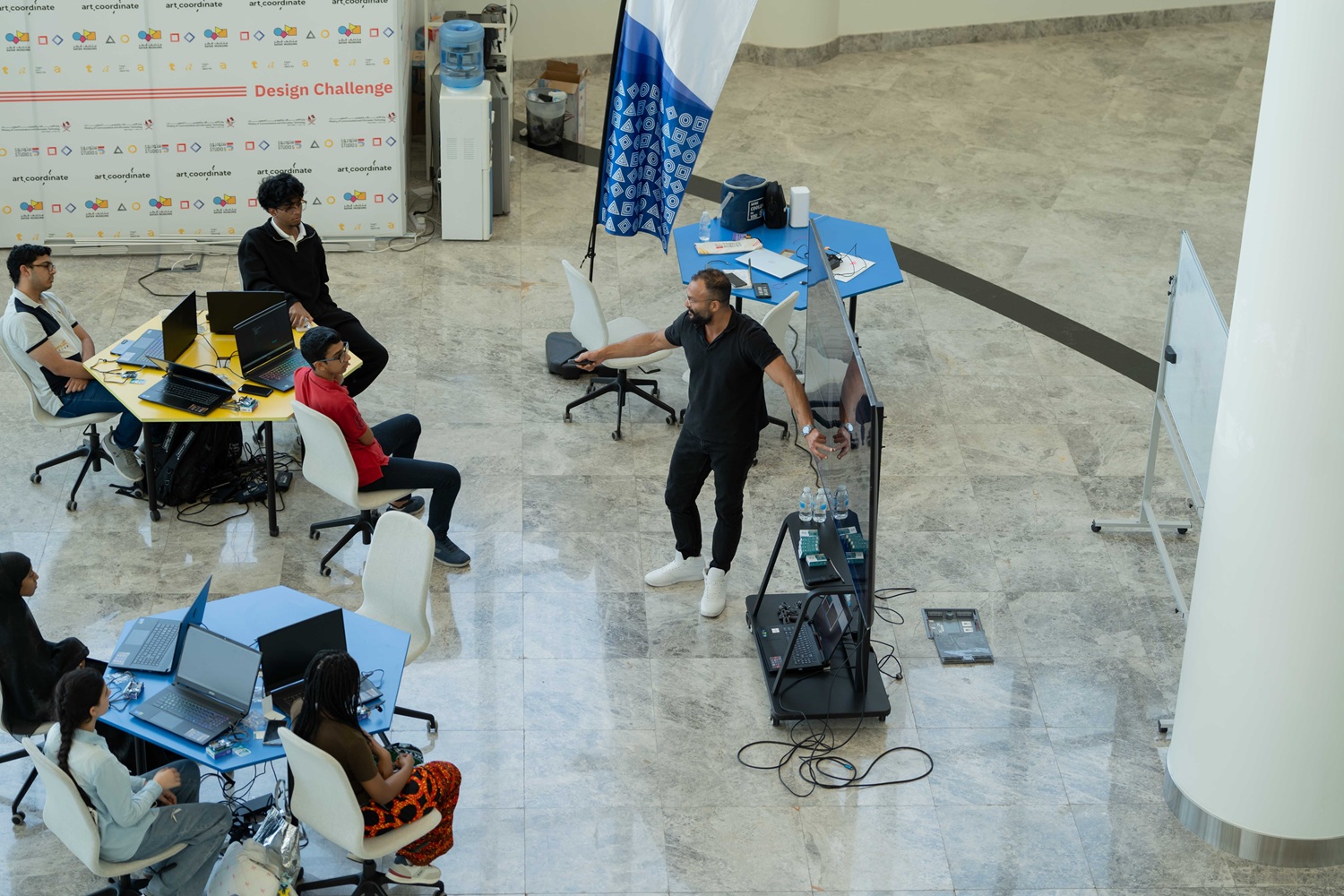
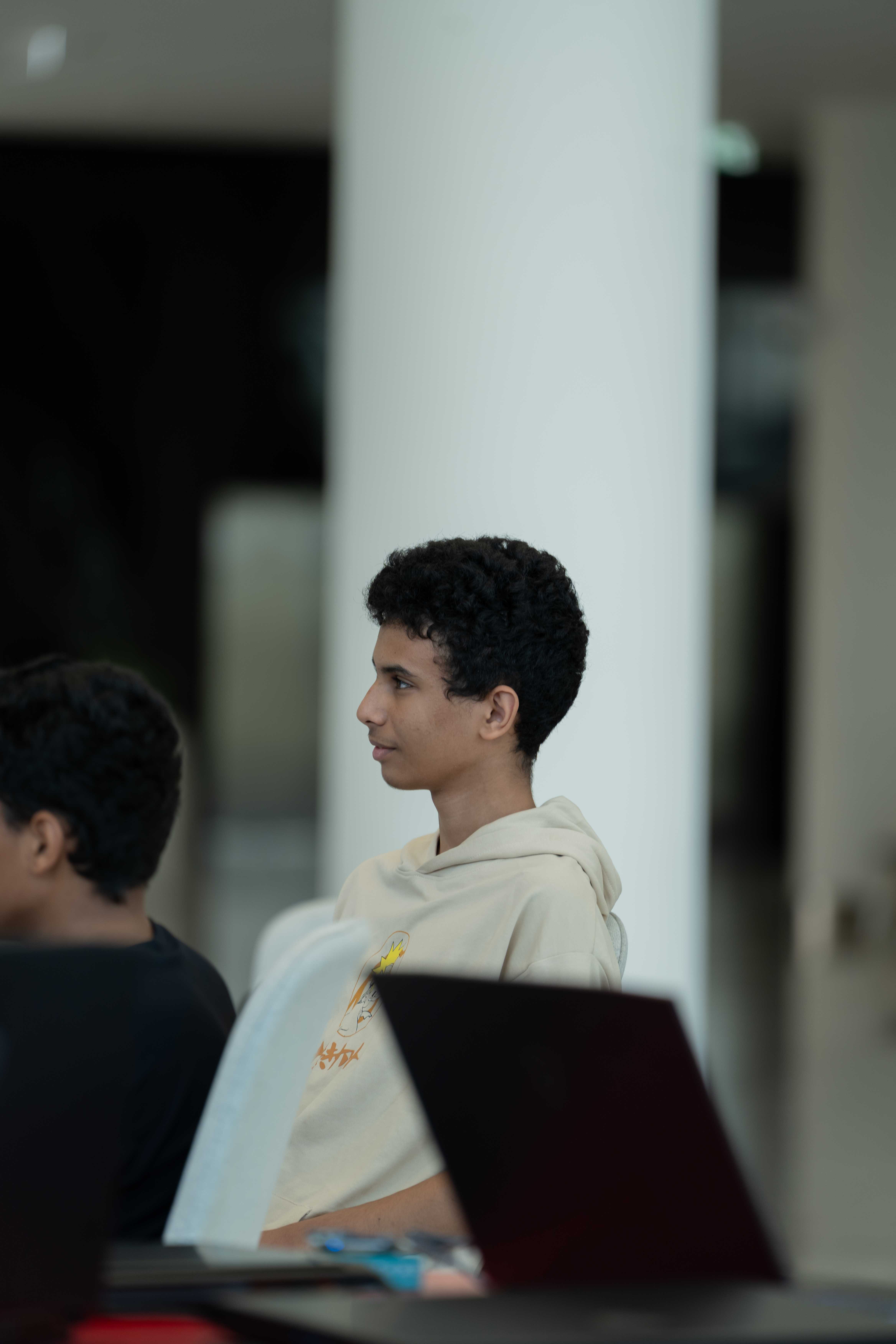

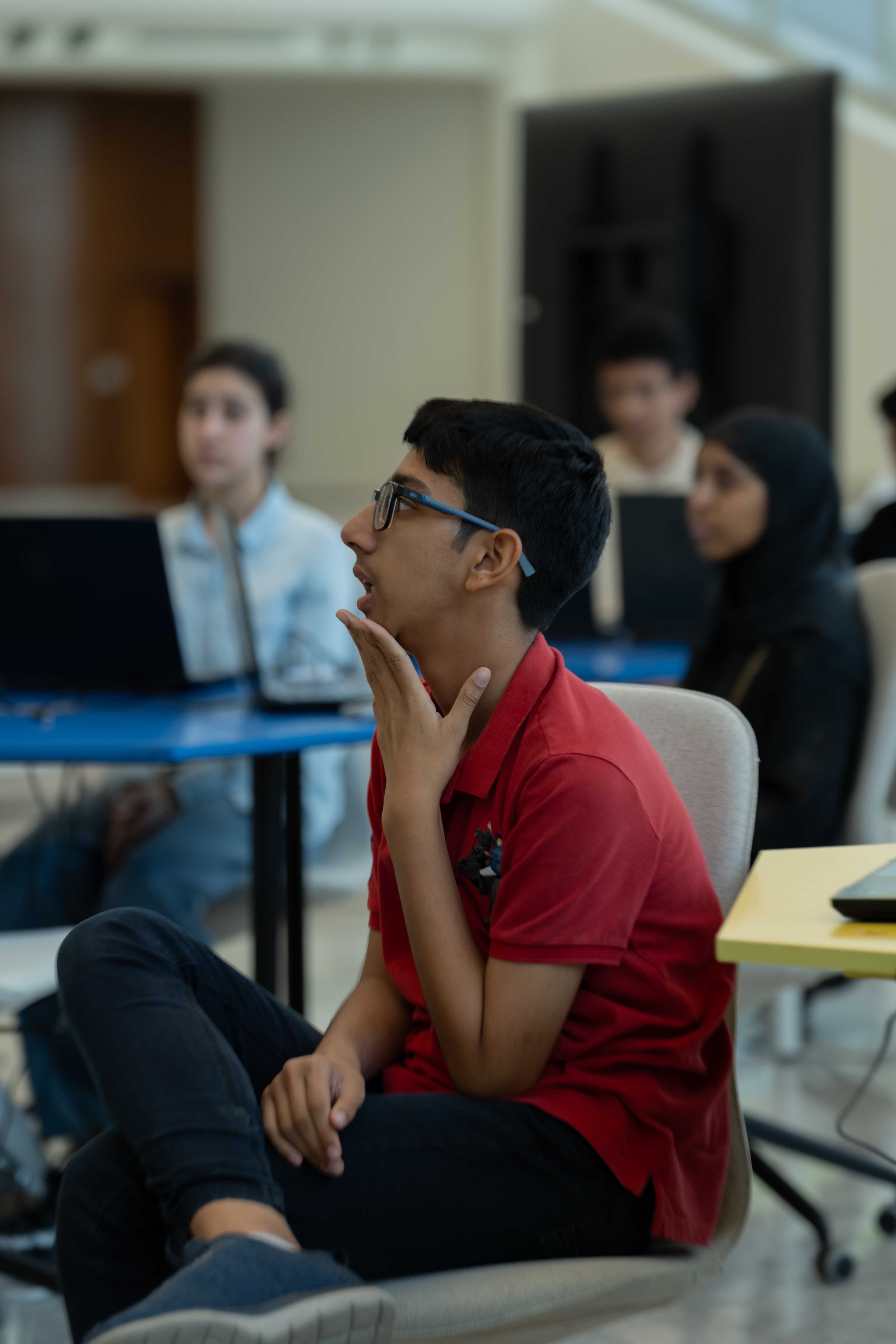
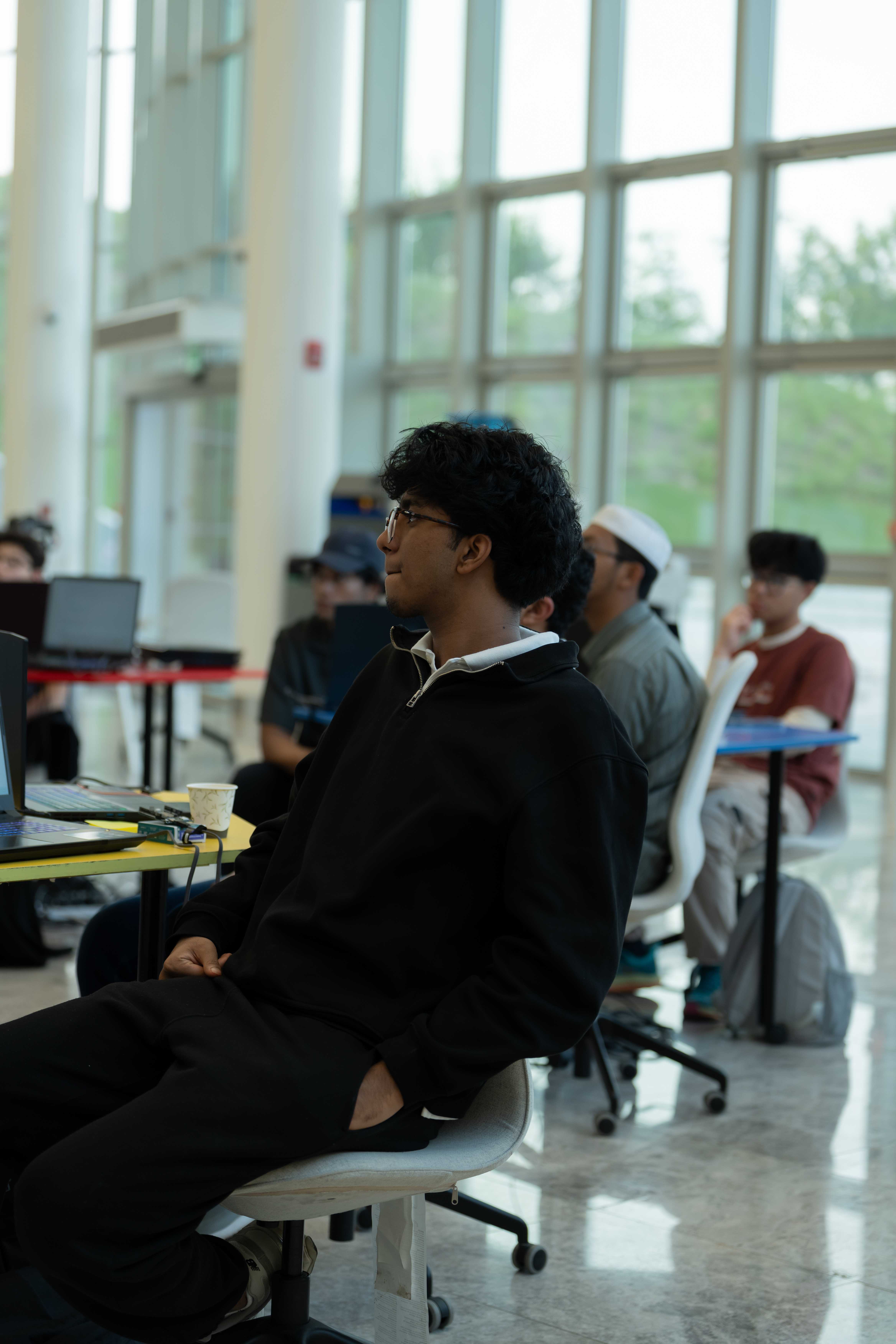

Projector/Screen, Laptop, Internet Access, Arduino Uno Q
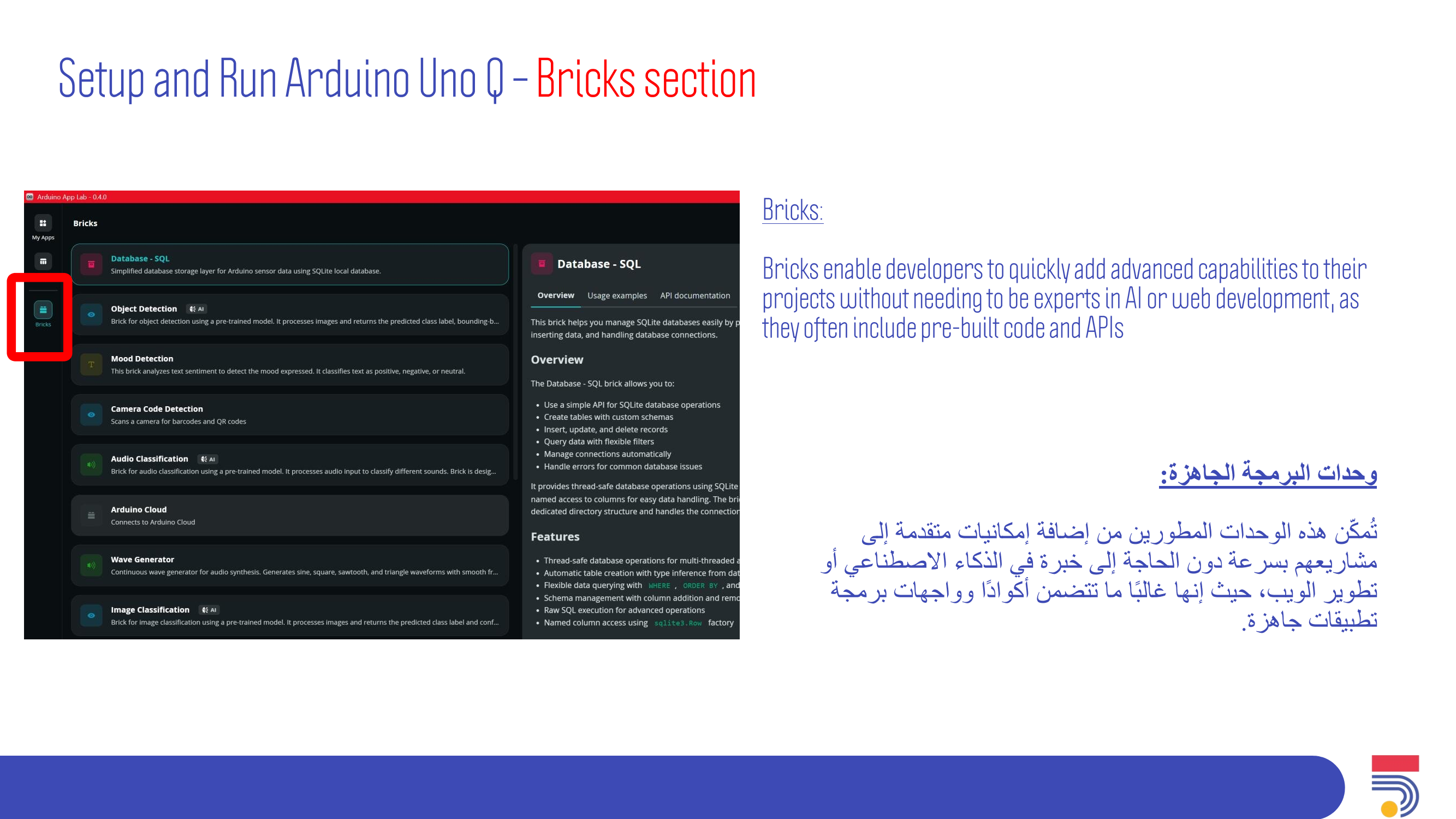
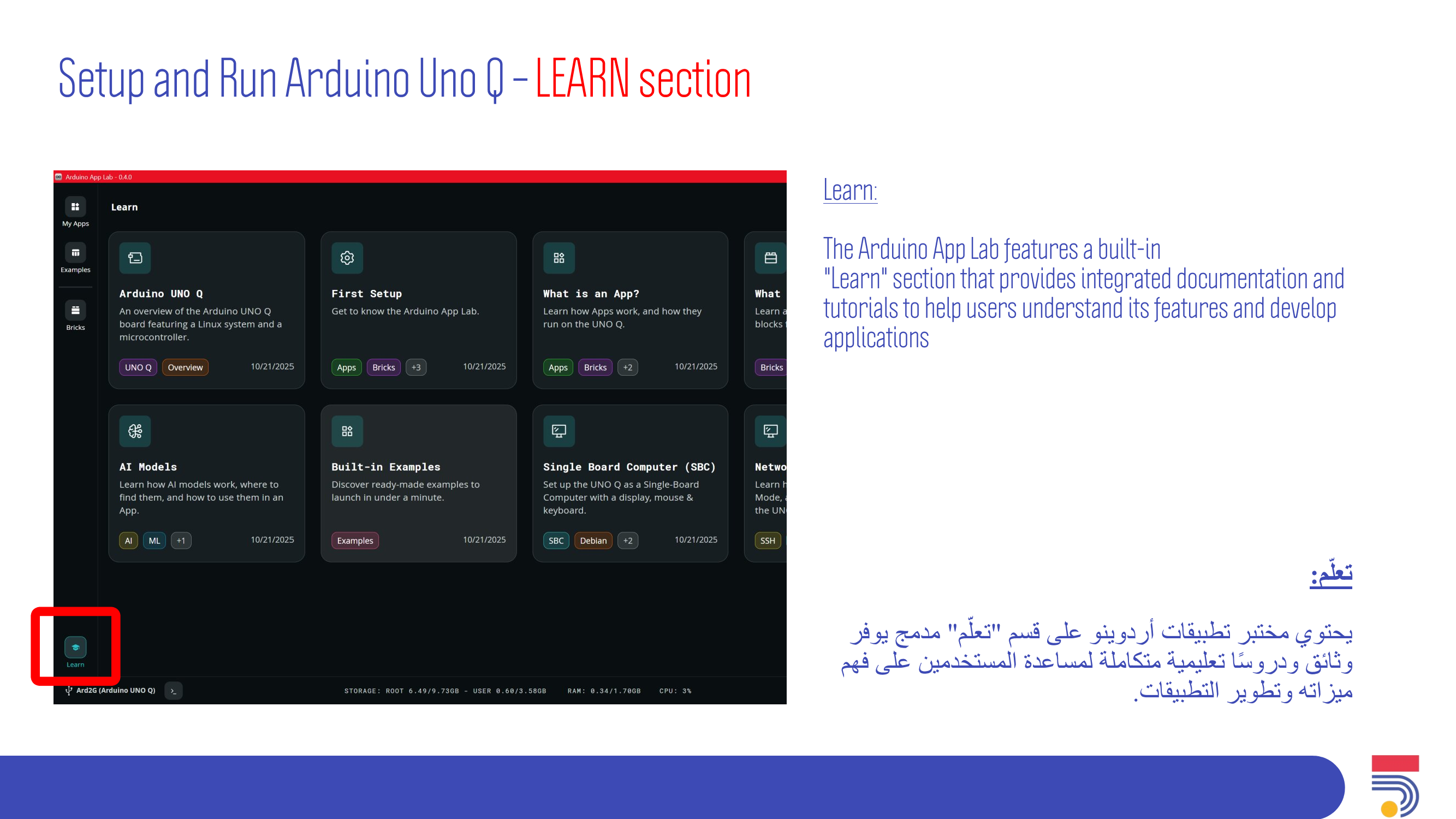
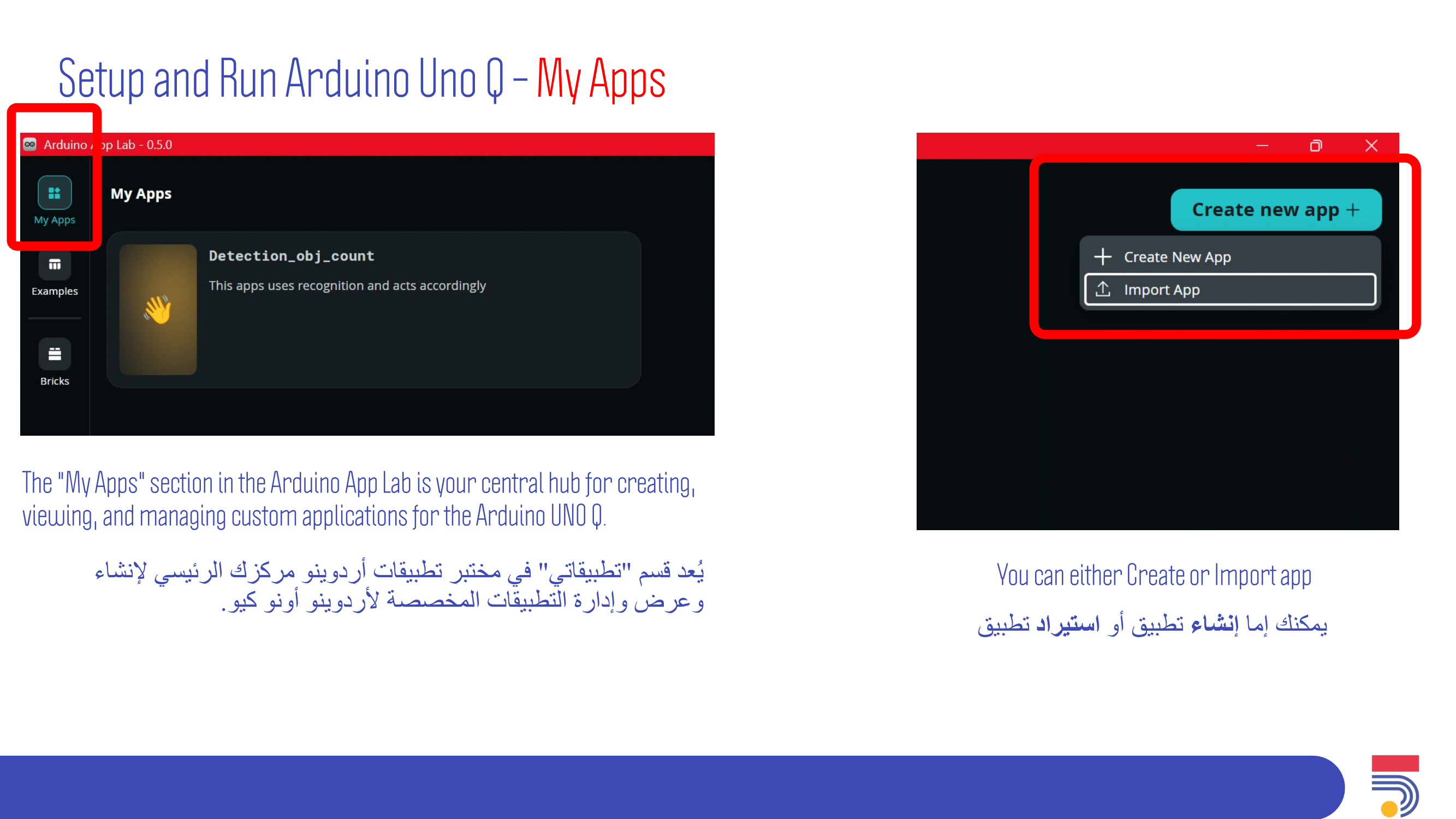
What is AppLab IDE.
What is CLI Flasher.
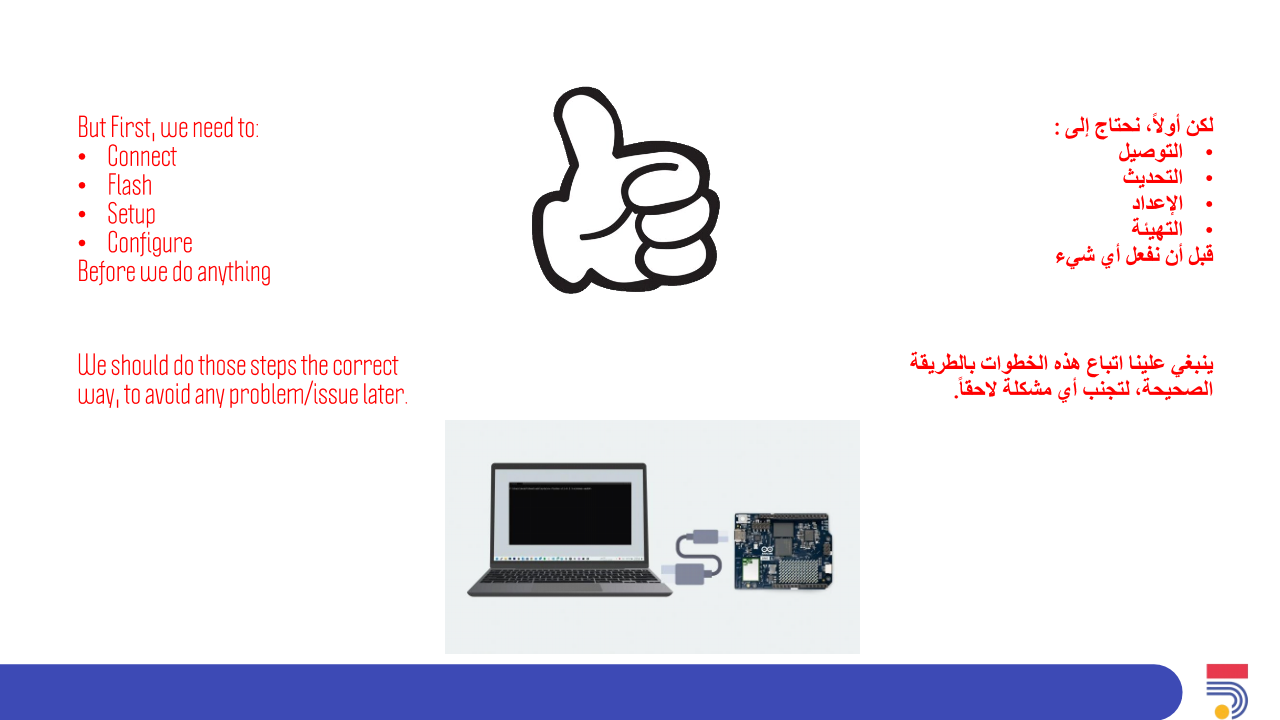
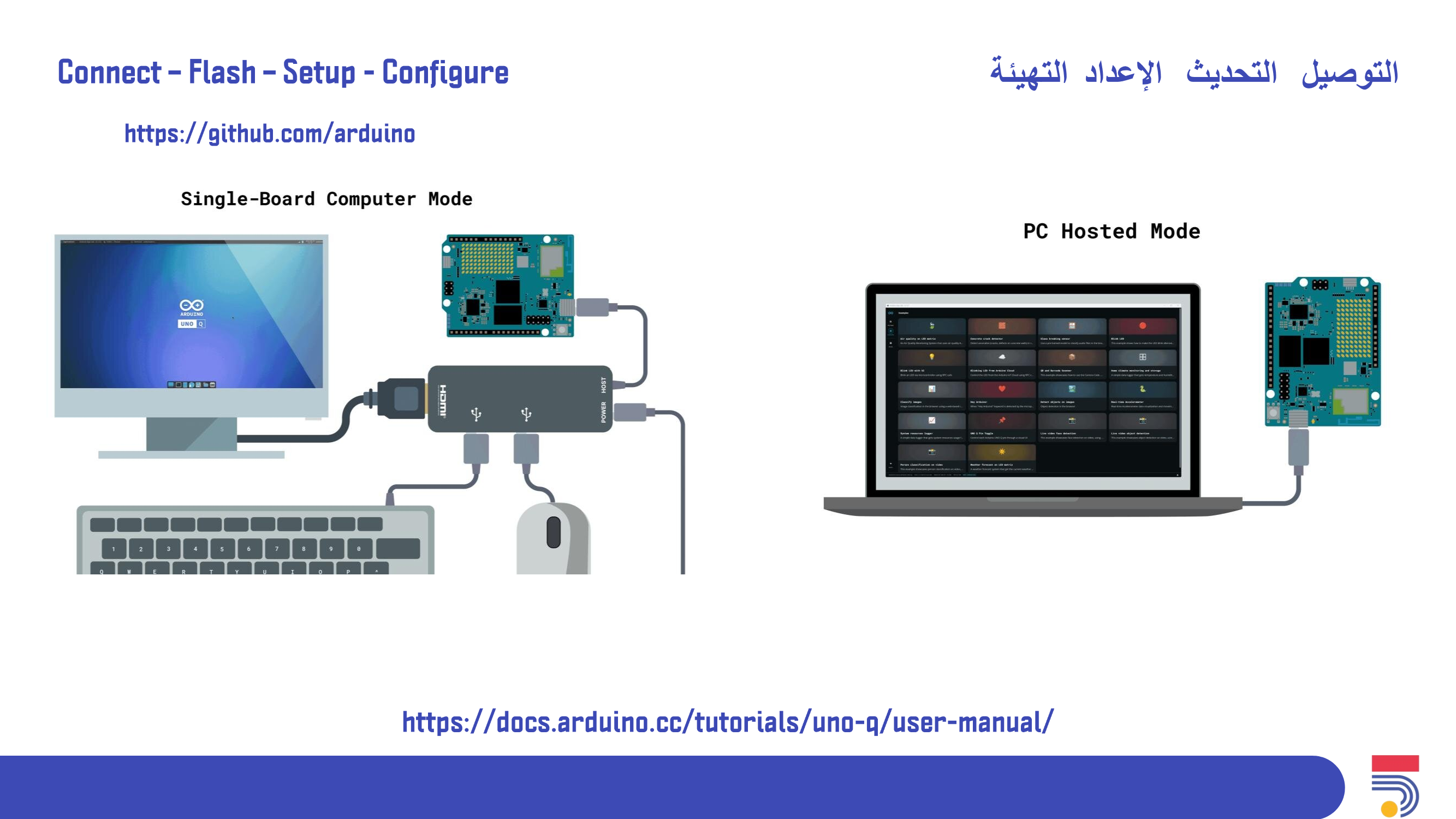
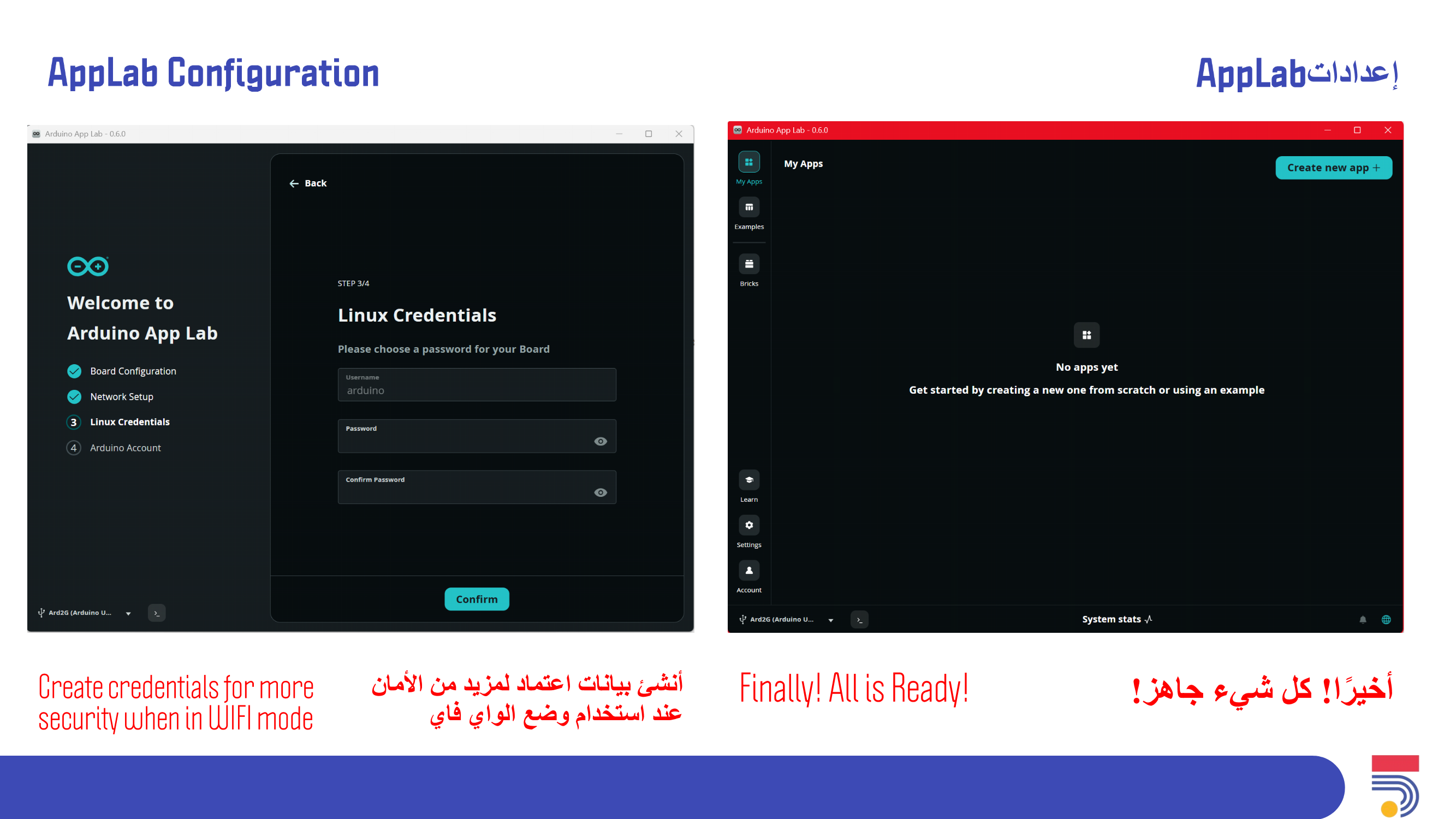
How to Setup Arduino Uno Q board.
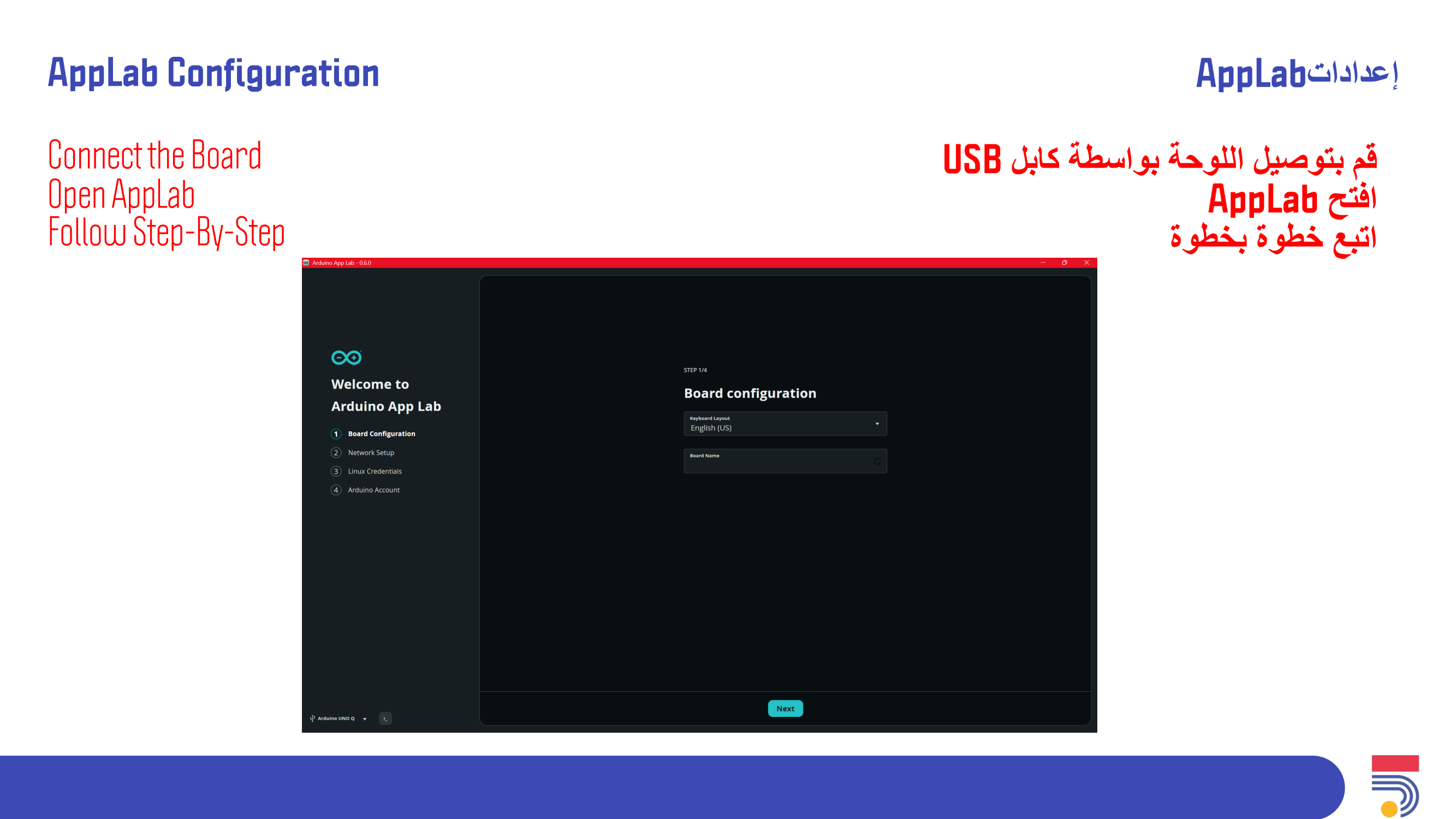
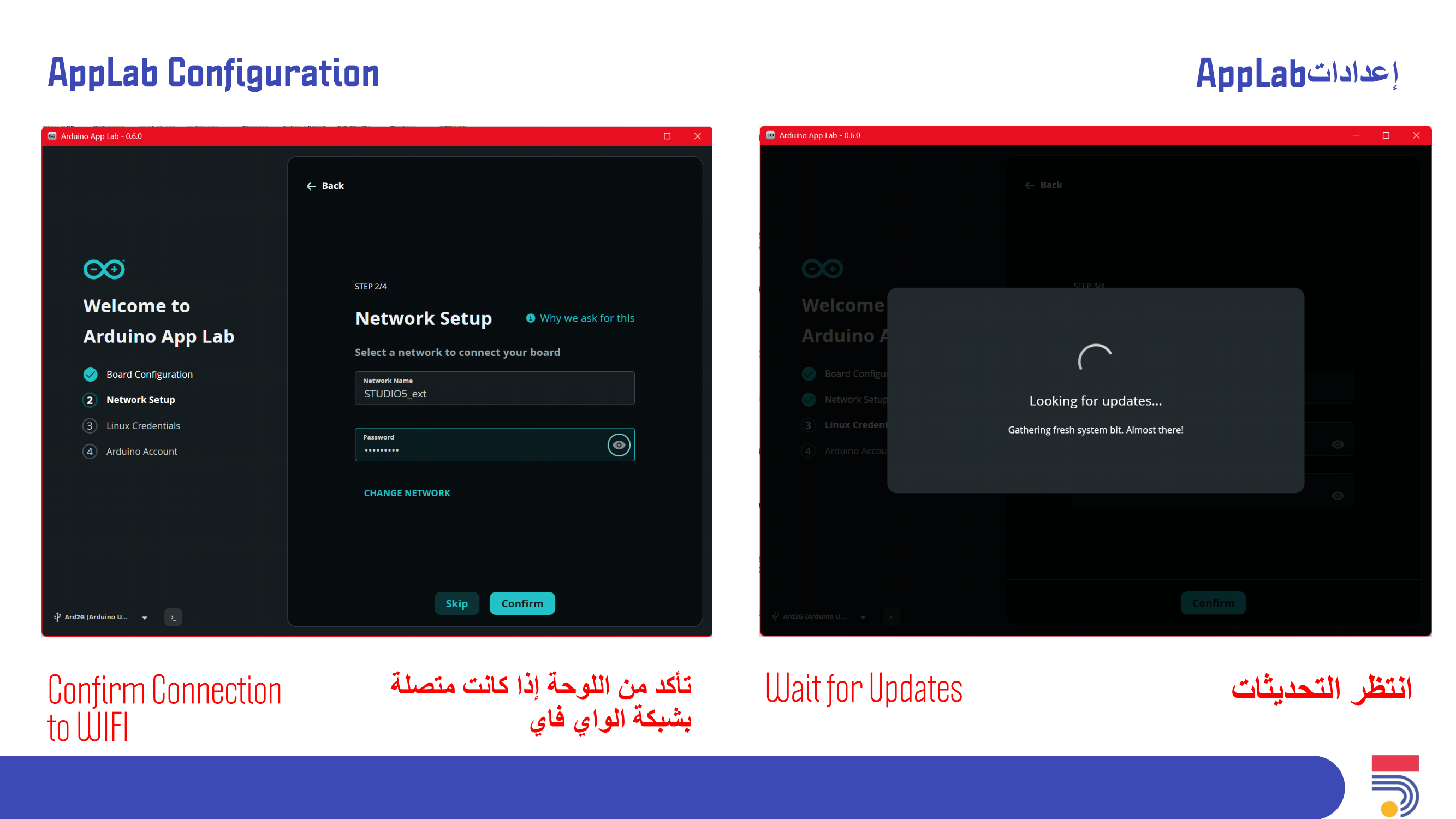
How to Configure Arduino Uno Q board.
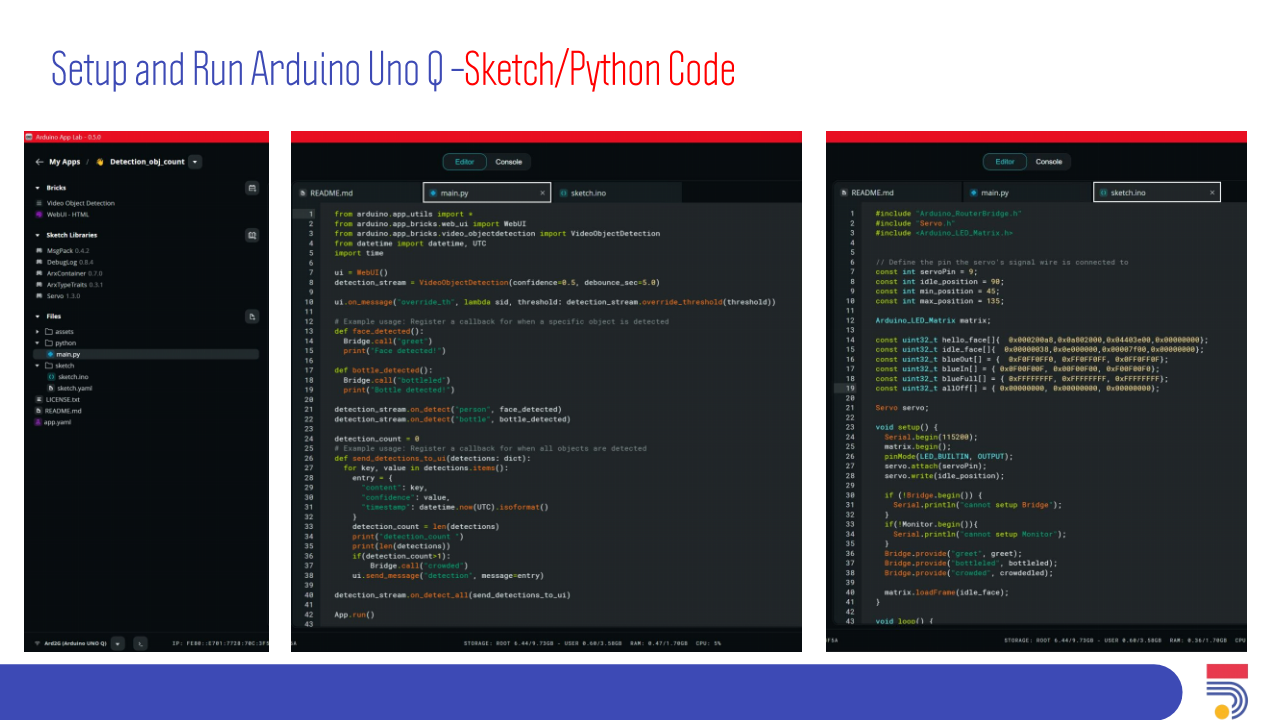
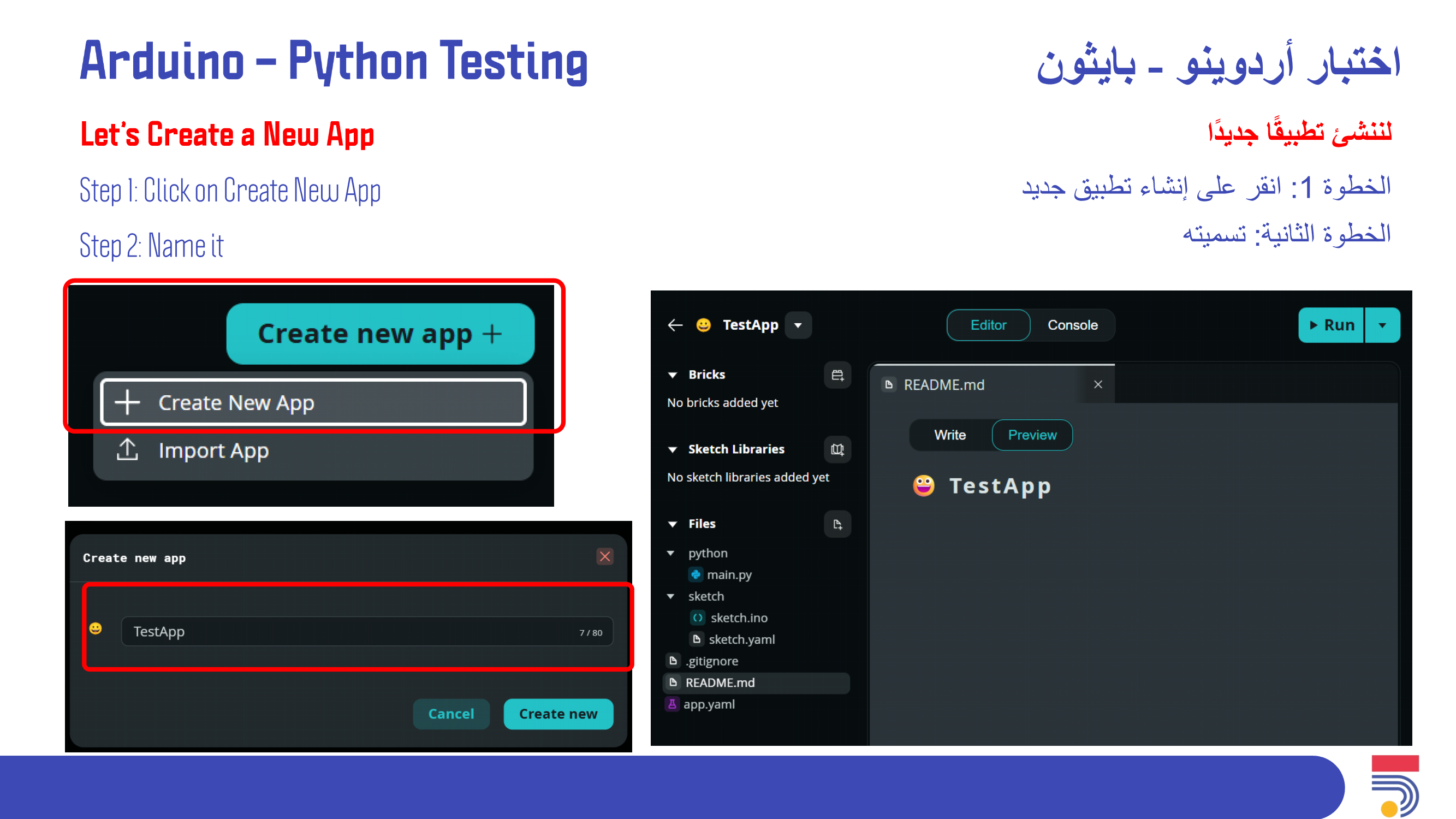
How to Use AppLab for Python.
How to Use AppLab for Arduino.
ما هو AppLab IDE
ما هو CLI Flasher
كيفية إعداد لوحة Arduino Uno Q
كيفية تهيئة لوحة Arduino Uno Q
كيفية استخدام AppLab مع Python
كيفية استخدام AppLab مع Arduino
We need to consider participants has multiple knowledge levels
We need to make sure all participants will do the setup/configuration correctly
يجب مراعاة تعدد مستويات المعرفة لدى المشاركين.
يجب التأكد من أن جميع المشاركين سيقومون بالإعداد/التهيئة بشكل صحيح.
Ask some simple questions about Arduino and Robotics (do you know Arduino, Robotics, What did you try) with the participants in order to engage with them and know their levels, before starting the session
Introduction & Icebreaking
Ask about Arduino (Ice breaking).
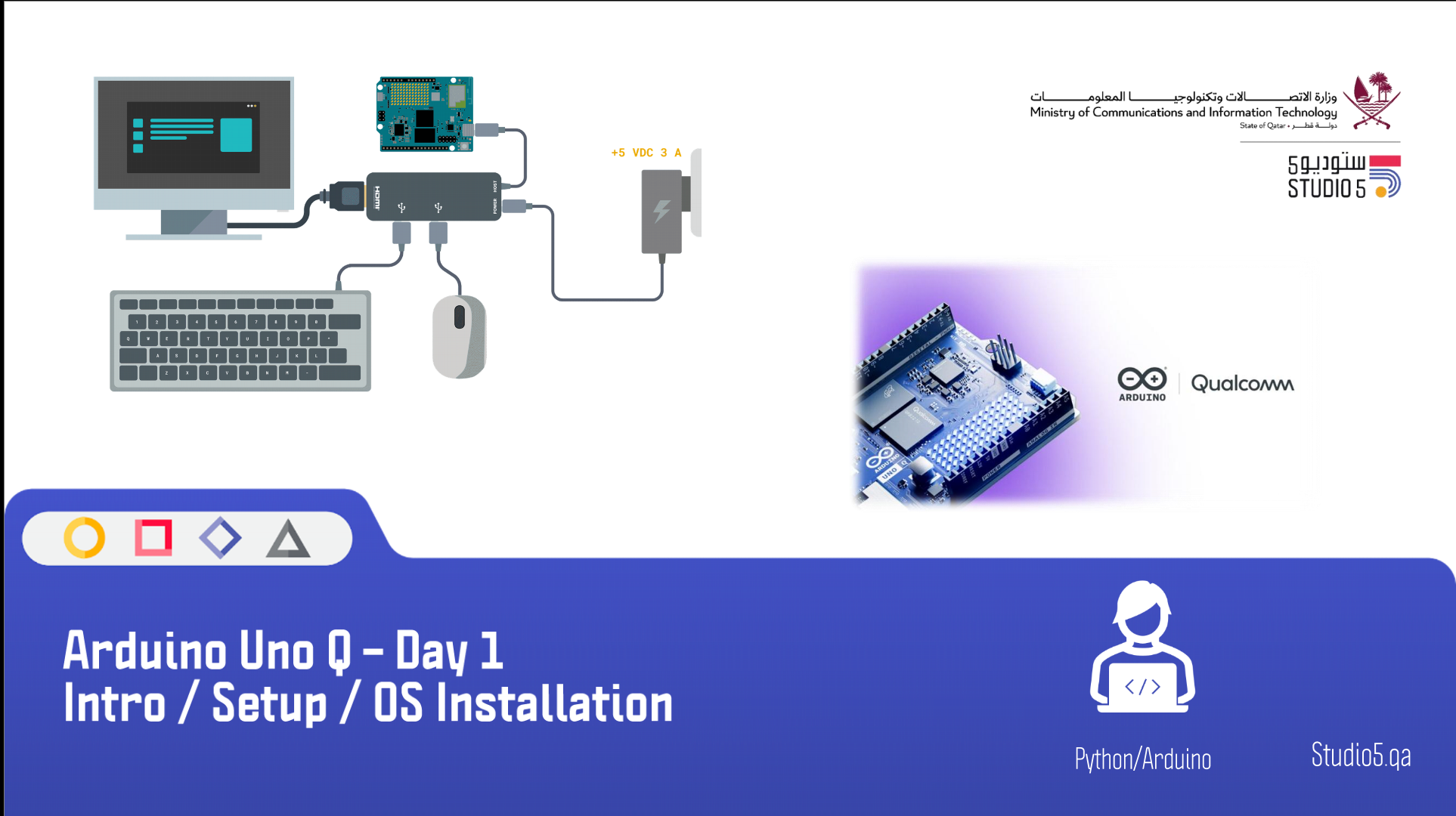
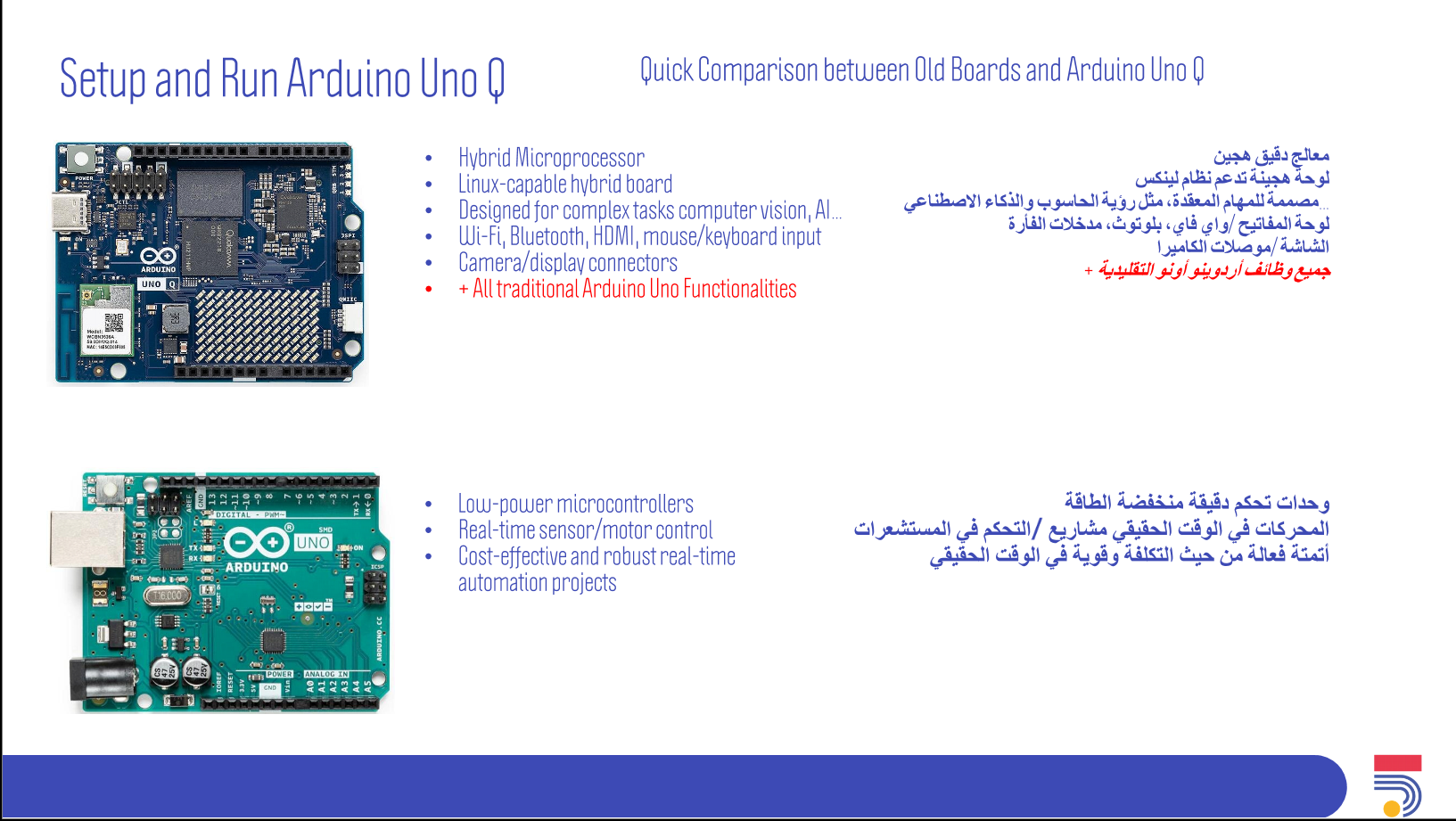
Board Setup
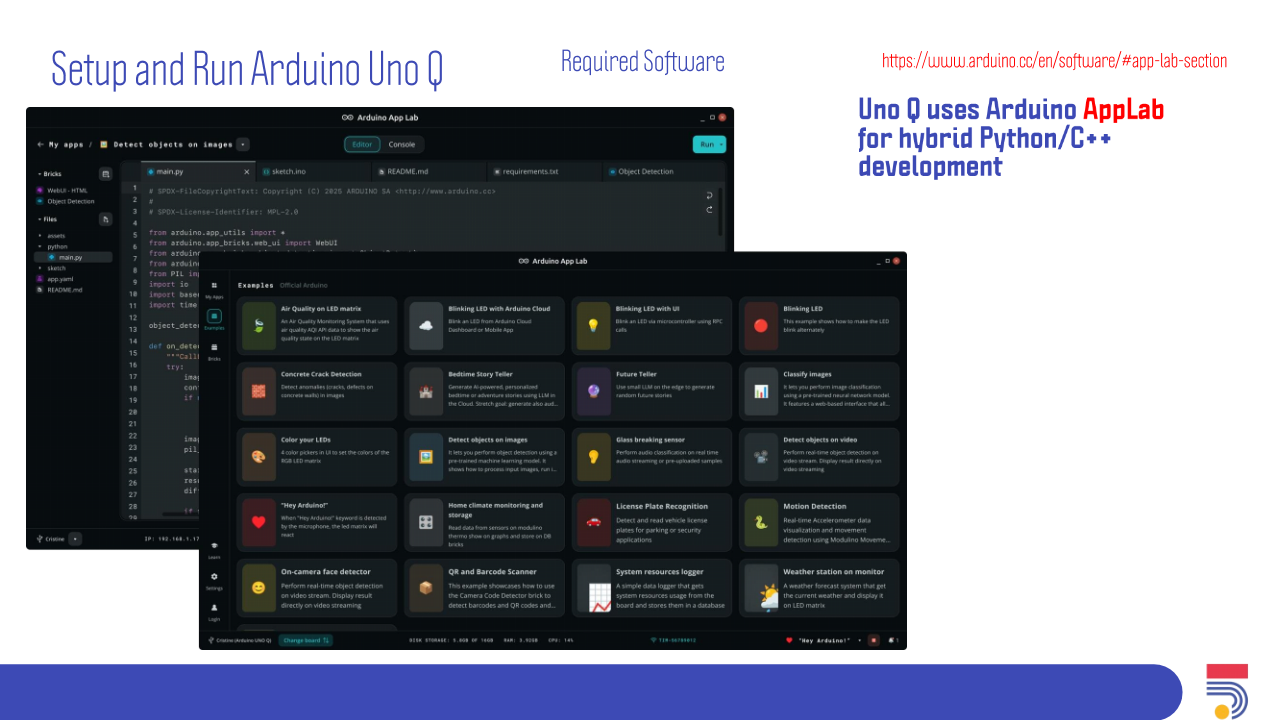
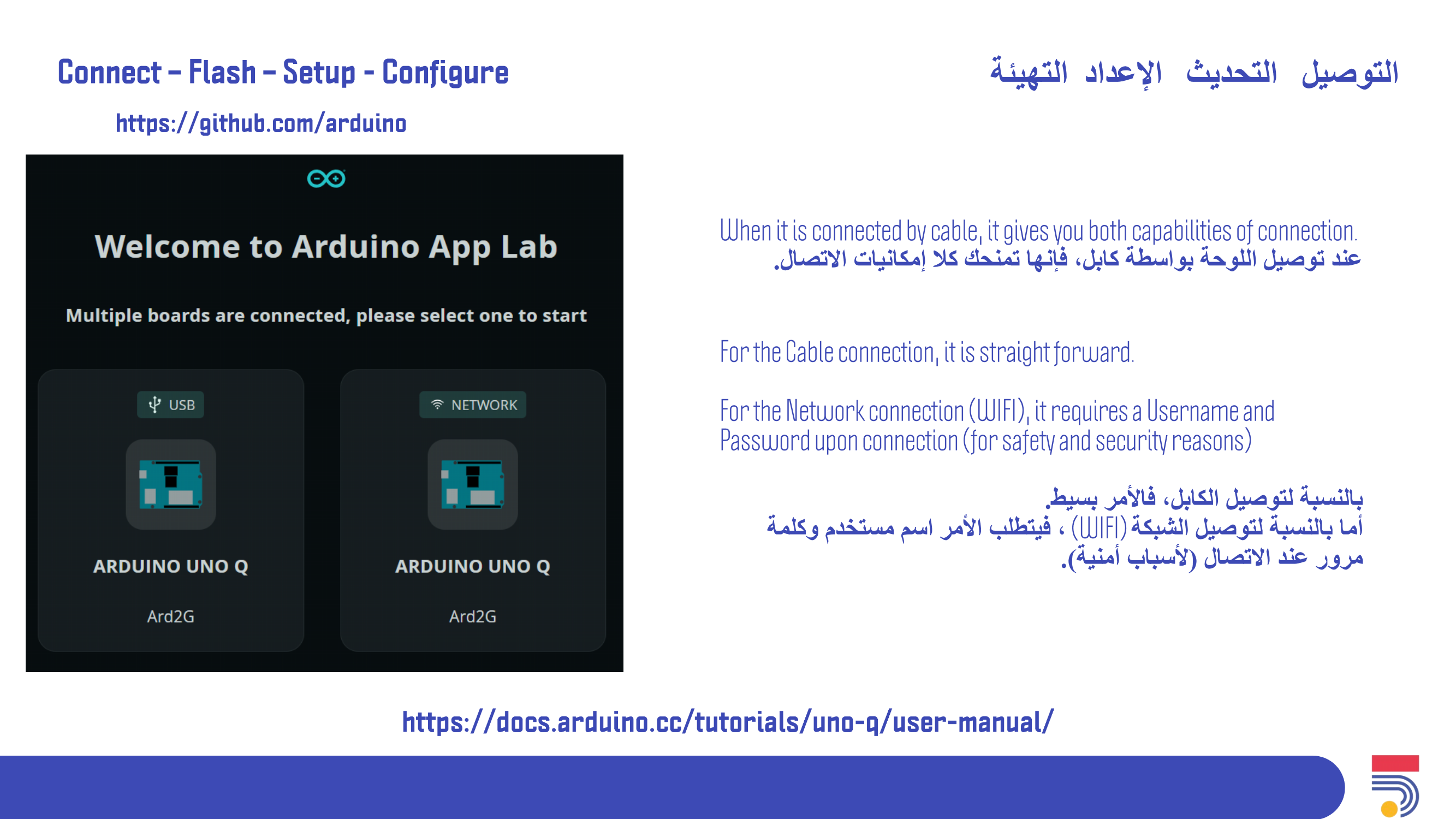
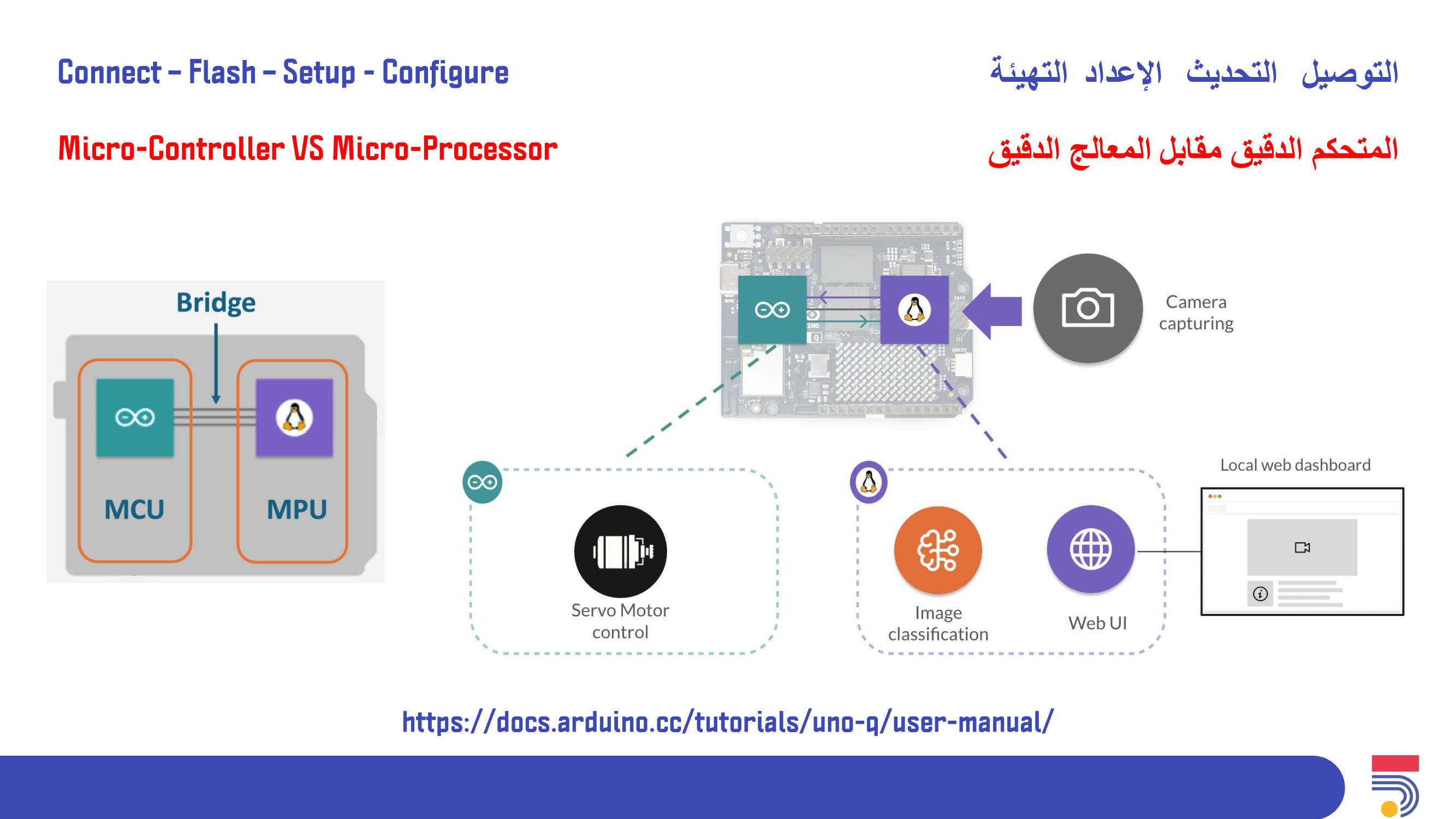
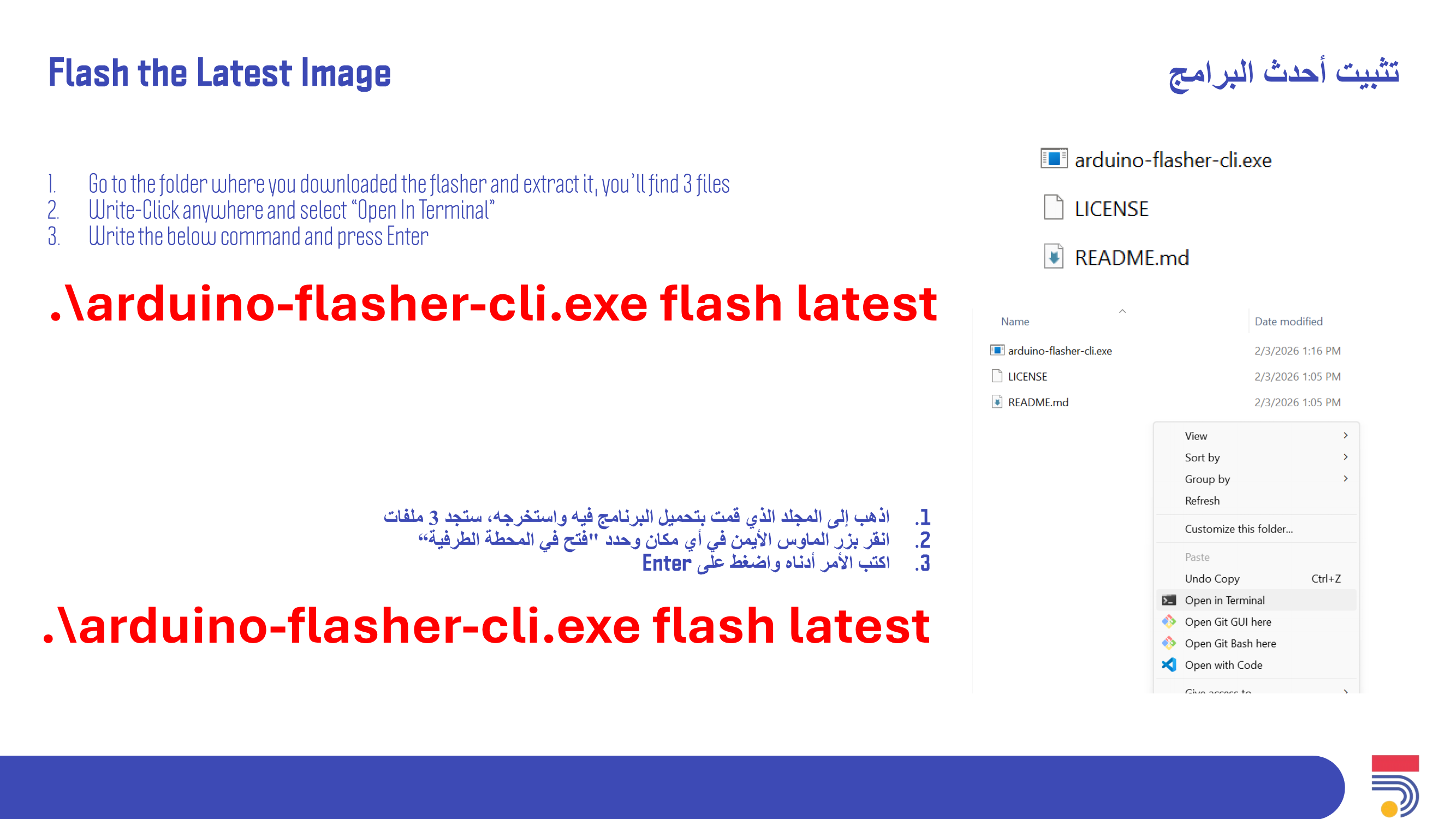
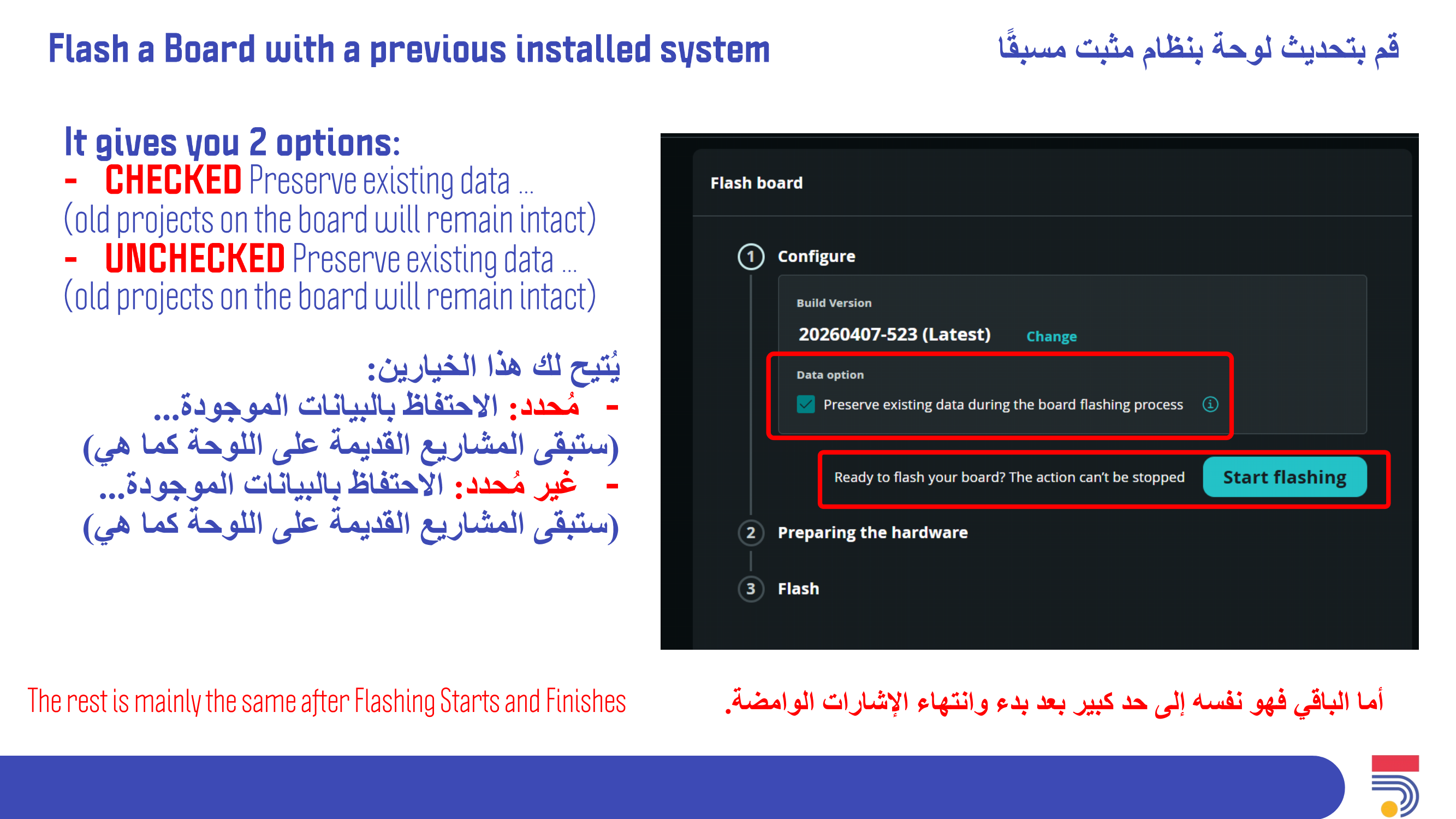
Arduino Flasher
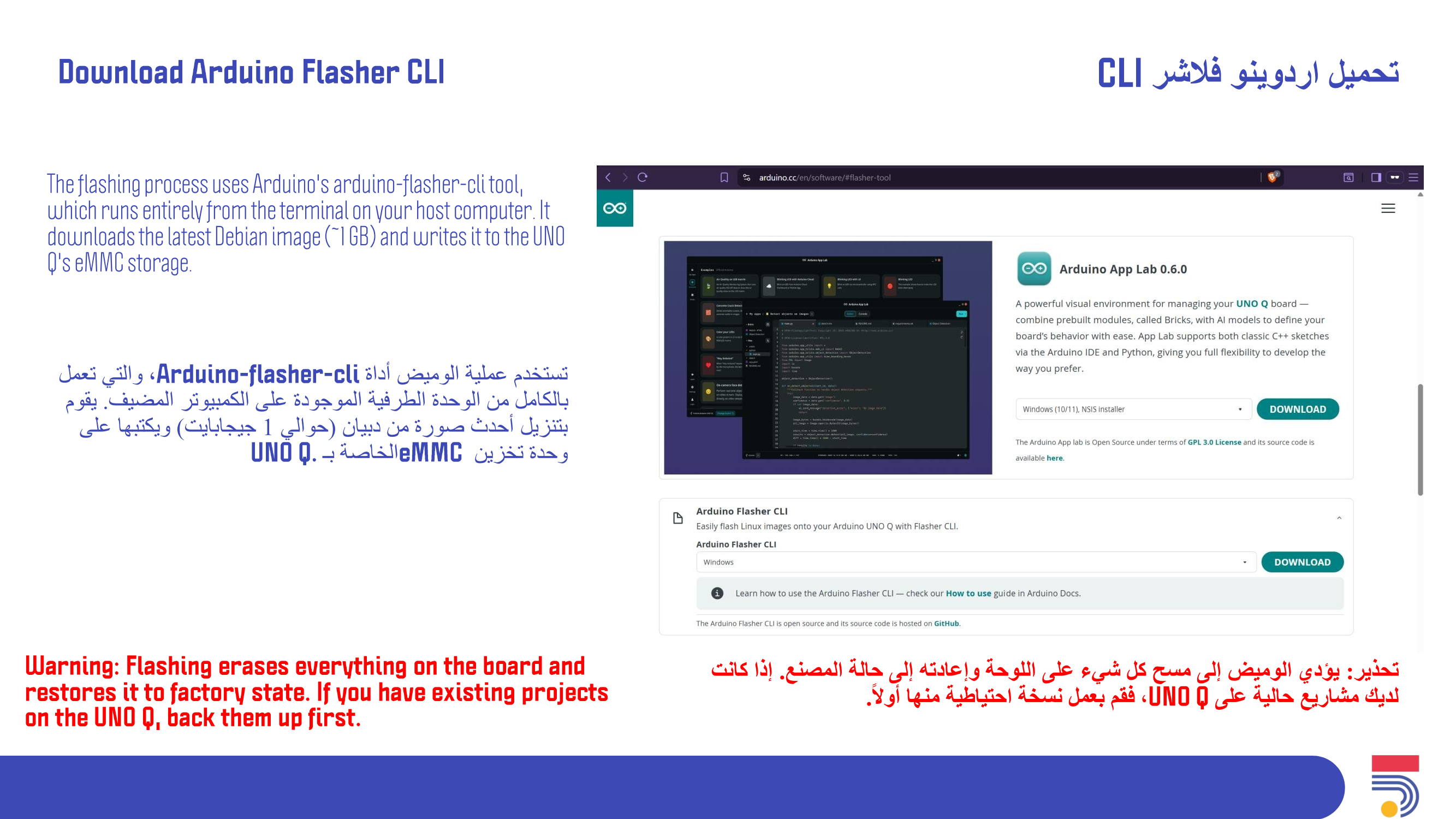
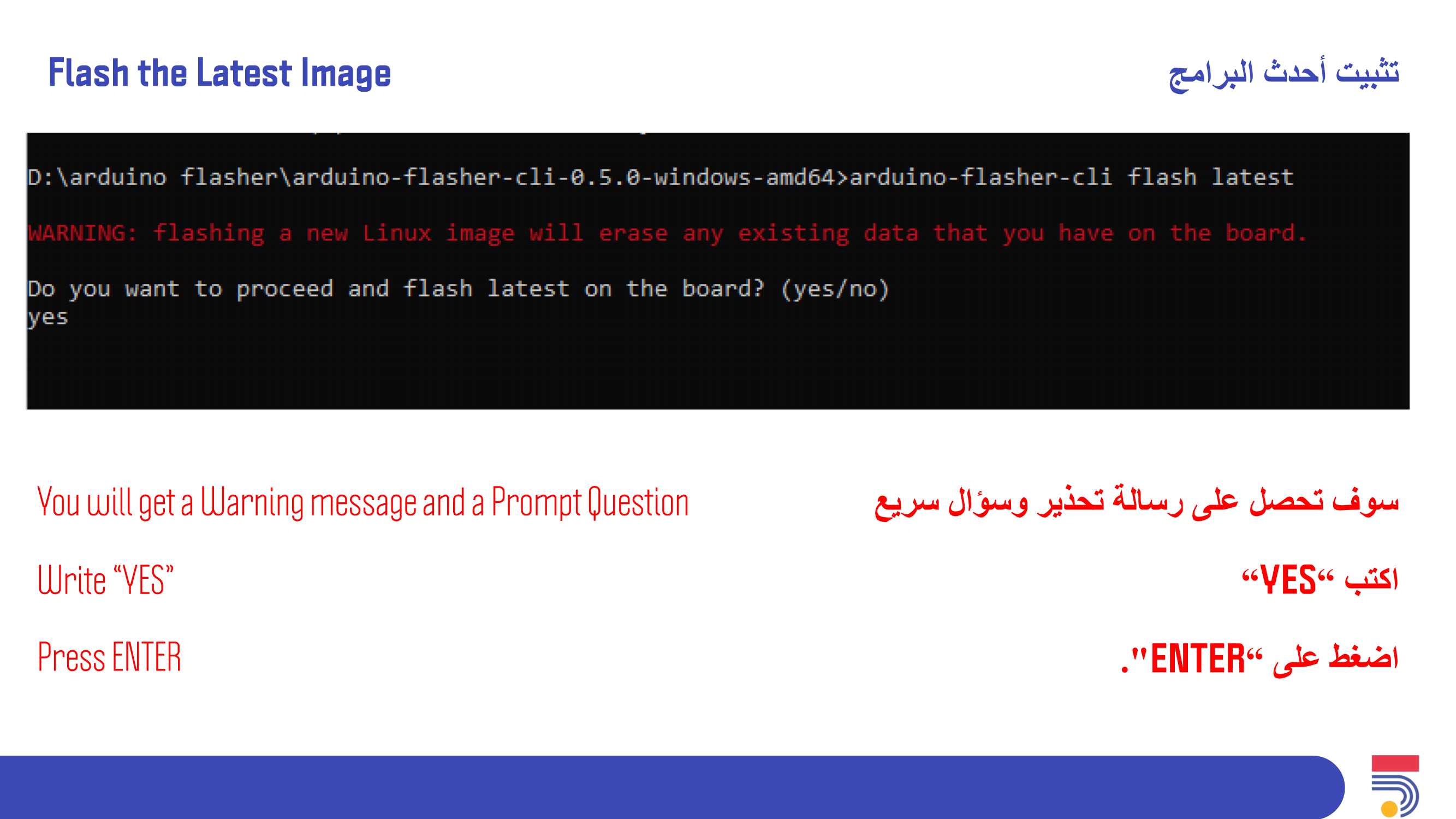
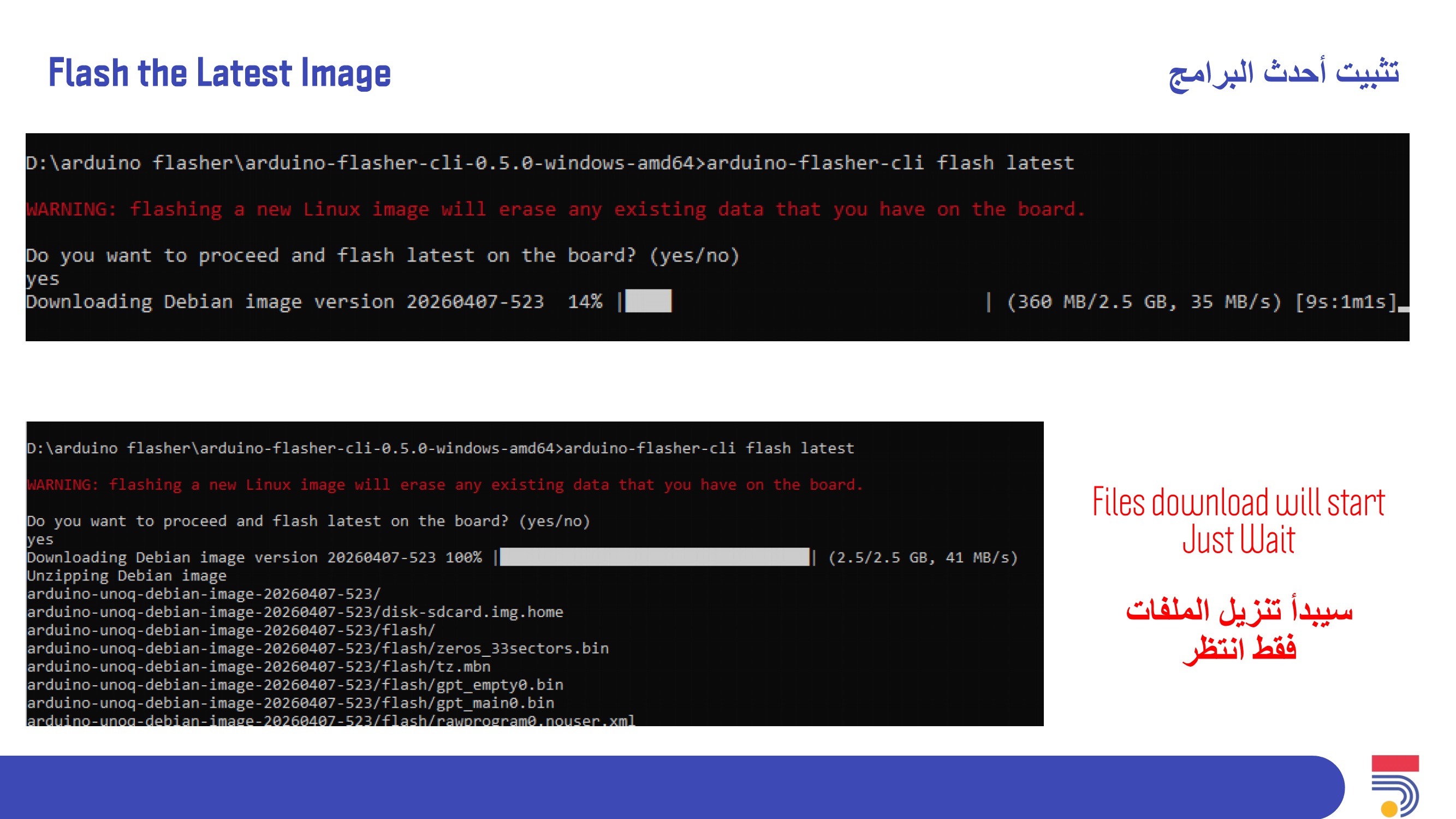
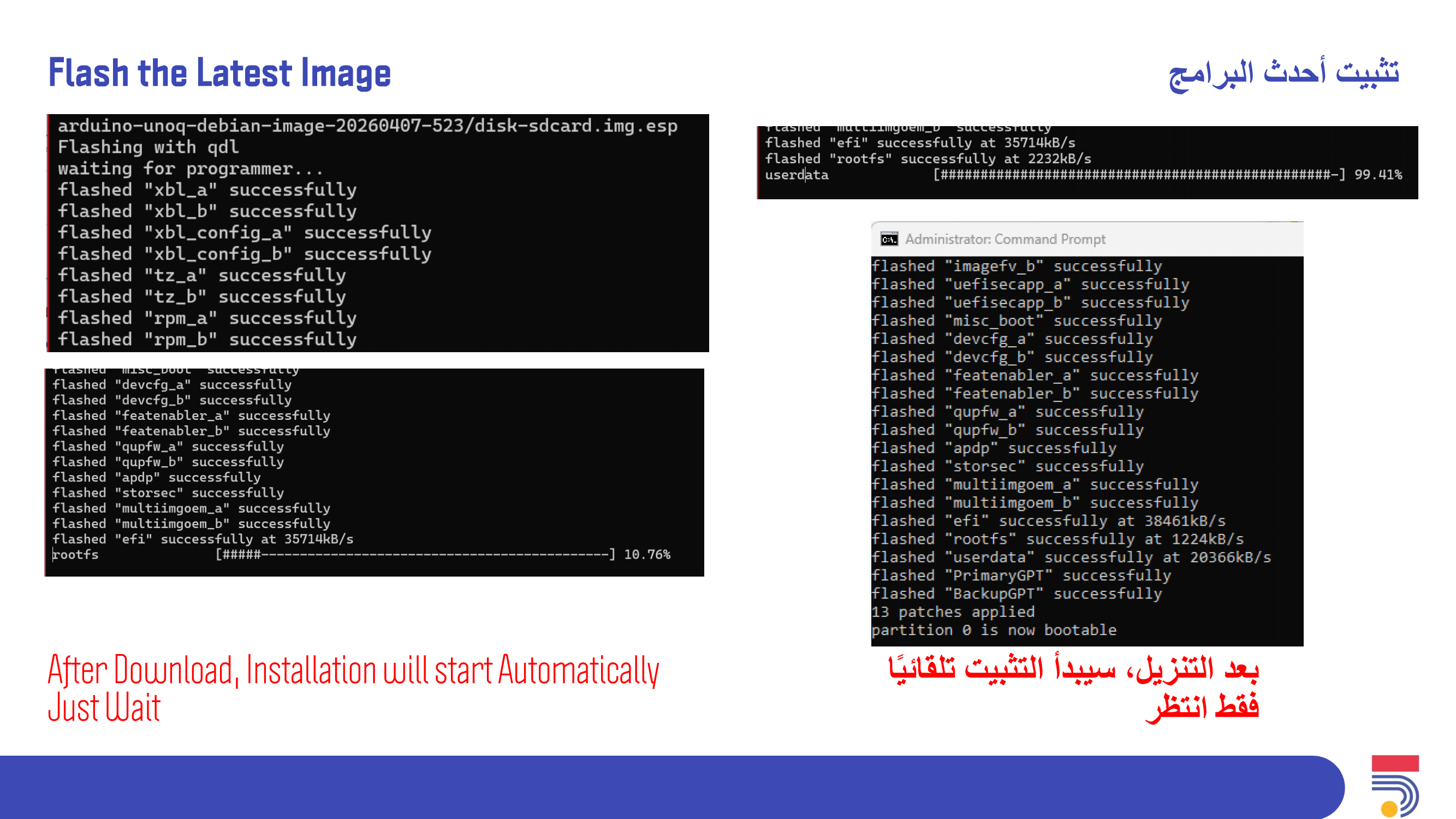
Flash Linux Image
Board Configuration
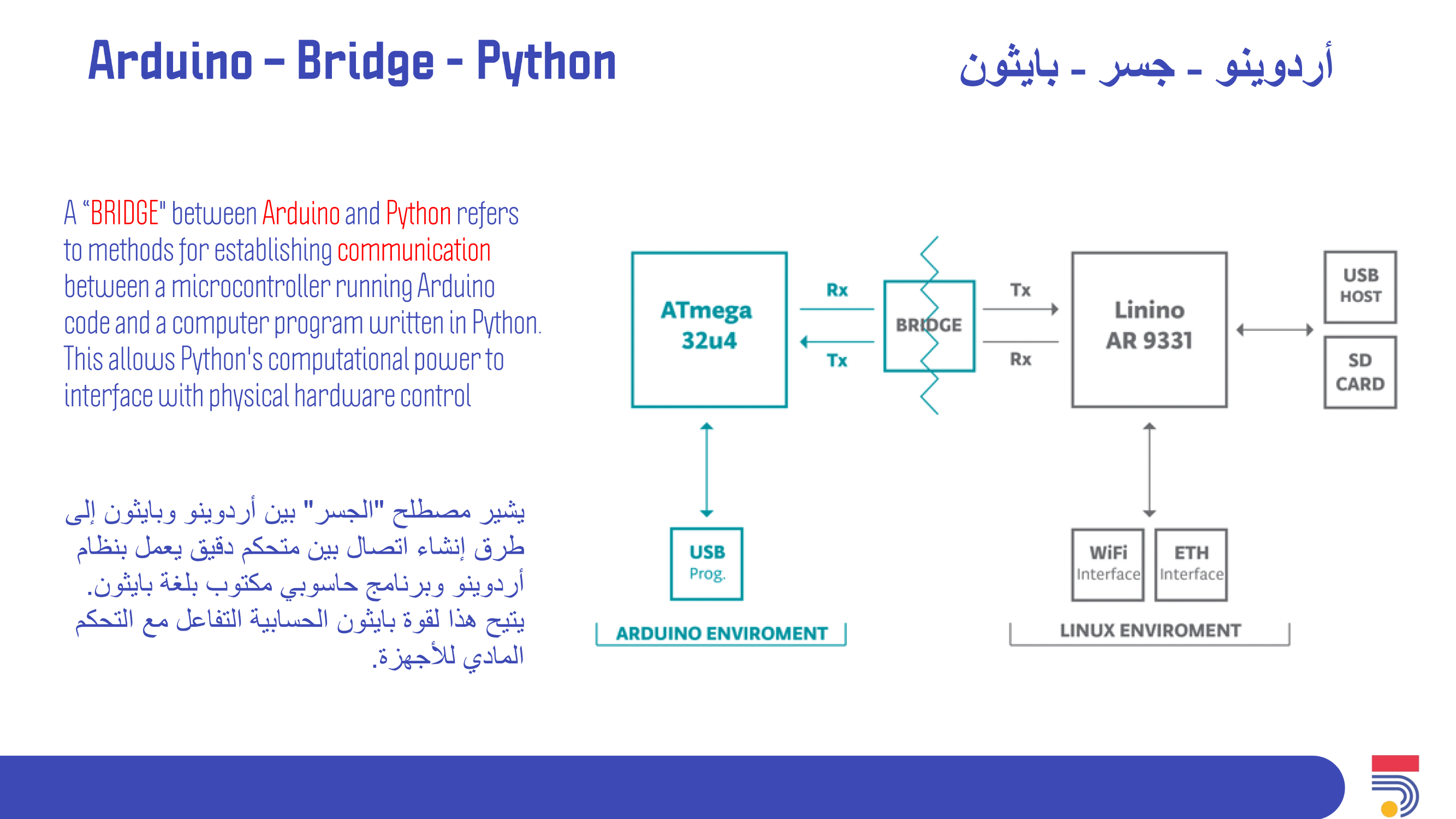
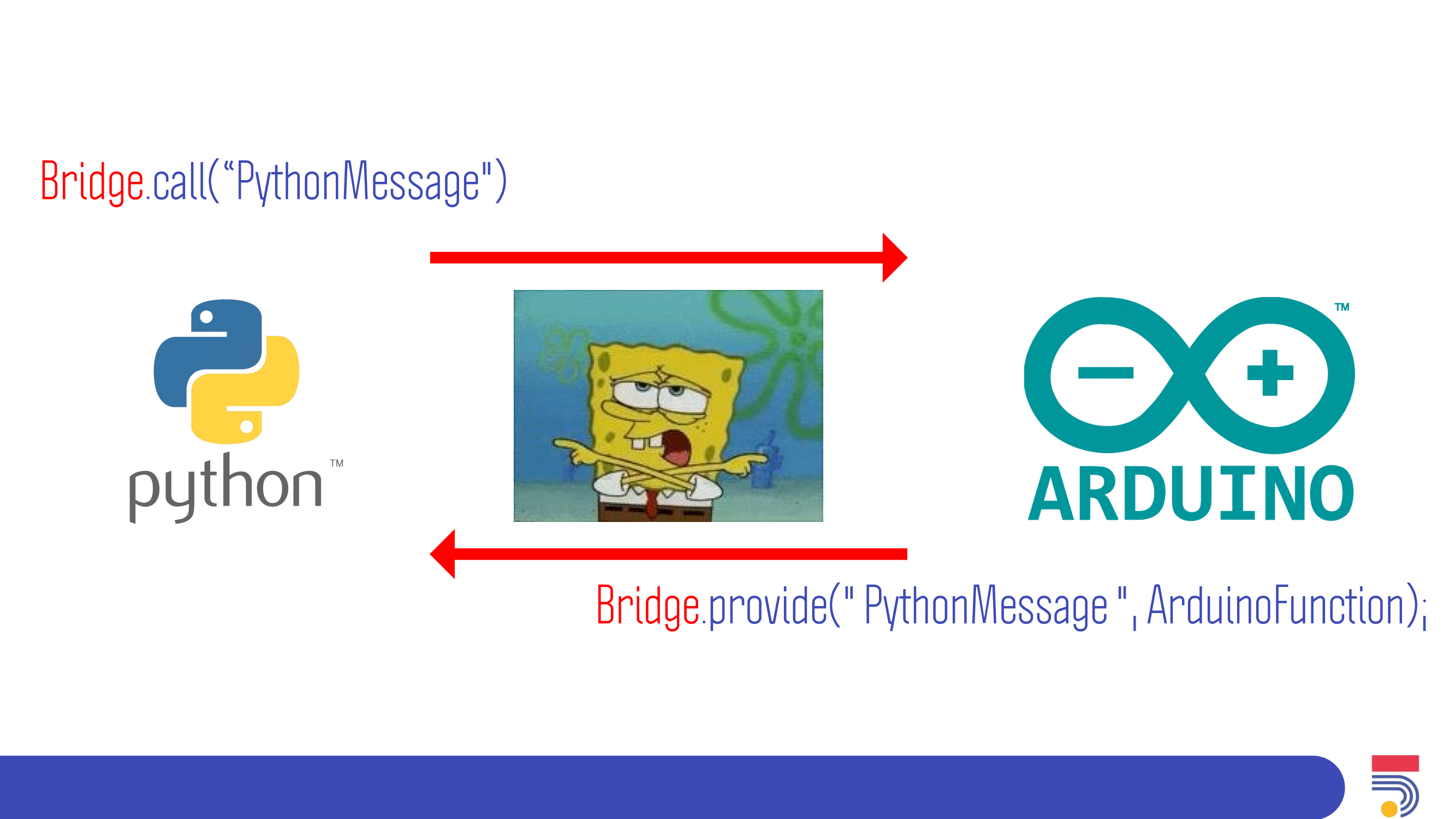
Link Between Arduino and Python
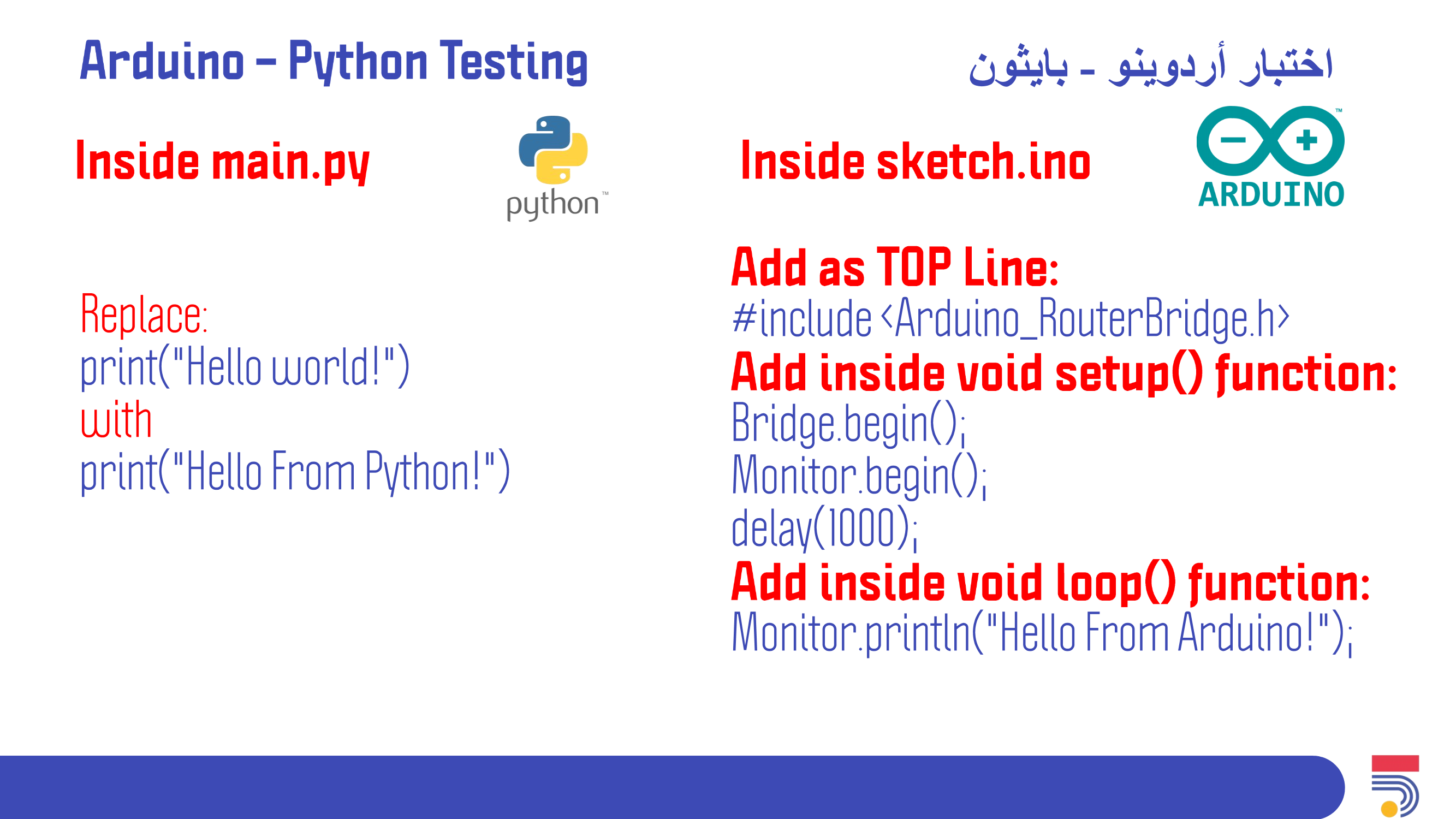
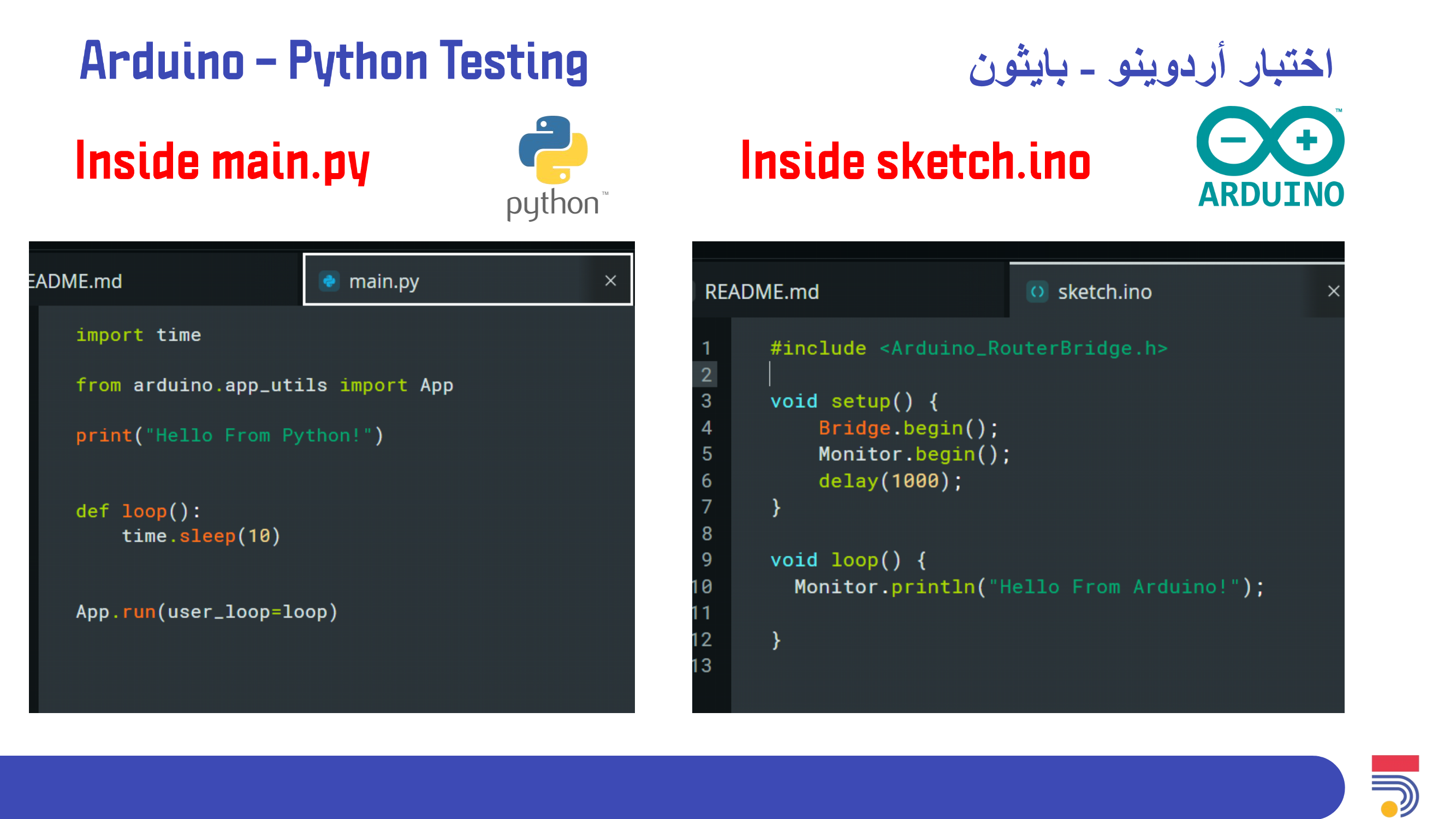
Exercise as: Testing the Outcome
Having trouble? Let us know by completing the form below. We'll do our best to get your issues resolved quickly.
"*" indicates required fields